
Flowframes is designed to help users improve video quality. Using a new AI model, it significantly increases the frame rate based on the user's network environment, making videos smoother and more natural, delivering a brand new user experience. The software supports a variety of video formats, allowing users to import them with confidence. A detailed tutorial helps users quickly master all the software's features. For those who want more polished video productions, download and experience it now!
Click to load YouTube / 点击加载视频
YouTube ↗Features:
AI-Powered Frame Interpolation: This core feature allows the app to seamlessly insert additional frames into video footage, which smooths out playback and improves the overall fluidity of videos. It's perfect for creating slow-motion effects or upgrading footage shot at lower frame rates.
Customizable Settings: Users can tailor the frame rate, interpolation strength, and other settings to fit their specific requirements, giving them complete control over the final output.
Batch Processing: For content creators who need to handle multiple videos at once, this feature saves invaluable time by allowing multiple files to be processed simultaneously.
Format Support: Flowframes supports a range of popular video formats including MP4, AVI, and MOV, making it versatile across different devices and editing platforms.
Real-Time Previews: Before finalizing the output, users can preview their interpolated videos in real-time, ensuring the quality meets their standards.
AI Accuracy: Utilizing state-of-the-art neural networks, Flowframes offers highly accurate frame interpolation that maintains the quality of the original video without degradation.
Highlights:
Wide Format Compatibility: Flowframes work seamlessly with various video formats, including MP4, GIF, WEBM, MKV, MOV, BIK, and more. It even accepts image sequences in formats like PNG and JPEG.
Flexible Output Options: Choose your desired output format – video (MP4/MKV/WEBM/MOV), GIF, or individual frames – based on your preferences and project requirements.
Advanced Video Codecs: Step up your video quality game with support for advanced codecs like H265/HEVC, VP9, and AV1 for export, ensuring optimal visual fidelity.
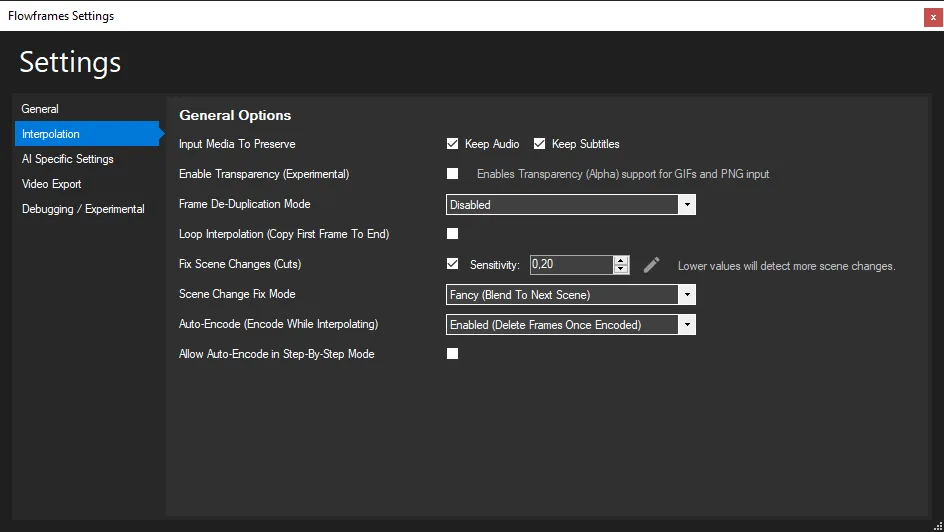
Audio and Subtitle Preservation: It cares about the complete viewing experience. It retains all audio and subtitles from the input video, ensuring no loss in quality.
Frame De-Duplication and Speed Compensation: Ideal for 2D animation and similar content, this feature ensures smooth playback by eliminating duplicate frames and compensating for speed variations.
Functions:
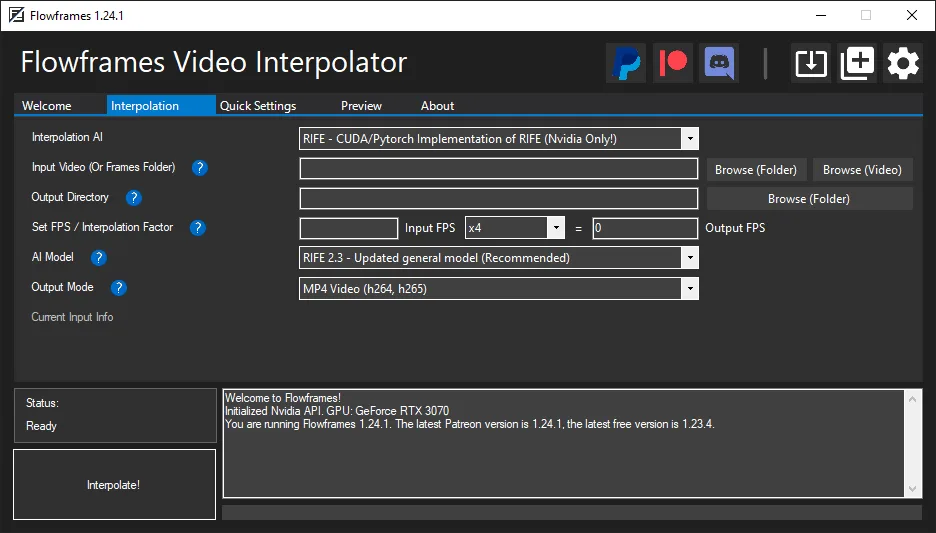
Focused on the RIFE AI, but also supports DAIN and experimental FLAVR, XVFI
Also supports AMD GPUs via NCNN/Vulkan (for RIFE, DAIN)
Includes everything that's needed, no need to install additional software
Can read MP4, GIF, WEBM, MKV, MOV, BIK, and more video formats
Can also take image sequences as PNG, JPEG and more as input
Output as video (MP4/MKV/WEBM/MOV), GIF, or frames
Supports advanced video codecs such as H265/HEVC, VP9, AV1 for export
Preserve all audio and subtitles from the input video with no quality loss
Built-in Frame De-Duplication and speed compensation (for 2D animation, etc)
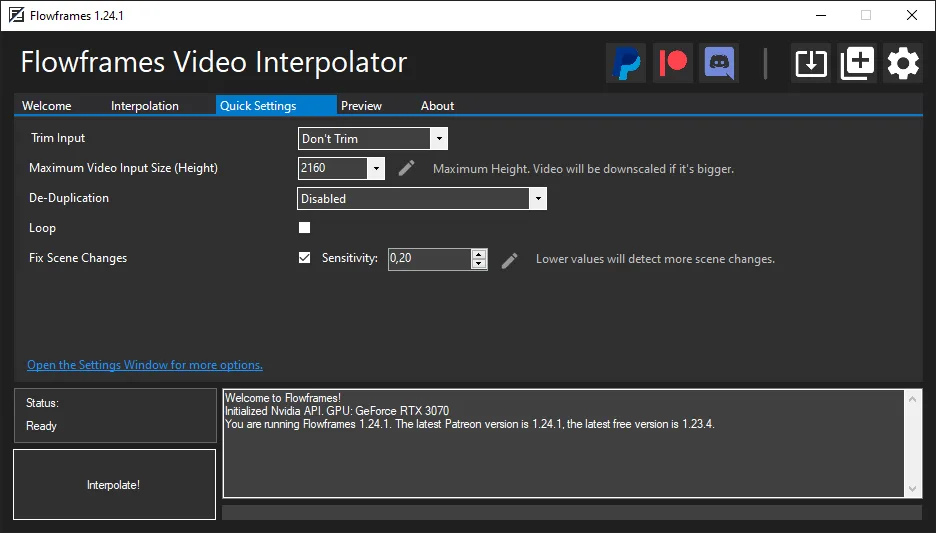
Scene Detection to avoid artifacts on scene cuts
...and more!
How Flowframes works:
Video import: User upload video they want to enhance into Flowframes APK app.
AI frame interpolation: App AI algorithm analyze original video and generate additional frame between exist ones. Processed effective boost frame rate, creating smoother motion.
Customization: User maybe select desire frame rate (e.g., 60 FPS, 120 FPS) and adjusts setting. Like resolution, aspect ratio and quality base on their preference.
Real time preview: Flowframes offer real time preview of enhanced video, allow user see effect of frame interpolation before finalizing change.
Exporting video: After adjust, enhanced video maybe exported in desire format and frame rate, ready for share or edit.
Conclusion:
Flowframes is a state-of-the-art AI-powered video interpolation tool designed to enhance video quality by increasing frame rates. This innovative application ensures smoother and more natural motion, making it ideal for gamers, content creators, and professionals looking to elevate their video projects.Leveraging advanced AI frameworks like RIFE, DAIN, FLAVR, and XVFI, Flowframes simplifies the process of achieving high-quality frame rate enhancement without compromising the integrity of the original video. With support for a wide range of formats and an intuitive user interface, Flowframes is the perfect solution for creating fluid, professional-grade video playback and edits.