

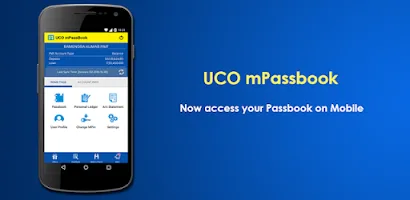
UCO mPassbook is a practical tool that allows users to access their bankbooks on their mobile devices, making it easy to manage your bankbooks even when offline. UCO mPassbook offers a video proof-of-life submission module, a digital bankbook, a digital personal ledger, digital account statements, and more, centralizing all your account information in one place. Download UCO mPassbook now! This app will provide secure and convenient banking services at your fingertips, simplifying your financial management!
Click to load YouTube / 点击加载视频
YouTube ↗Brief Introduction:
Stay connected to your finances with the UCO mPassbook app, a convenient mobile banking platform that puts your account details right at your fingertips. Easily check your account balance, view transaction history, and access bank account information anytime, anywhere, with 24x7 availability. With a user-friendly interface and support for 12 languages, managing your finances has never been easier. Send e-statements, locate nearby branches and ATMs, and register with just a few simple steps. Experience secure and effortless banking with UCO mPassbook, ensuring you stay on top of your transactions on-the-go. Download the app now and take control of your financial future.
Features of UCO mPassbook:
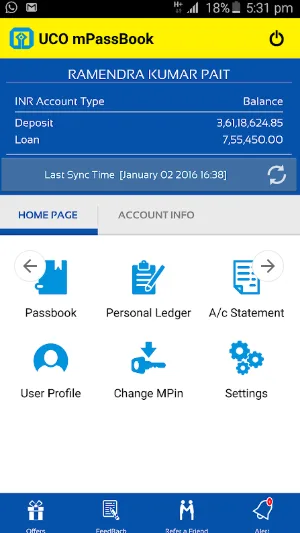
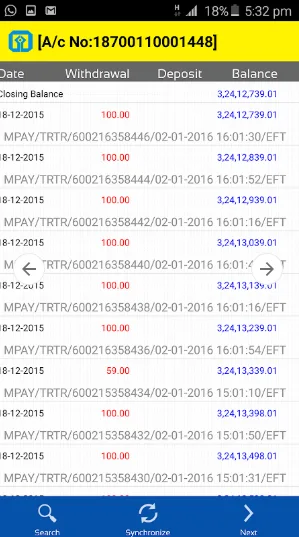
Digital passbook: UCO mPassbook allows users to view their account balance, transaction history, and bank account details on their smartphones.
24x7 availability: Access your bank account details anytime and from anywhere with UCO mPassbook.
Multilingual support: UCO Bank mPassbook is available in 12 languages, ensuring ease of use for a diverse range of customers.
Easy-to-use interface: With a simple and user-friendly interface, managing your finances with UCO mPassbook is effortless.
Send e-statements through email: Easily share detailed statements to your registered email address with the mPassbook app.
Locate UCO Bank Branch/ATM: Find nearby UCO Bank branches and ATMs conveniently through the mPassbook application.
Tips for UCO mPassbook:
Regularly check your account balance and transaction history to stay informed about your finances.
Take advantage of the multilingual support to use UCO mPassbook in your preferred language for enhanced convenience.
Make use of the e-statement feature to easily share detailed transaction information with your email address.
Utilize the branch and ATM locator to quickly find UCO Bank services near you for any banking needs.
Conclusion:
With the digital passbook feature, 24x7 availability, multilingual support, easy-to-use interface, e-statement sharing, and branch/ATM locator, UCO mPassbook offers a comprehensive and convenient mobile banking experience. By following the simple registration and login processes, users can easily access and manage their bank account details on-the-go. Stay on top of your finances with UCO mPassbook, making banking hassle-free and efficient for all users.








