

Lexis Audio Editor (MOD) is a lightweight, easy-to-use audio editing app. Perfect for beginners and basic editing needs, it offers features like recording, cutting, merging, speed-changing without pitch loss, noise reduction, and 12 built-in sound effects. It also supports importing and exporting multiple audio formats. While it doesn't allow for multi-track editing or complex production, the app's simple interface and intuitive operation make it a practical tool for simple song editing and recording. Download now!
Click to load YouTube / 点击加载视频
YouTube ↗Features:
Audio Recording and Editing: Create new audio recordings or edit existing audio files with the app's editor.
Various Audio Formats: Save your audio files in the desired format, including wav, m4a, aac, flac, and wma.
Full-Featured Trial Version: The trial version of the app offers all the features of the paid version, allowing you to explore and utilize options like saving in different formats.
Advanced Editing Tools: Cut, copy, and paste audio clips as per your requirements. Also, delete, insert silence, trim, fade in, and fade out audio segments.
Enhancements and Effects: Utilize features like normalizing and noise reduction to enhance the audio quality. Use the 10-band equalizer and compressor to further customize the audio.
Additional Functions: Record into the existing file or import a new file into an existing project. Mix the current audio file with another. Split audio into vocals and accompaniment. Change tempo, speed, and pitch.
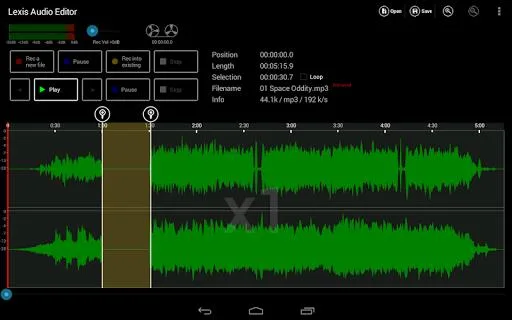
Simple, Straightforward Design:
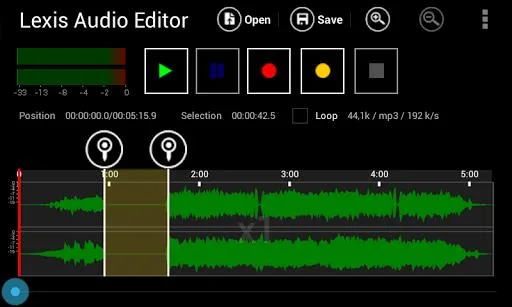
What users will like about the Lexis Audio Editor app is its simple and straightforward design. With this, users can jump right into editing without spending too much time learning the interface. You can import audio files or record sounds directly within the app and then add effects, trim the track, and do other basic edits.
The app comes with fun audio effects like reversing the audio and editing the pitch of the track. But there are also more functional tools that will leave you impressed. Lexis Audio Editor allows you to speed up or slow down the track without affecting the pitch by altering the tempo. With this, you can pick up the pace on one of your favorite songs or slow it down to make it easier to play along with an instrument. You can also do other edits such as equalizing the sound or fade the sound in and out.
Lexis Audio Editor also comes with an audio normalizing and noise reduction tools which ensure that you have a smooth sounding track. The app also allows you to save your created track in various format.
FAQs:
Can I record my voice using Lexis Audio Editor Pro Apk?
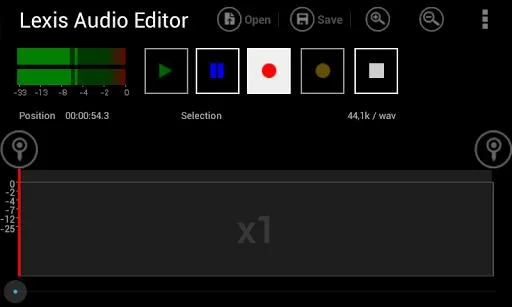
Yes, Lexis provides a voice recording feature that allows you to adjust settings like sound quality, volume, and background noise. This makes it perfect for podcasters, audiobook producers, or anyone who needs to speak or dictate audio files.
Can I export my edited audio files in different formats?
Yes, Lexis supports various audio formats, including FLAC, m4a, WMA, aac, and more. You can choose the format that suits your needs while exporting your audio files.
Is Lexis Audio Editor Pro Apk compatible with video files?
Yes, Lexis supports video formats like mp4, 3gp, and 3g2. This means you can also edit and enhance the audio tracks of your videos using this app.
Conclusion:
Lexis Audio Editor (MOD) is an application for editing audio files. With this program, you can apply any type of editing to audio files and save them to your device with high quality. This application changes the complicated parts of the previous program and only retains simple elements to make it easy for users to understand the operation.








