
Google Drive is a free, secure, and reliable cloud storage service designed to help users securely store, intelligently organize, and collaborate on files and folders anywhere, anytime, and on any device. Google Drive supports hundreds of file formats, including the most common documents, videos, audio, games, and more. You can easily share files with friends without worrying about privacy. Choosing Google Drive means you're choosing a secure, reliable, and high-capacity free cloud storage space.
Click to load YouTube / 点击加载视频
YouTube ↗Brief Introduction:
Google Drive is a cloud storage and file sharing service that allows users to store, access, and share files online. It is a part of the Google suite of applications and can be accessed through a web browser or through dedicated apps on mobile devices.
How to upload files on Google Drive
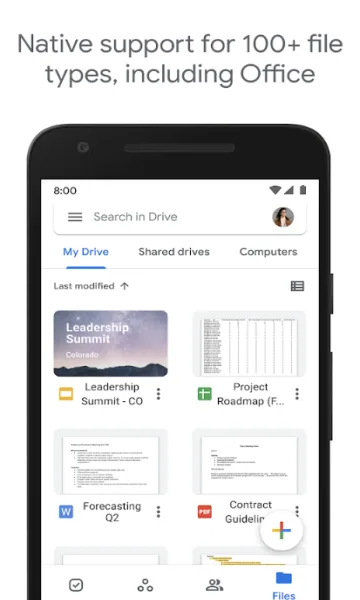
- After arriving at the homepage of Google Drive, click the 【+】 floating button on the right side
- Select the 'Upload' option in the pop-up window below and choose the file you want to upload
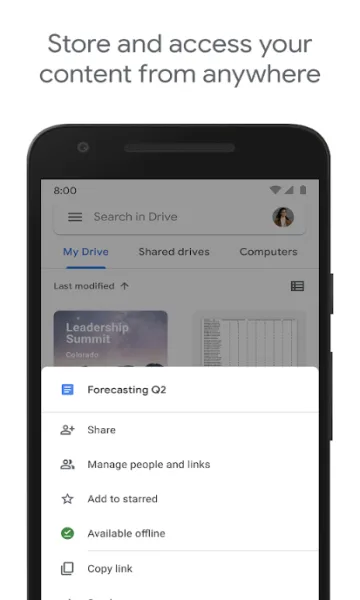
Characteristics of Google Drive include:
Storage: Google Drive offers users 15 GB of free storage space, with options to purchase additional storage if needed.
File sharing: Users can easily share files and folders with others, allowing for collaborative work on documents, spreadsheets, and presentations.
Collaboration: Multiple users can work on the same document simultaneously, with changes being saved automatically.
Accessibility: Google Drive can be accessed from any device with an internet connection, making it convenient for users to access their files on the go.
Integration: Google Drive integrates seamlessly with other Google applications, such as Google Docs, Sheets, and Slides.
Highlights of Google Drive include:
Easy to use: Google Drive has a user-friendly interface that makes it simple to upload, organize, and share files.
Offline access: Users can enable offline access to their files, allowing them to view and edit documents without an internet connection.
Security: Google Drive uses encryption to secure files, ensuring that data is protected from unauthorized access.
File versioning: Google Drive keeps track of file versions, allowing users to revert to previous versions if needed.
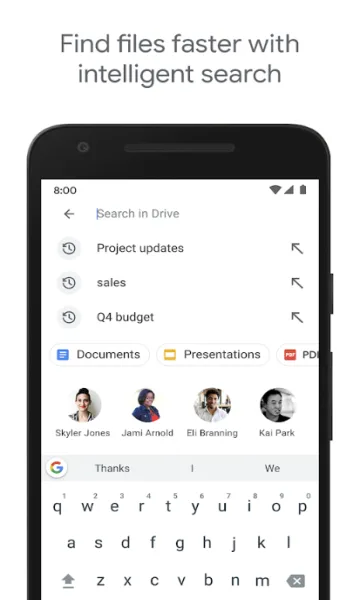
Search functionality: Google Drive has a powerful search feature that makes it easy to find specific files or folders.
Advantages of Google Drive include:
Cost-effective: Google Drive offers a generous amount of free storage space, making it an affordable option for individuals and businesses.
Collaboration: Google Drive makes it easy for teams to work together on documents, increasing productivity and efficiency.
Accessibility: Users can access their files from anywhere, at any time, making it a convenient solution for remote work or on-the-go access.
Integration: Google Drive seamlessly integrates with other Google applications, making it easy to create, share, and collaborate on documents.
Conclusion:
Google Drive Apk is one of the best and most reliable platforms to back up your files and upload documents to the cloud storage. Google gives this service, and it’s the most secure platform to keep your data. You can access all your files and folders with your Gmail account and from any device or browse you want. It is compatible with every platform, including Android, Windows, Mac, and Internet Browsers.








