

Samsung Internet Browser is an essential tool designed to provide a secure, private, and perfectly optimized browsing experience. Download the latest version now to enjoy the ultimate service. The app features a clean, intuitive interface, allowing users to easily customize menus, themes, extensions, translation, video assistant, and more. Samsung Internet Browser automatically blocks web ads and protects user privacy, making it a browser tool you can trust.
Click to load YouTube / 点击加载视频
YouTube ↗Brief Introduction:
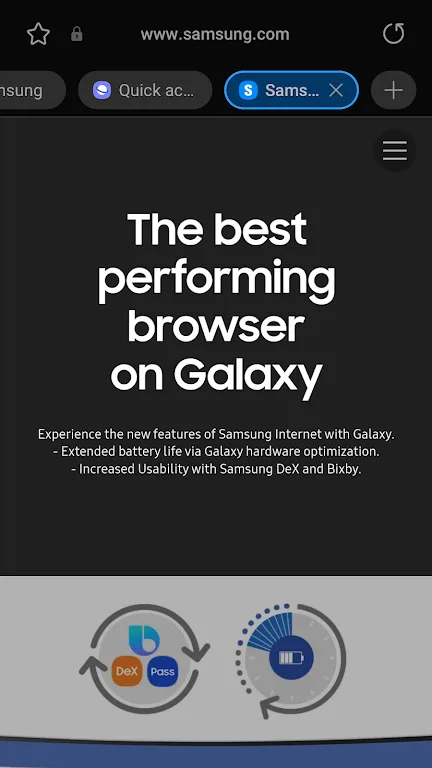
Samsung Internet Browser is a web browser developed by Samsung Electronics. It is designed specifically for Samsung devices, such as smartphones and tablets, but it is also available for download on other Android devices.Samsung Internet Browser offers a fast, secure, and feature-rich browsing experience for users of Samsung devices. Its advanced security features, content blocking options, and seamless integration with Samsung's services make it a popular.
Function:
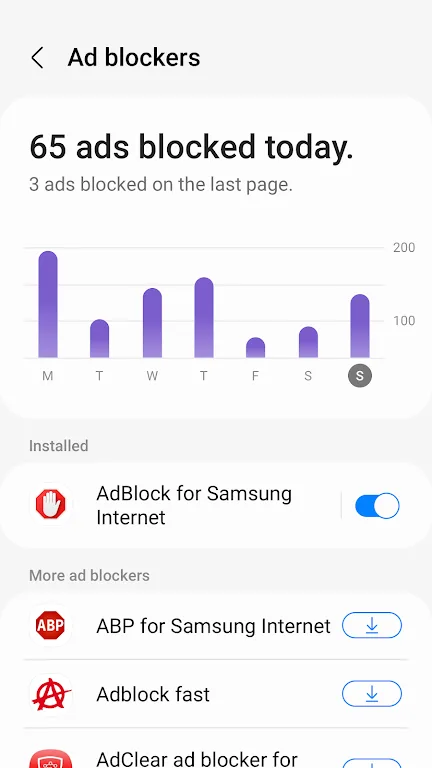
The Samsung Internet Browser is a full-featured web browser that allows users to browse the internet, access websites, and search for information. It supports various features, such as tabbed browsing, bookmarks, and incognito mode for private browsing. The browser also comes with a built-in ad blocker, video assistant, and content blockers for a better browsing experience.
Characteristics:
Fast and responsive browsing experience
Customizable homepage and settings
Support for various plugins and extensions
Secure browsing with built-in anti-tracking and anti-phishing features
Seamless integration with Samsung devices and services

Highlights:
Enhanced security: The Samsung Internet Browser offers advanced security features, including protection from malicious websites, phishing attempts, and tracking cookies. It also uses Samsung's Knox security platform to encrypt user data and protect against data breaches.
Content blocking: Users can customize their browsing experience by blocking ads, pop-ups, and unwanted content using the built-in content blockers. This helps improve page loading times and reduce distractions while browsing.
Video assistant: The browser includes a video assistant feature that allows users to play videos in a pop-up window while browsing other websites. This makes it easier to multitask and watch videos without interrupting your browsing experience.
Advantages:
Compatibility with Samsung devices: The Samsung Internet Browser is optimized for Samsung devices, providing a seamless and intuitive browsing experience. It also integrates with Samsung's ecosystem of services, such as Samsung Pay and Bixby, for a more convenient browsing experience.
Customization options: Users can customize the browser's appearance, settings, and features to suit their preferences. This includes changing the theme, setting up shortcuts, and adjusting privacy and security settings.
Conclusion:
Samsung Internet provides the best web browsing experience for you with Video Assistant, Dark Mode, Customize menu, Extensions such as Translator, and by protecting your privacy with Secret mode, Smart Anti-Tracking and Smart Protection.








