

SetEdit: Settings Editor is an exceptional advanced editor for mobile application databases. Download the latest version for free and let you easily adjust advanced Android system settings. SetEdit: Settings Editor boasts remarkable convenience features and advanced settings, allowing users to configure, edit, delete, and add new properties, improve the user experience, adjust system icons, and more. Experience a whole new way of using your phone with SetEdit: Settings Editor!
Click to load YouTube / 点击加载视频
YouTube ↗Exclusive Function
Customize Control Center or toolbar buttons by adding new buttons, removing certain buttons, changing colors, enabling blurred backgrounds, and more.
Fix refresh rate issues. Enable 90Hz or 30Hz refresh rates.
Adjust the system UI.
Lock the network band mode to 4G LTE.
Control the battery saver trigger level.
Disable phone vibration.
Restore Home screen icon animations.
Enable tethering and hotspot for free.
Get free themes and fonts.
Control screen pinning.
Set the display size.
Change or turn off brightness warnings.
Disable fingerprint animations.
Toggle dark/light mode.
Restore old OnePlus gestures.
Show/hide the camera notch.
Enable a mousepad on BlackBerry KeyOne phones.
Hide the navigation buttons and replace them with the Smart Assist floating dock or other buttons.
Change the controller color.
Mute the camera shutter.
And many other benefits.
Awesome Tips
Some settings require you to grant the app permission to write secure settings via ADB. All instructions are explained within the app.
If you uninstall the app, you may lose your changes.
The settings database key depends on your system software and varies by device.
Changing settings you don't understand can be dangerous. We are not responsible for damage to your phone. Change settings at your own risk.
User's Comments
freezed . freezed after "granted" . need to use . stars are a block to put a comment . this issue might be not developer's fault .
It's definitely an improved app compared to SetEdit. It'd be very useful if in the next update you guys can add a feature that keep the settings stayed after every reboot, and one of the bugs i found is that settings don't apply if you search the parameter (someone already said it). Other than that, keep up the good work!
first app to ACTUALLY edits system settings (jnlike set edit who can only edit global and secure) this app is amazing and 100% recomendet
All in all, it's an amazing app, especially considering that this is the first version! No ads, visually pleasing and easy to use UI, and (happily) it does what it's supposed to do! One feature I would definitely like to be added is the ability to grant the app superuser permissions so that you can edit values in the Android and Java tables! Can't wait for the next update! update: next update was great lol. Second update: once again, love it :D
Wonderful Performance
The Android operating system offers users the ability to customize system settings, adjusting their phone's behavior and appearance, as well as its look and functionality.
However, this powerful capability comes with risks. Changing settings can impact device stability, performance, and even compromise device security. To address this, we created the SetEdit app, which allows you to modify Android system settings without affecting device stability. Using SetEdit, you can modify device settings such as display resolution, audio playback quality, ringtone volume, vibration mode, text size, language, notification sounds, and more.
To get started with SetEdit, you need to create a file named ".settings" in the "/system/" folder.
Summarize
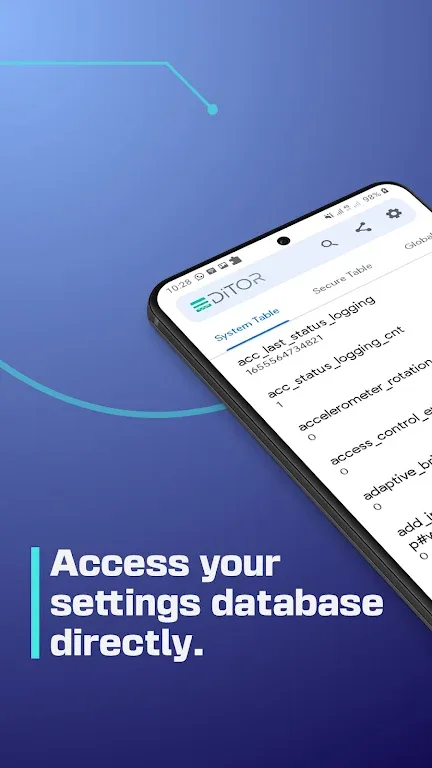
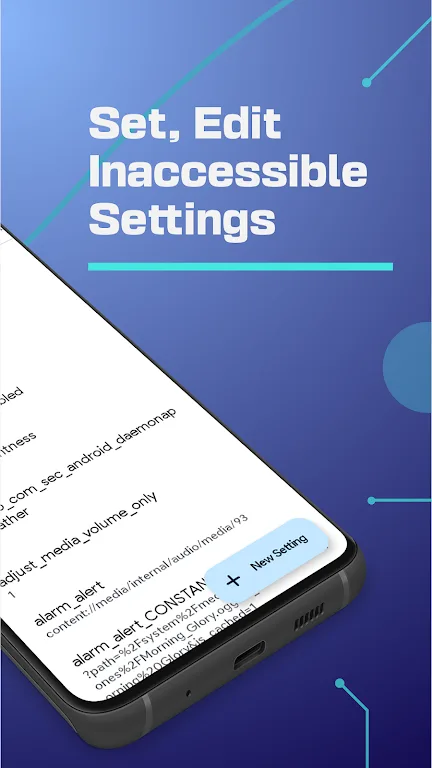
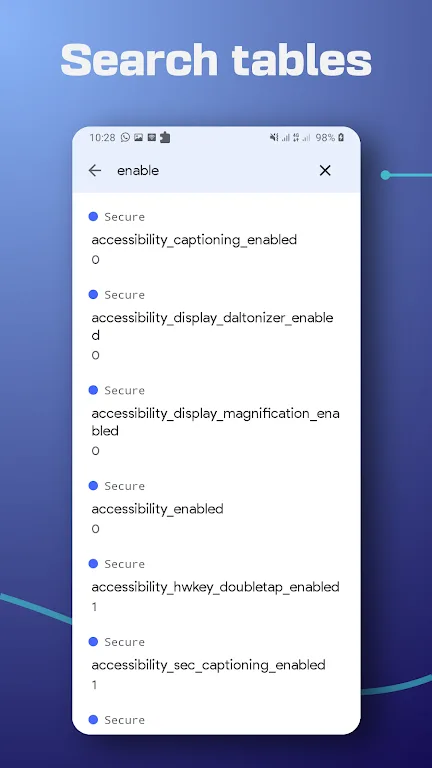
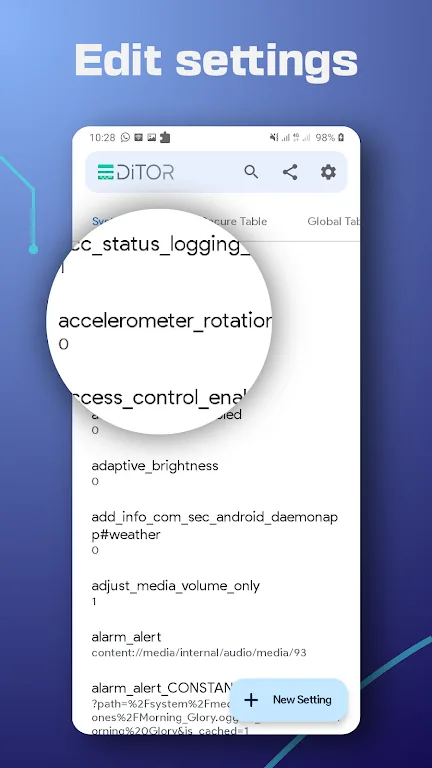
The SetEdit app displays the contents of an Android settings configuration file (or so-called settings database) (located in the SYSTEM, GLOBAL, SECURE, or ANDROID property tables) as a list of key-value pairs, then allows you to set, edit, delete, or add new properties. If you know what you're doing, SetEdit is a very useful tool. However, if you're not careful, you can easily mess things up.
SetEdit allows you to perform many useful tweaks, including improving the user experience, changing and tweaking the system UI, finding hidden settings, and even tricking the system into giving you free services.








