

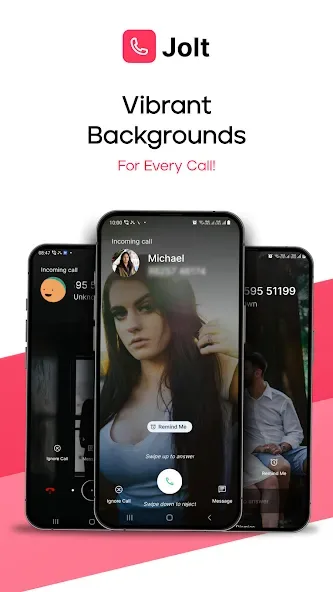
Jolt: Call Background & Screen is the ultimate phone customization app. It's packed with powerful features and options. With Jolt, you can easily connect with family and friends, set videos as ringtones, and customize your call screen to reflect your personal style. It offers customizable call backgrounds with videos, images, or even personal photos, adding a unique touch to every call. Jolt also allows you to intelligently manage calls by creating profiles, and can even automatically reject calls from unknown numbers while driving. Download it now and make every call a memorable one!
Click to load YouTube / 点击加载视频
YouTube ↗Features:
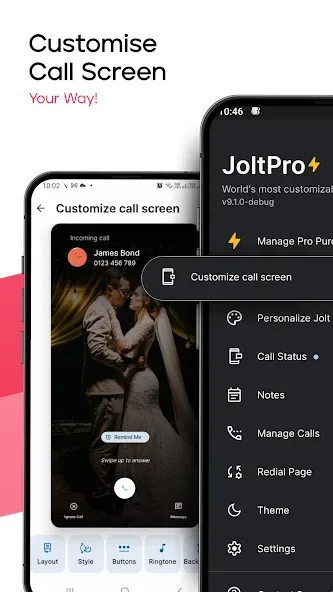
Personalized customization: Jolt allows you to customize your mobile phone according to your personal style and preferences. You can change the calling screen and background to reflect your unique taste.
Aesthetic and functional value: Apart from customization, Jolt offers both aesthetic and functional value to its users. It replaces the default boring phone app and helps you easily connect with family and friends.
Video as ringtone: With Jolt, you can set videos as your ringtone, adding a fun and personalized touch to your incoming calls.
Block spam callers: Jolt provides the feature to block spam callers, helping you avoid unnecessary interruptions and unwanted calls.
Manage calls smartly: The app allows you to create profiles to manage calls efficiently. For example, you can auto-reject calls from unknown numbers while driving.
Intuitive design: Jolt has a simple and intuitive design, making it easy to navigate and use. It also offers a dark mode option for better battery life and reduced eye strain.
Benefits:
Default Phone Handler: Jolt seamlessly integrates as your main phone app, handling all your calls, managing call logs, and contacts efficiently. Make Jolt your default dialer and enjoy an enhanced calling experience.
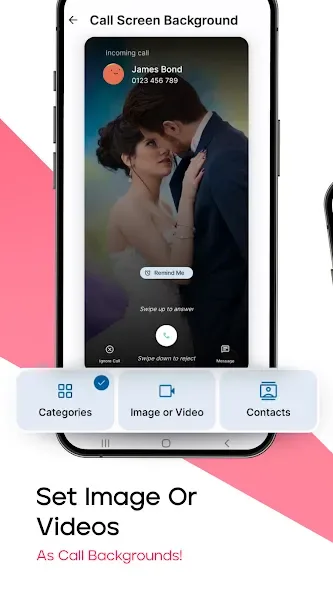
Customizable Calling Backgrounds: Personalize your calling screen with Jolt's customizable backgrounds. Choose from videos, images, or your own photos to add a unique flair to every call.
Background Categories: Organize your favorite images into categories and let Jolt rotate them as your calling background, ensuring every call is visually appealing.
Quick Navigation: Easily access recent calls, contacts, and favorites with Jolt's user-friendly interface. All essential features are just a tap away.
Smart Call Management: Jolt allows you to manage calls efficiently with features like auto-rejecting calls from unknown numbers or customizing call handling profiles.
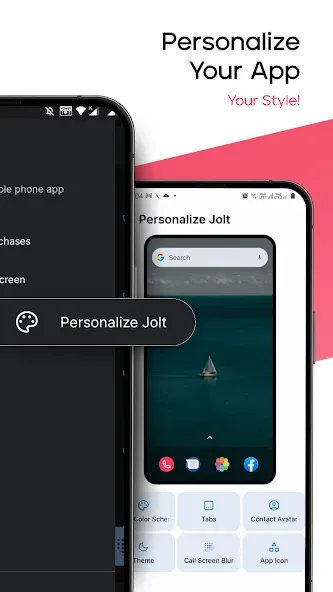
Dark Mode & Color Schemes: Jolt supports dark mode for reduced eye strain and better battery life. Customize the app’s color scheme to suit your preferences.
Custom Answering Styles: Choose your preferred answering style, including the classic iPhone slider, to make every call uniquely yours.
Data Privacy: Your data stays on your device and is kept secure with Jolt.
Tips for Users:
To set Jolt as your default phone handler, go to your phone's settings, select the default app settings, and choose Jolt as your default dialer for a more personalized calling experience.
Experiment with different customizable calling backgrounds to add a unique touch to every call. Choose from pre-installed options or upload your own photos for a more personal touch.
Create background categories to easily organize your favorite images for calling screens. This feature allows Jolt to rotate through different categories, ensuring a visually appealing experience with every call.
Customize your answering style to make every call uniquely yours. Choose from a variety of answering styles, including the classic iPhone slider, to personalize your calling experience even further.
FAQs:
Is my data safe with Jolt?
Yes, Jolt ensures data privacy by keeping all information on your device.
Can I customize the app's appearance?
Absolutely! Jolt offers customizable backgrounds, color schemes, and answering styles.
How does Jolt improve call management?
Jolt streamlines call handling with features like quick navigation and smart call management.
Conclusion:
Jolt is the ultimate calling background and screen app that offers both aesthetic and functional value. With its easy-to-use interface and numerous customization options, Jolt allows you to personalize your phone in a way that reflects your style and mood. Whether you want to change your calling background, manage calls smartly, or simply enhance your calling experience, Jolt has got you covered. Download Jolt now and unlock a world of customization possibilities for your Android device.








