

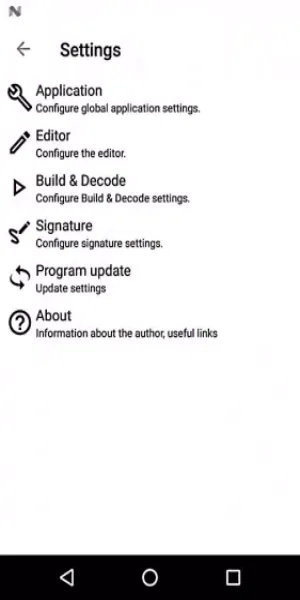
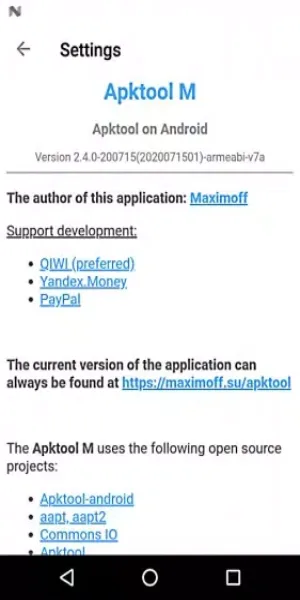
Apktool M is a versatile system utility. This application offers powerful capabilities for decoding, modifying, and recompiling APK files, making it easy to get started and enhancing your abilities in the dynamic field of mobile app innovation. Users will have access to a wealth of tools, such as changing an app's icon or name before installation, and even modifying file versions or the minimum SDK version required to run an app. Furthermore, this application comes with a customizable text editor that supports syntax highlighting, tooltips, and Java source code viewing. Download and experience it now!
Highlights:
Modify Any Application: The application will provide users with functions to support seamless customization of necessary applications, thereby ensuring effective use.
Handle System Apps: With a smooth processing system, the application provides you with an error recognition set in the settings to ensure the most timely support for checking.
Control All Resources: Controlling resources is quite interesting, with a system that analyzes resources and gives warnings if you exceed the allowed threshold.
Enhanced Code Editing: The application provides you with advanced code editing methods to facilitate the compilation of documents according to your needs.
View Java Source: The application also has a large Java source system, and you are allowed to track and compile sources to meet long-term common usage needs.
Personalize Your View: With a variety of viewing modes, users are free to choose effective viewing methods and can choose to add powerful personalization features.
Features:
Effortless Apk Decompilation: Apktool M simplifies the process of decompiling APK files, allowing users to access and modify source code and resources with ease. This feature is essential for developers and enthusiasts looking to customize or analyze Android applications.
Comprehensive Resource Extraction: Users can extract various resources such as images, audio files, and more from APKs using Apktool M. This functionality supports customization, analysis, and exploration of app contents.
Precise Smali Code Editing: Modify app behavior directly within APK files by editing smali code with Apktool M. This capability enables fine-tuning of app functionalities and behaviors to meet specific requirements.
Seamless Recompilation: Apktool M facilitates the recompilation of modified APKs, ensuring that changes are incorporated smoothly without compromising app functionality. This feature is crucial for developers to implement and test modifications effectively.
Enhanced Debugging Support: Apktool M enhances the debugging process by providing tools to enable trace information and verbose logging within APKs. This support aids developers in identifying and resolving issues efficiently during app development and modification.
Adhere to Legal Guidelines: Use Apktool M responsibly and respect app developers' intellectual property rights. Ensure that modifications and customizations comply with legal boundaries and licensing agreements to avoid legal repercussions.
Tips for Users:
Explore the Source Code: Use the decompiling feature of Apktool M Mod to dive into the source code of Android applications. This allows you to understand how the app works and make modifications if desired.
Customize and Personalize: Take advantage of the recompiling feature to customize Android apps according to your preferences. Modify app icons, application names, and even package names without the need to rebuild the entire APK file from scratch.
Utilize Batch Processing: When working on multiple APK files, use the batch processing feature to decompile and recompile them at once. This saves time and effort, allowing you to efficiently manage and modify multiple apps simultaneously.
Conclusion:
Apktool M is a must-have tool for Android developers and enthusiasts who want to easily decompile and recompile APK files on their mobile devices. With its user-friendly interface, batch processing capabilities, and customization options, it offers a convenient and efficient way to modify Android applications. Download the app now and start exploring the inner workings of APK files with ease.








