

Infinite Painter is a stunning digital painting tool. Download the latest Android version for free and unleash your boundless creativity to create breathtaking works of art. Infinite Painter presents users with a powerful yet easy-to-use painting software, allowing you to focus on the creative process itself. This application includes a rich selection of tools, layers, and brushes, designed specifically to realize your creative ideas. Use Infinite Painter now to bring your imagination to life on paper and satisfy your casual or professional painting needs!
Click to load YouTube / 点击加载视频
YouTube ↗Wonderful Function
It provides all the tools you need to unleash your creativity. As its developers say, it's not Photoshop, Procreate, or Sketchbook; it's a completely different application, yet its performance is in no way inferior to any other similar application on the market.
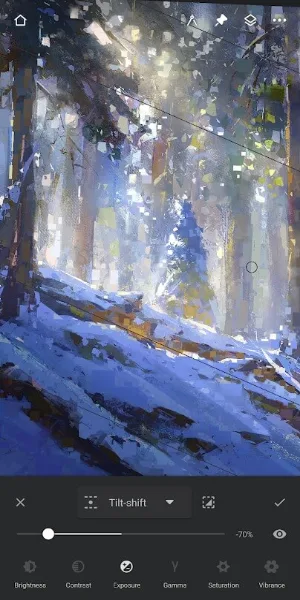
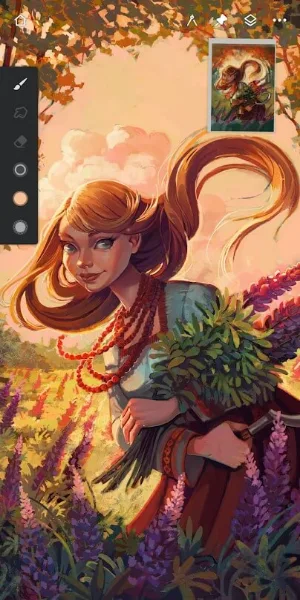
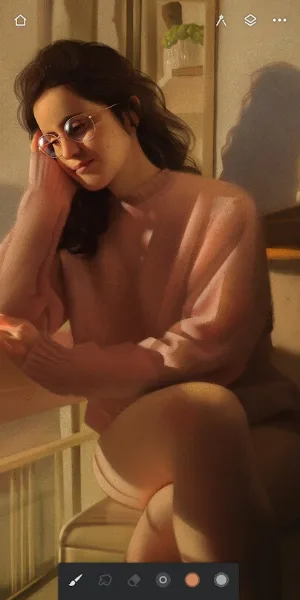
Infinite Painter's interface includes all the tools and elements expected of such an application. Undo and redo buttons are located in the lower left and right corners, respectively. Drop-down panels also display the different layers you are working on, which you can create and edit as needed. Of course, it also offers a wide variety of drawing tools: over 160 brushes, pencils, markers, blending tools, and more.
One of the most appealing features of these drawing tools in Infinite Painter is their high degree of customizability. You can adjust the size and intensity of each brush tip to achieve drastically different effects. Furthermore, you can use a complete color palette.
Other features of Infinite Painter also make it an excellent drawing tool. For example, the interface can be hidden at any time with a single click, and there are abundant options when saving your work. You can export your artwork not only as JPG or PNG, but also as PSD for later opening in Photoshop. You can even import PSD files.
Infinite Painter is a powerful drawing tool that provides Android users with the best tools for creating artwork. On its official website, you can admire some amazing artworks created by other users.
Attractive Features
Highlights
Top-tier Pencils
Simple and intuitive interface
Powerful and robust toolset
Share time-lapse videos with friends
Convert brushstrokes into editable shapes
Reshape Brushes
Hundreds of built-in brushes
Realistic brush and canvas interaction
Over 100 customizable brush settings
Organize and share your favorite brushes and brush sets
Designed for stylus devices that support full pressure and tilt sensing
Apply real-time color adjustments and effects to any brush
Sample underlying layers for testing while blending.
Import and export custom brushes and brush sets
Make the most of space
Larger canvas, less clutter, a clean and customizable interface
Separate finger functions from stylus functions
Expand and collapse layers with a flick
Dock brush settings for quick and easy editing
Quickly access the eyedropper
Rotate and flip the canvas with gestures
Group layers using pinch gestures
Advantages and Disadvantages
Advantages:
Hundreds of customizable brushes
Precise and efficient intelligent tools
Simple and user-friendly interface
Multiple export formats
Disadvantages:
Occasional tool malfunctions
Unexpected crashes
User's Comments
Edit: 2/23/25 I have sung this app's praises for absolutely years! However upon discovering the complete removal of the legacy brushes, I am heartbroken! They were perfect for my projects and I'm sad to see them gone. Please restore them!! [Original review] This app has come a long way since I first purchased it. It's definitely worth the purchase, with tools and brushes that are harder to find and create in other programs! It has been known to crash, like all apps, so PLEASE save regularly.
good drawing app! i find the variety of brushes not too limited but not too wide either, and incase you find the brushes too minimal you can always get more from the community! i also really really like how you can add more than 1 reference!! very helpful there infinite painter.. the tools there are easy to understand and the software is very like, less complicated? idk. but good app anyways!
My personal favorite free drawing app tbh. yes, you do need to pay a small amount of money if you want every feature, but I manage to draw without paying for any extra features. Also, you can try every feature for free for 7 days (1 week) which gives you a chance to know if you actually want to buy it or not. In my opinion, it's better than ibis paint x.
This is a full featured digital art app. No complaints and felt right at home coming from Photoshop. I mainly use it for digital coloring and painting and it's a joy to use on my phone with a stylus. The minimalist interface is refreshing and there's plenty of settings to adjust to your heart's content to set up your UI the way you want. Totally free with Play Pass.
As someone who used the app back when it was rather new and unstable, I really like how much more reliable, intuitive and improved it became! However, I do prefer the old saving option that didn't automatically saved the projects. Sometimes I'd like to look at an old artwork without it saving and coming to the top of my gallery, removing the original date in which it was made. I hope automatic saves could be something that can be taggled on and off in the settings. Apart from that, it is great!
Final Verdict
Infinite Painter's versatility and professionalism set it apart from other painting applications on the market. Whether you want to showcase your painting skills or improve your overall abilities, Infinite Painter and its community are the ideal choice for exploration and learning.








