
Disk Storage Analyzer is an amazing deep disk storage analysis and cleanup tool. Download the latest Android version for free and enjoy clear, visual information about your device's internal and external storage. Disk & Storage Analyzer presents users with a simple yet powerful storage management platform. Users can access an intuitive graphical interface and search and categorize files by type. Use Disk & Storage Analyzer to manage application files and perform various CNC simulations!
Click to load YouTube / 点击加载视频
YouTube ↗Awesome Highlights
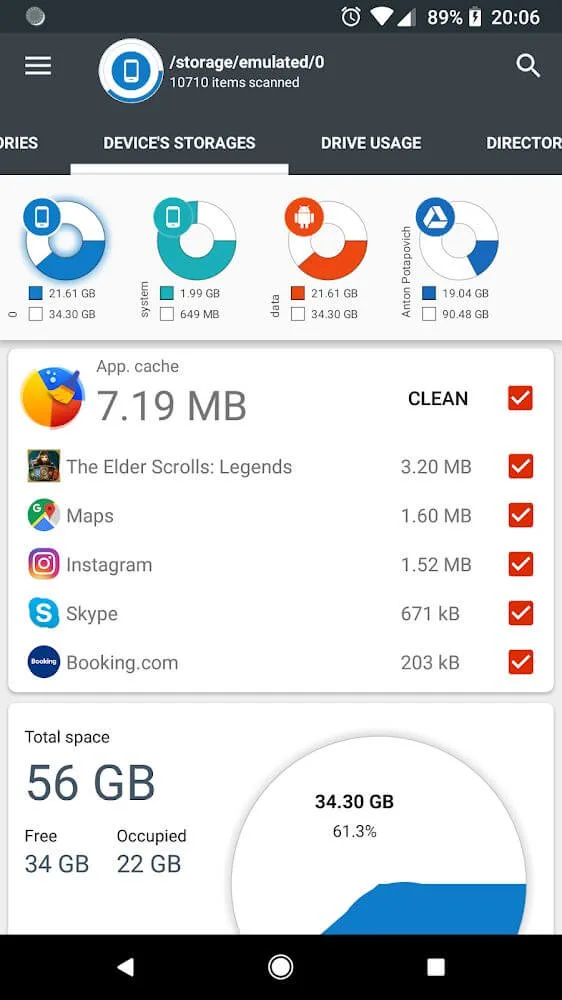
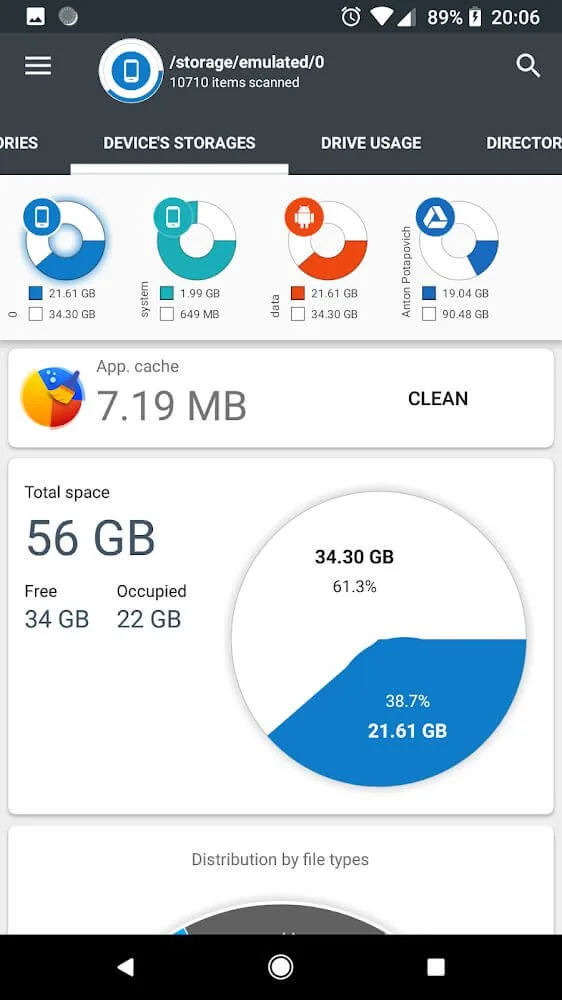
Displays information about internal and external storage devices, SD cards, and USB devices in clear graphical form.
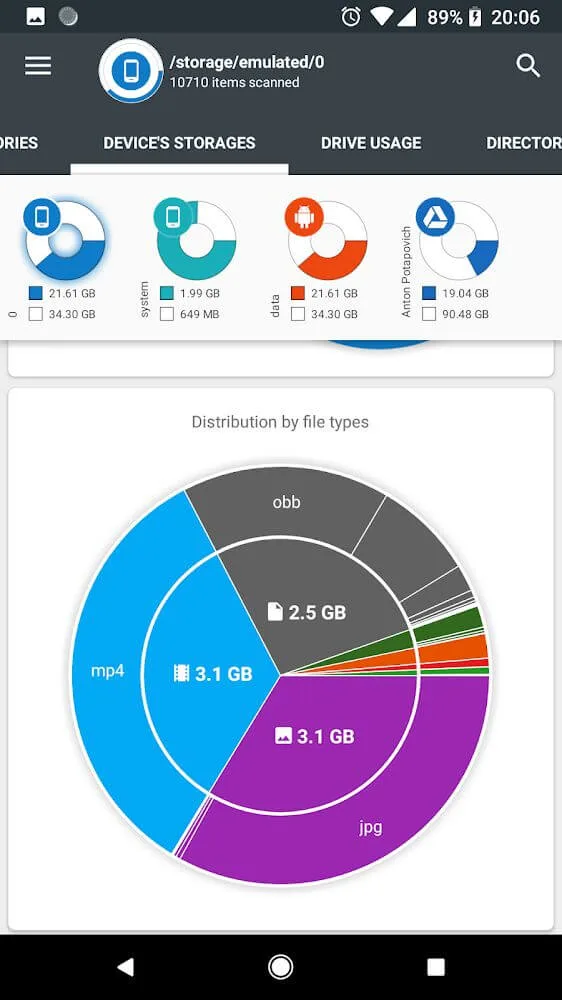
Provides reports and file usage graphs in pie charts and sunburst charts.
Allows users to connect to and analyze cloud drives such as Google Drive, Dropbox, and Yandex.Disk.
Reads a list of installed applications and application-specific data to provide a sorted application list based on application size and cache.
Provides a global search function for files on your device and cloud storage; search results are displayed on a quick search page.
Displays file usage visualizations in a sunburst chart format, with folders and files sorted by size.
Categorizes files by type (documents, videos, music, etc.), size (large, medium, small), and date (today and yesterday, earlier this week, last week, beginning of this month, etc.).
Allows users to clear cache and delete selected applications.
No user registration or personal information required.
Long-pressing a file or category provides context menu options such as opening, deleting, and sharing the file.
Brilliant Features
Records information about the applications you're using.
One significant factor consuming device space that users cannot ignore is applications. Information about these applications is displayed as fully as other documents, with the most prominent information being the recent usage time. In other words, applications that haven't been used for a long time should be uninstalled to free up device space.
Easily find what you need with global search.
In addition to managing documents and applications in terms of capacity and information, the app introduces a global search function. This feature is especially useful when users store a large number of files and find specific files when it's difficult. Users simply enter some keywords and wait a moment to see the search results. This is undoubtedly a very convenient feature for handling local and cloud files.
Perform the actions you want
After finding the desired application, long-press to perform various actions. For example, if the file is important, you can share it to a platform that needs backup. You can also quickly open the desired file type with a few searches, or delete the file immediately if it's not important. Undoubtedly, this is a tool every user should use.
Attractive Performance
Access Cloud Drive
The application allows users to connect to cloud drives (such as Google Drive, Dropbox, and Yandex.Disk). Once connected, the application reads the file list and file-specific data (name, path, size, last modified date, file preview) to generate cloud drive statistics, which are displayed in reports and file usage charts.
Access Installed Apps
The application reads the list of installed apps and their specific data (package name, app icon, code size, data size, cache size, last used date) to provide an app list sorted by app size and cache size. Additionally, the application allows clearing the cache and deleting selected apps.
This application requires no user registration or personal information.
File Usage Visualization: Folders and files are presented in a sunburst chart format and sorted by size.
The central area of the chart represents the current directory, indicated by a circle. The remaining areas represent subfolders and files. Clicking on an area allows for deeper viewing. The application draws nested hierarchies, with the previously selected area at the top of the hierarchy.
Summarize
Storing data and information is just as important as large projects. We must always ensure information security, even the slightest loss is unacceptable. Disk & Storage Analyzer [PRO] mod is always capable of handling this task, giving you more time for other things while protecting your data.