

Quick Video Recorder is a popular and user-friendly video recording tool. Download the latest free Android version to easily record high-quality videos and meet your flexible shooting needs. Quick Video Recorder offers users a lightweight, convenient, and high-performance video recording tool with rich recording features including background recording, off-screen recording, and timed recording. Use Quick Video Recorder to capture and save important moments!
Click to load YouTube / 点击加载视频
YouTube ↗Awesome Functions
Supports multiple languages (English, Czech, French, Brazilian Portuguese, Italian, Swedish, German, Spanish, Russian, Simplified Chinese, Arabic, Turkish, Dutch, Polish)
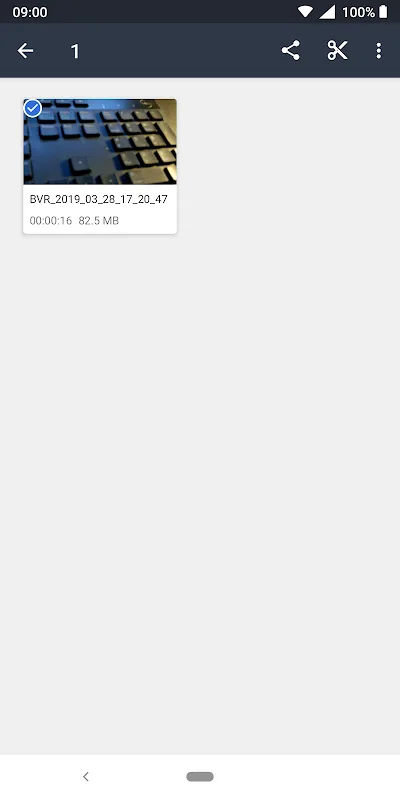
Edit your video after recording.
Enable/Disable Preview View
Enable/Disable Shutter Sound
Supports Night Mode
Supports Automatic White Balance with various advanced options
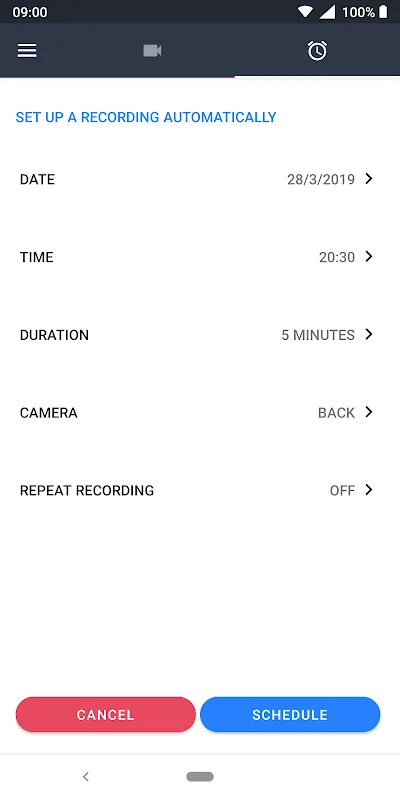
Set Timed Camera Recording
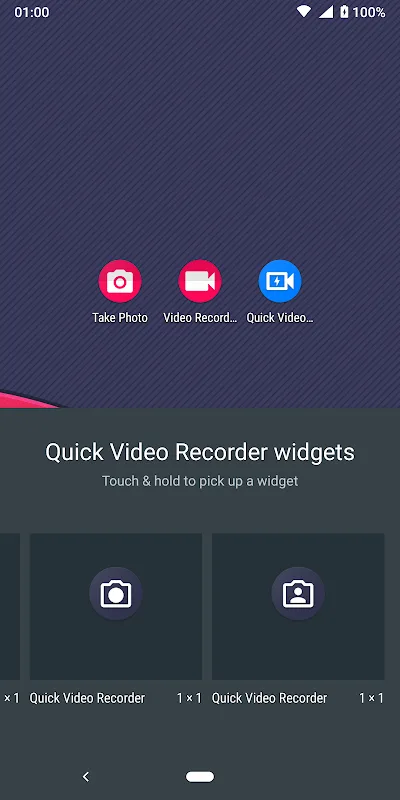
Supports Changing Widget Icons
Supports Rear and Front Cameras
Supports Dashcam Mode
Easy Storage Location Selection
Unlimited Video Duration. Easily set the recording duration you want.
Supports "Automatic Stop Recording" when device storage is low.
Multiple video resolutions (HD 720p, Full HD 1080p, 480p...)
Secure and well-coded application
Beautiful Material Design user interface
User's Comments
Very useful for secret video recording and image capturing even in the screen of position. I think one of the best apps among all background video recorders. I recommend this app to everyone who wants secret recording. 100% good.
He'll yeah. Keep it up! Haven't experienced anything too annoying. Can you add support for higher frame rates when recording? 30 fps is kind of slow for motion and action shots. Also, the price of premium is quite expensive compared to Netflix and other popular subscription apps that people use on a daily basis (as compared to this app, which I consider a utility app).
Best app, but can you make it even better by allowing it to record when the phone is locked and continue recording with sound capturing from both the system and using the microphone during normal calls and video calls?
Brilliant Features
Intuitive and Easy-to-Use Mobile App, Start Recording Now
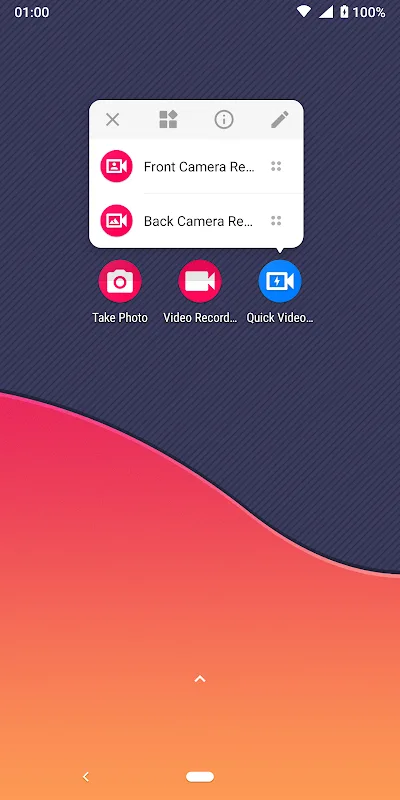
First, Android users will immediately experience Quick Video Recorder's beautiful Material Design user interface, making it easy for all Android users to get started and enjoy the app and its features. In addition, quick access widgets/shortcuts will automatically appear on the home screen, allowing you to quickly record or stop recording without opening the app.
Multiple Language Options
If you're interested, you can now choose from multiple languages, greatly enhancing the user experience for users worldwide. We offer multiple language packs, including English, Czech, French, Portuguese, Italian, Swedish, German, Spanish, Chinese, and more. These language settings will provide you with a more convenient and user-friendly application interface.
Built-in Video Editor for Quick Adjustments
Quick Video Recorder's built-in, practical video editor allows Android users to quickly adjust videos and easily edit recorded videos. Simply select the part you want to record and delete the rest to reduce the file size and obtain a more compact video file. Quick Video Recorder also features a precise visual timeline for easy editing. In addition, it offers automatic white balance and numerous advanced editing features to help you fully unleash the app's potential.
Wonderful Performance
This video recording app is incredibly comprehensive, making it easy for anyone wanting to record videos effortlessly with their smartphone or tablet. Upon opening the app, you can start recording immediately from the main interface. You can also set up a video recording schedule via a second tab, a highlight of "Quick Video Recorder." Here, you can choose parameters such as recording date, time, duration, and whether to enable the front or rear camera.
And that's not all. In "Quick Video Recorder," you'll find a wide variety of customization options that advanced users will appreciate. For example, you can set your smartphone or tablet to vibrate at the start or end of recording. You can also choose whether the shutter makes a sound, which camera to use by default, and enable features like flash, video stabilization, autofocus mode, and noise reduction. In short, there are many ways to customize your user experience.
Conclusion
Get ready to experience this powerful mobile app and its many practical features! It will provide you with a variety of different tools and applications to meet your various needs. You can easily record videos silently and conveniently using its powerful features, and you can also turn off the preview and set timed recording. All these features will allow you to fully enjoy the app.








