Assistive Volume Button is an ingenious volume control utility. Download the latest Android version for free and experience convenient and reliable volume adjustment. Assistive Volume Button presents users with an on-screen speaker control, allowing for extensive media volume settings and a better mobile experience. Use Assistive Volume Button to easily adjust volume and simulate realistic volume button effects!
Click to load YouTube / 点击加载视频
YouTube ↗Enhancing Highlights
Personalized Configuration
You can individually configure volume, brightness, and button visibility for each application.
Your defined configurations will be applied when a specific application is opened.
Keyboard
To avoid interrupting your typing, the application automatically moves the buttons upwards when the keyboard is opened.
Widgets
This app offers the following home screen widgets:
Volume Buttons
Mute Button
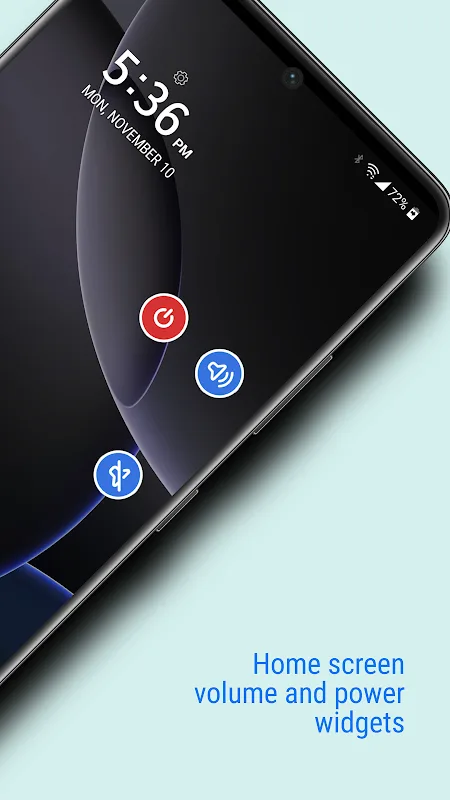
Power Button
Accessibility
This app uses the Accessibility API to achieve the following:
Power Button
Per-App Configuration
Keyboard Sensitive
Attractive Features
Easily Control Your Device with Assisted Volume Buttons
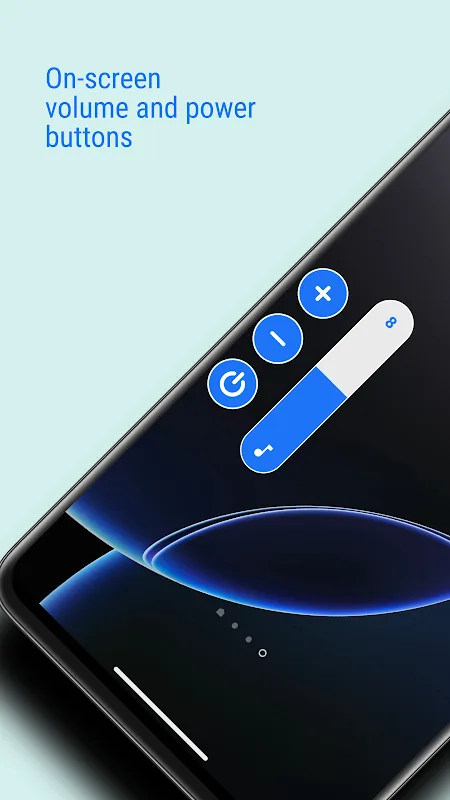
Still bothered by the hard-to-press physical buttons on your phone? "Assisted Volume Buttons" solves that problem! This smart app allows you to customize on-screen volume and power controls, letting you easily adjust settings. Read on to learn how "Assisted Volume Buttons" can make your device more convenient to use.
On-Screen Buttons
The core function of Assisted Volume Buttons is to display physical buttons in a convenient virtual form on the screen. Simply tap the virtual volume or power button to trigger the corresponding action just like using physical buttons. These buttons can even be moved freely along the edge of the screen for comfortable use. If physical buttons are inconvenient for you, these on-screen virtual buttons will restore operability and convenience.
Fully Customizable
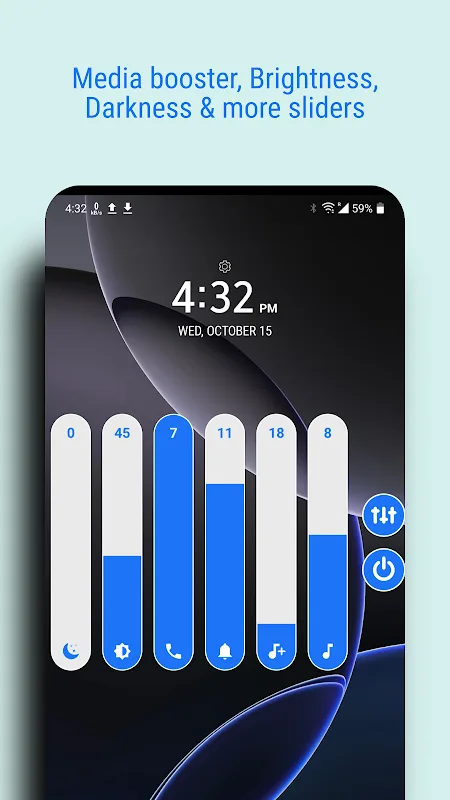
One of its best features is its high degree of customization. You can adjust the size of the on-screen buttons as needed for easy viewing and clicking. Change the button transparency, color, and styling themes to keep the interface looking fresh. You can display only the buttons you need, or enable additional features like brightness adjustment and media enhancement sliders. Customize the secondary volume buttons to your needs and preferences!
Fantastic Benefits
Extensive Customization
A major highlight is the extensive customization options. You can adjust the size of the screen buttons for optimal visibility and ease of clicking. Change the button transparency, color, and style to create a beautiful user interface. You can choose to display only basic buttons, or add other tools such as brightness adjustment sliders and media enhancements. Customize the secondary volume buttons to your unique preferences and needs!
Power On/Off the Display
For improved efficiency, the virtual power button allows you to easily turn the screen on or off. This feature is especially useful when the physical power button is inaccessible. Waking a sleeping device is no longer a hassle! Additionally, you can choose to use a proximity sensor so the screen automatically lights up when you pick up the device. It functions exactly like the physical power button.
User's Comments
This is really good when i try to press the phone volume down it's not working so i have to download the assistant volume
My volume buttons on my phone wore out and I desperately needed a simple way to control the volume on my phone. I searched the app store and just by looking at the well designed icon for this app, I downloaded it and gave it a shot! You have to watch a short advertisement every 21 days and then you gain full access to the wonderful features of this app! You can control various volume settings like music volume, notification volume, call volume, and many more! I Highly Recommend this App!
Good App, it never gets killed by Android and restarting will start it again and the themes are good but one problem, sometimes it gets killed when playing resource intensive games
Don't think about it to install over 9 months I'm using this app no ads user friendly thanks so much team i bless best of luck future upcoming apps my phone physical keys are working that your app i got over more 9 months I'm using.
This app is great. I have I've been using it quite a lot, and it's been great. I can see the app is free because they only collect a few adverts for the premium version. Keep up the good work!
Final Words
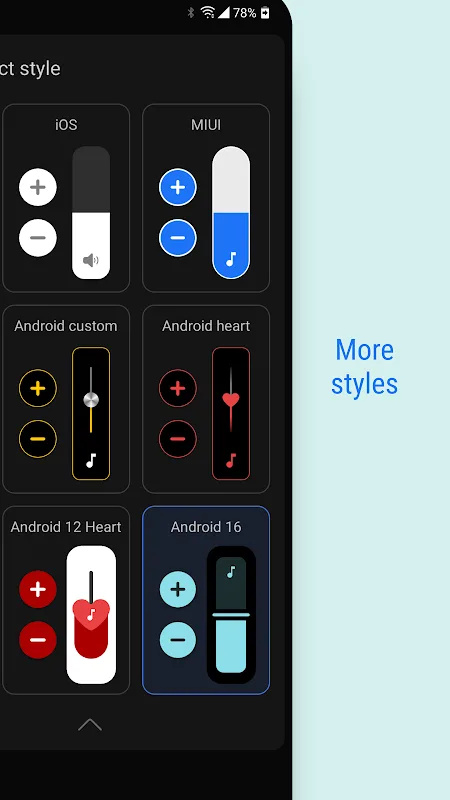
This app displays buttons on the side of the screen, which users can move to any position on the screen edge. Users can customize the appearance of the buttons and sliders, such as size, color, transparency, and style. It supports iOS and MIUI systems.