Mobizen Screen Recorder is a fantastic screen recording utility. Download the latest Android version for free and experience fast, stable, and high-quality video recording. Mobizen Screen Recorder provides a convenient and easy-to-use video recording platform with powerful and rich customization settings to meet your flexible recording needs. Use Mobizen Screen Recorder to quickly record important information and events!
Click to load YouTube / 点击加载视频
YouTube ↗Excellent Highlights
Enjoy clean screen recording without the record button using the hidden air circle mode!
Record watermark-free screens for free using Clean Mode!
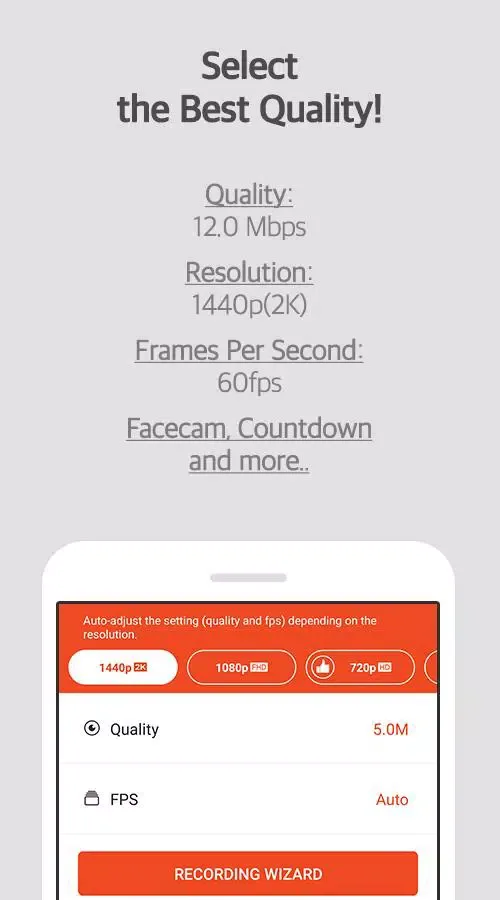
Supports not only Full HD (FHD) screen recording but also 4x HD (QHD, 2K) screen recording! Supports the highest recording quality: 1440P resolution, 24.0Mbps bitrate, and 60fps frame rate.
Camera functionality! Freely express your reactions and record game sound effects and voices together!
Save to external storage (SD card)! Record over an hour of screen video without worrying about running out of memory!
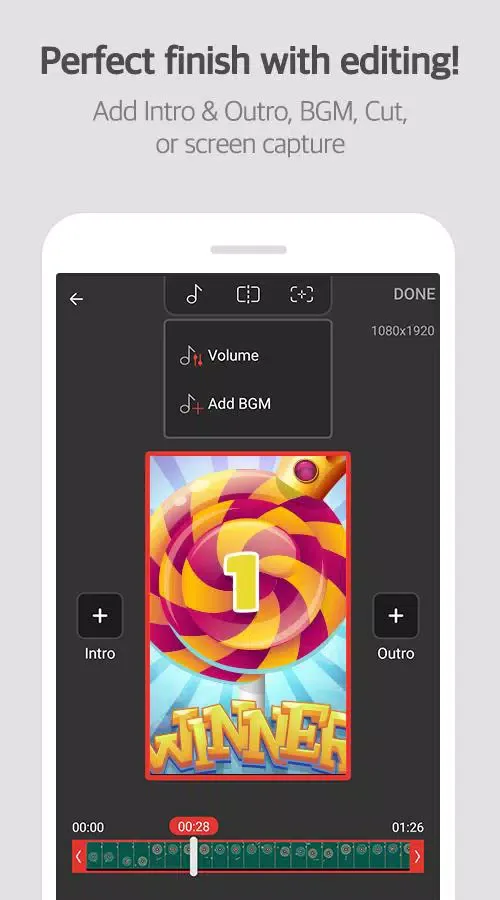
Various image editing features
Improve the quality of your recorded videos!
Enhancing Features
Google's "Best App of 2016".
Screen recording software chosen by 200 million users worldwide.
Featured on Google Play.
—Shown in multiple countries including South Korea, the United States, Europe, Japan, North America, and South America.
Screen recording, screenshotting, and editing are all free.
Videos recorded using Mobizen apps are not saved on servers, only on the user's device. Use with confidence!
Use immediately without registration (login).
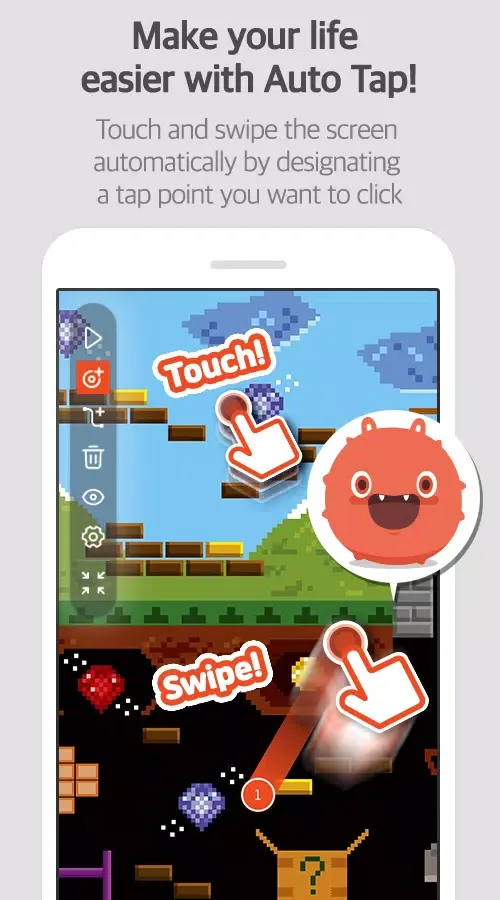
Experience auto-click and screen recording on Mobizen!
Download Mobizen Screen Recorder and easily start recording with one click. Easily record games, videos, and live streams!
Outstanding Performance
Let you view everything happening on your smartphone or tablet directly on your computer screen.
While this may be Mobizen's most important feature, it is by no means its only one. Besides sharing live feeds from your Android device, you can also take screenshots and record videos using different resolutions, frame rates, and other custom settings (the videos will be stored on your Android device).
Another useful feature of Mobizen is that it allows you to easily manage all files on your Android device from your computer. You can view all photos on your phone on your computer screen, delete files, and even save any documents from your hard drive to your Android device.
Mobizen is an incredibly feature-rich application with a remarkably clean interface. You can easily get started using this user-friendly application without any complicated tutorials.
User Comments
It is the perfect choice for screen recording! It can take low MB and is perfect for phones that have low storage! This is the perfect app for my video.
Love it! The best screen recorder app I have ever gotten. It has been a very useful app when recording for my YouTube channel, and I thank you so much for not lagging my phone. Its super lightweight design is why I love Mobizen Screen Recorder. I recommend this app to anyone who might be looking for a YouTube channel, a job, an application, or anything else. Hope this helps!
A really good recording app. It's simple and really good. I recommend it if you just want to record and nothing else. And the fact is, you can remove the watermark without needing to pay.
Conclusion
Mobizen Recorder uses the AccessibilityService API to implement core functions such as auto-click and auto-swipe. Screen recording is not a new feature, but it is very useful for many different user groups. At the same time, the diversity of features also helps improve the quality of video products.