

Circle Sidebar Pro aims to enhance the user experience. With just a few simple steps, users can customize various app and game icons on their desktop. Changing icons or setting different permissions is easy, meeting users' personalized needs. Circle Sidebar Pro offers a variety of icon packs; simply enter relevant keywords to find and download content that interests you, allowing users to create their own cool desktop. Users who want a personalized desktop should definitely not miss Circle Sidebar Pro!
Click to load YouTube / 点击加载视频
YouTube ↗Features:
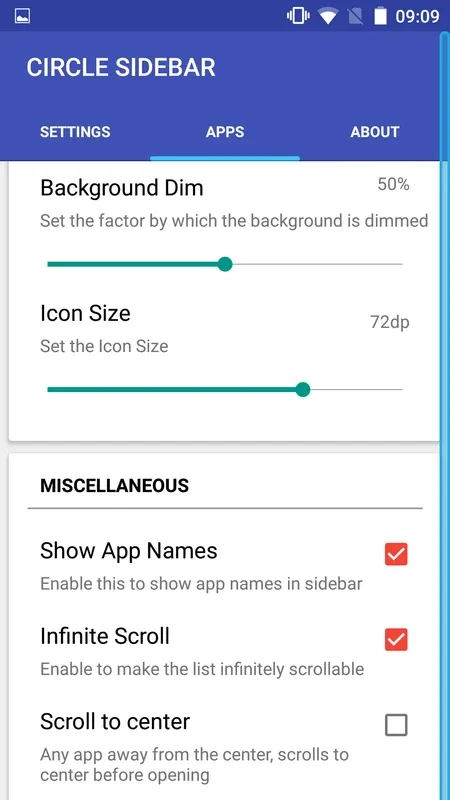
All the settings are provided in the main screen with descriptions of each function for better understandability and to avoid confusions.
Completely customizable with the way it is triggered. Options for triggering width, height and position are given. The user can easily adjust it to their convenience.
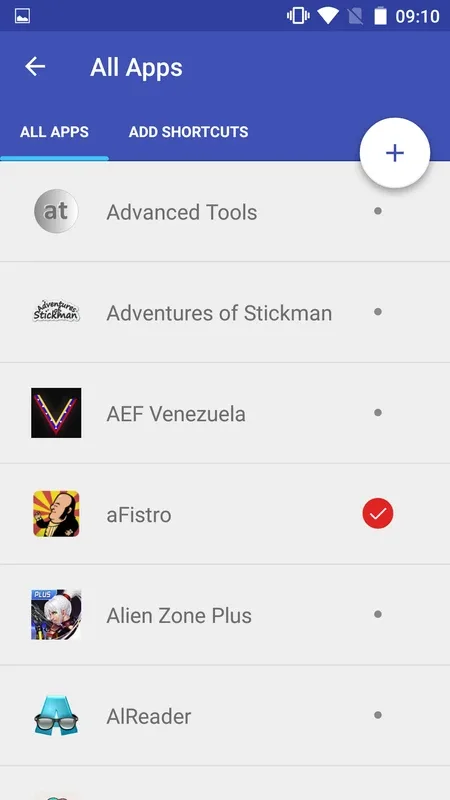
Users have full access to the all the apps installed on the phone. At any point, a user can choose what apps to be displayed in the sidebar.
Haptic feedback provided to give a response to the user as an acknowledgment to their sidebar calling request.
Option to apply custom icon packs is included. Install any icon pack from the store and choose it from circle sidebar.
Option to vary the icon sizes is also provided.
After the second update, option to add shortcuts was included based on user request. (Pro Feature)
Highlights:
Quick App Access with a Floating Sidebar: Circle SideBar provides Android users with an efficient way to launch favorite apps, tools, and shortcuts from any screen. Instead of navigating multiple menus or returning to the home screen, a discreet trigger along the side of the display gives instant access to a circular launcher that overlays the current app.
Customization Options: One of Circle SideBar’s strongest features is its high degree of customization. Users can fine-tune nearly every aspect of the sidebar’s appearance and functionality. Adjustments include the size, position, and sensitivity of the sidebar trigger, as well as its color and area on either edge of the screen.Users can add their frequently used apps to the sidebar list or reorder them as needed. The app supports adding shortcuts in the free version, while folders and app pairs are available via the Pro upgrade. This level of personalization is especially useful for power users juggling multiple tasks.
Advanced Features: Circle SideBar goes beyond basic app launchers with blacklist controls allowing users to specify when the sidebar should be hidden for specific apps, reducing distractions in full-screen applications like games and media players. Additional utilities include the ability to backup or restore sidebar settings, automatically activate the sidebar at device startup, and set timers for auto-hiding.Professionals will appreciate options like disabling the sidebar in landscape orientation and managing how keyboard usage impacts the trigger area, further tailoring the app to suit individual workflow preferences.
Permissions:
STORAGE - Needed to incorporate device storage shortcuts or create new icons.
CALL - Necessary for setting up direct dial shortcuts to specified numbers.
For communication with the developer, please use the RepoRTS section within the app to send emails.
We value your feedback, suggestions, and bug reports—your input is greatly appreciated!
If you enjoy using the app, kindly share it with friends and Family, and consider leaving a rating on the Play Store.
All significant updates released have been implemented based on user feedback and suggestions; feel free to email me anytime!!
Conclusion:
Circle Sidebar Pro – Do not always have enough space on the screen to add all the necessary icons? Yes, and not particularly that I want to clog the desktop to the limit? There is an exit! With this application, you can create an additional sidebar, and with it, manage all your applications. The control is quite simple, with one gesture you will push the panel on the side, and edit all the applications you need, add new ones, or swap them. It perfectly optimizes the place on the desktop.








