
Cupixel is a free graphic design application. This powerful app offers a wide variety of creative tools, providing users with a platform to unleash their creativity. With Cupixel, you can easily draw whatever interests you using augmented reality technology and advanced AI features. Whatever brush you want to use, you can find your favorite brush within the app and freely express your creativity, no longer limited by your device.
Click to load YouTube / 点击加载视频
YouTube ↗Features:
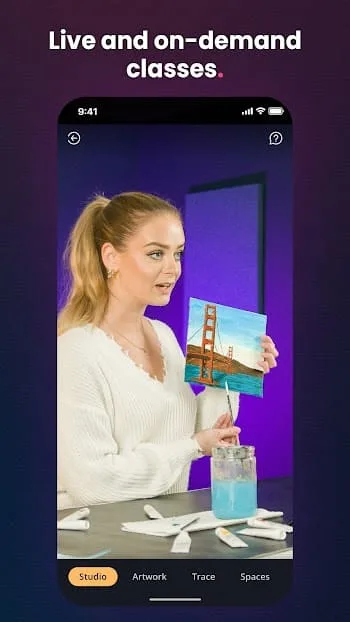
Artist-Guided Classes – Relaxed, podcast-style sessions led by real artists
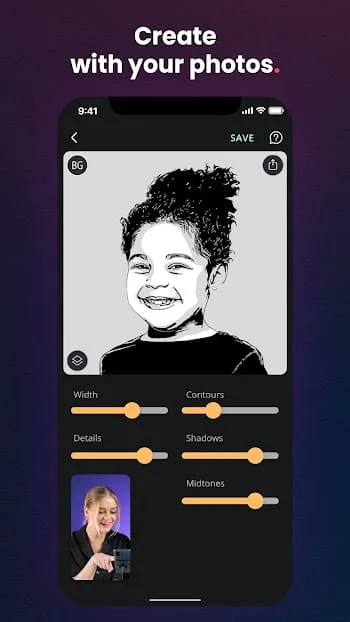
Photo to Art – Transform your photos into traceable artwork in different styles
5,000+ Templates – Sketch, paint, journal, or even decorate your shoes
Magic Timelapse – Your artwork is automatically recorded as a timelapse
Community Spaces – Share your creations, get feedback, and connect with others
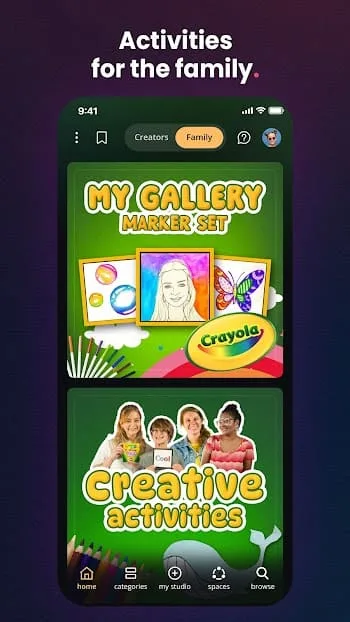
Art Sets – Use your own tools or order a set with everything you need
Benefits:
Among the standout attributes of AI Art and AR Tracing: Cupixel, its extensive collection of artist-guided courses shines brightly. Whether your creative interests lie in capturing pets, landscapes, flowers, homes, or even cookie-themed art, this app offers it all. Amidst a plethora of choices, you'll uncover an art task that truly sparks your creative imagination. If you're new to this endeavor, you'll receive step-by-step guidance to help you craft your artwork.
This application not only enables you to enhance your photos from your camera roll but also utilizes advanced AI technology to transform your images into stunning masterpieces effortlessly. In addition to this feature, the app boasts an extensive collection of pre-existing artworks for your exploration. Furthermore, it leverages augmented reality technology to accurately track and monitor surfaces using your mobile device's camera.
This application also accommodates large-scale artworks, permitting you to trace creations as expansive as 16" x 20" utilizing the wide-angle camera found on most mobile devices. The drag and scale tool helps you adjust your lines anywhere on the canvas precisely. However, it falls short in terms of editing features compared to its competitors despite its strong tracing and augmentation capabilities.
Tips for Users:
Start with Simple Works: If you are just starting out, choose simple works to do. This helps you get familiar with Cupixel's interface and drawing tools before moving on to more complex works.
Learn Art Techniques: Use in-app learning features and tutorials to master basic art techniques like lighting, color, and how to highlight your work.
Customize as you like: Don't be afraid to experiment and customize your work as you like. You can change colors, add details, or even create personalized versions of the original work to express your creativity.
Care for Details: Details are important in art. Focus on every small detail in the work to ensure accuracy and aesthetics.
Find Inspiration From The Community: Explore the work of other artists in the Cupixel community. This can help you find new inspiration and learn from others.
Learn About Shading: Shading is an important aspect of art. Learn how to create shading and use color maps to apply colors accurately.
Take it Step by Step: Take it step by step as you work on your piece. This helps you avoid mistakes and produce high-quality work.
Conclusion:
Cupixel brings a solid combo of creative tools and guided learning into a super easy-to-use app. If you've ever wanted to make cool digital art without needing a whole art school degree or a mountain of supplies, this is where you start. And even if you're already deep into the art world, it gives you new tech-driven ways to create and share.








