DiscDj 3D is a fun and engaging multimedia application. With its cleverly designed interface, specifically designed to simulate a real DJ mixing console, it allows users to create stunning tracks. DiscDj 3D provides precise tool access, a 2D top-down view, and allows for easy navigation by scrolling through different perspectives. Furthermore, this application can be used for party DJ performances, enabling seamless switching between different turntables to play party music and adjusting the pitch for optimal results.
Click to load YouTube / 点击加载视频
YouTube ↗Features:
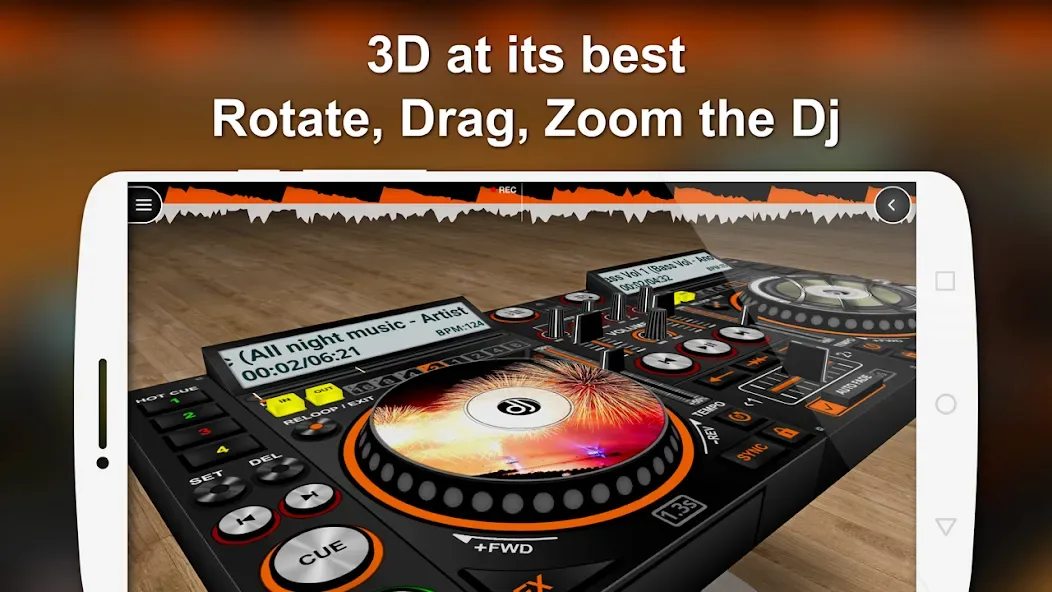
3D DJ user interface like a real dj machine where the virtual dj machine is flying and where you can move around the virtual dj machine for seeing its beauty from different angles by just scrolling. Lock and reset feature is available at the top-right corner of the screen to reset to the original position
Discs with album arts
Central control to play/pause next/previous both the discs
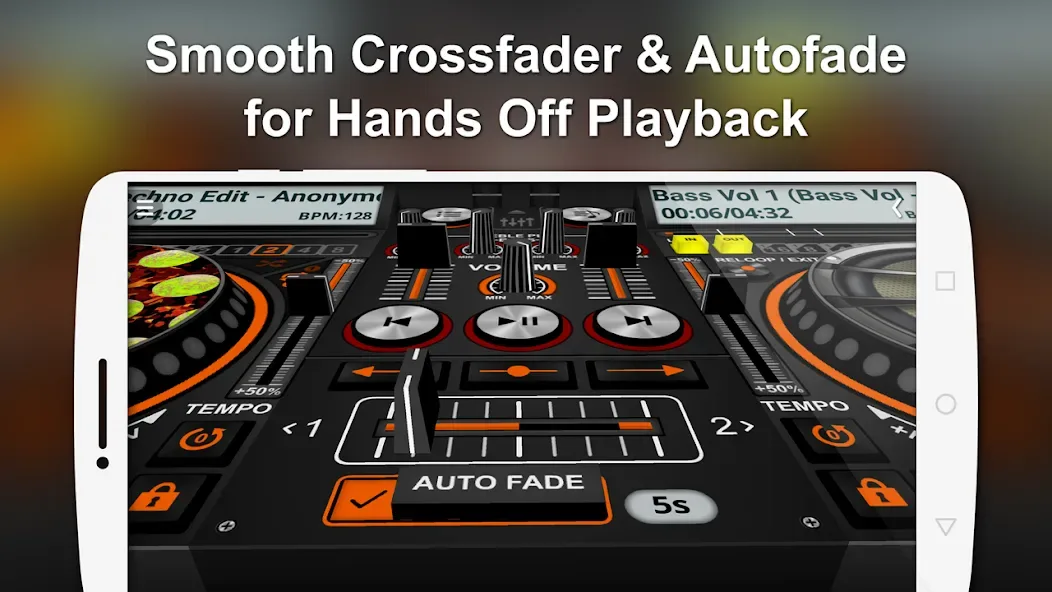
Autofade ( Automatic Crossfade ) with adjustable timer & ON/OFF feature
Button click fade – it's like autofade on clicking the buttons
Manual song shift slider / crossfader
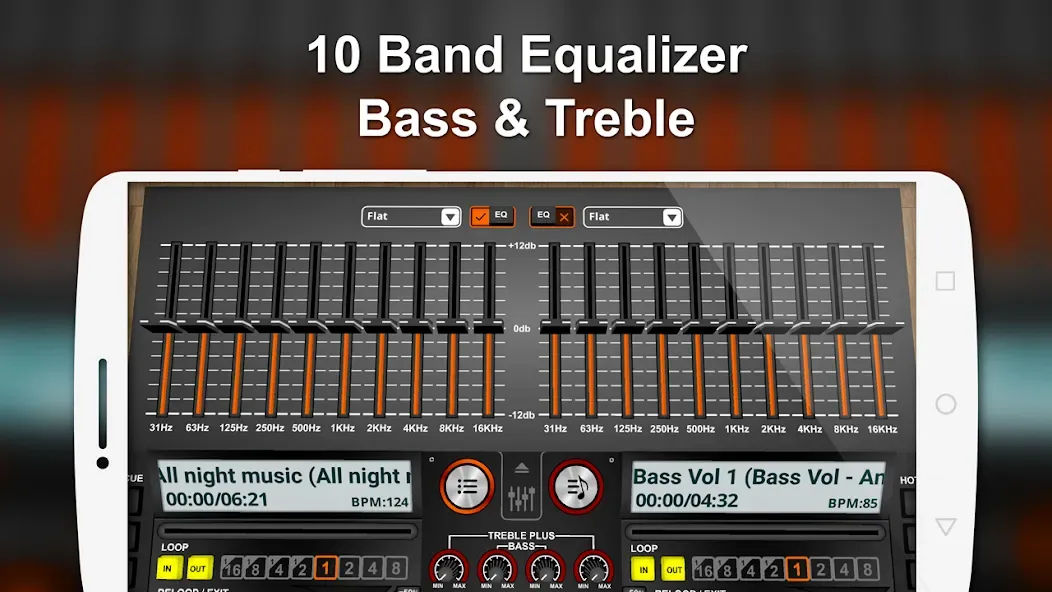
Mixer with playlist, equalizer, volume controls and many features
Browse and play your music by albums, artists, folders, composers, genres, playlists, songs, more advanced browsing like albums of particular artist & genre
Benefits:
The application provides album art for the disks being played. Users can find their own songs with the advance browsing feature. They can use parameters like the album title, artist name, folder location, composer name, song genre, playlist and more. The controls on both turntables have the basic and important functions such as play, pause, previous and next.
The Automatic Crossfade or Autofade can be toggled on or off, at the same time its timing can be adjusted. The Button click fade is similar to autofade on clicking the buttons. Users have the option of manually shift slide any songs through crossfader. The mixer has every option like equalizer, volume controls, and playlist management.
The Equalizer has multiple band settings with precise controls while covering most song genres. The Sampler Addon has 4 sets of audio clips and each of them has 6 individual samples with 3 play modes. Users can select Cut Play, Loop and Stop. They can also make song arrangements while reviewing them by pre-cueing, pre-listening and Split Audio Output.
The Loop button has extra modes through In/Out, Reloop/Exit and Seconds. The play function has subcategories like Shuffle, Play All and Play Single. Other available buttons are Pitch Slider, Sound Effects, Low & High Pass Filter, BPM adjustment, Cues, and 4 Hot Cues. The application allows recording of any remixes done for later playback.
Pros & Cons:
Pros
Turns your Android phone into the ultimate DJ
Mix songs in real-time
Features a simple, but powerful mixing feature
Preloaded with tons of sound effects and loops
Customizable sound effects
Allows users to mix tracks from their collection
Includes a sampler that lets you record your sounds and loops
Free app
Cons
Some sound effects and loops are not very high quality.
Does not work with all Android phones.
App can be a bit glitchy at times.
Conclusion:
With DiscDj 3D Music Player’s features for pre-cueing, pre-listening, and split audio output, you can experience audio output on par with that produced by professionals. You can get the ideal tone by utilizing the pitch slider and the sound effects (SFX) to make minute adjustments to your mixes and transitions. You may effortlessly browse your music library using the play/pause, next/previous, and other buttons on each turntable or deck. This will allow you to ensure a flawless performance for your audience or your listening enjoyment.