

MP3 Video Converter is an outstanding video and audio conversion utility designed to help users flexibly solve their video and audio file conversion needs. MP3 Video Converter presents a powerful and user-friendly video converter that supports multiple audio formats, allowing users to experiment with detailed parameter controls. Its simple and easy-to-use operation, along with its metadata editing feature, has earned it widespread praise.
Click to load YouTube / 点击加载视频
YouTube ↗Excellent Highlights
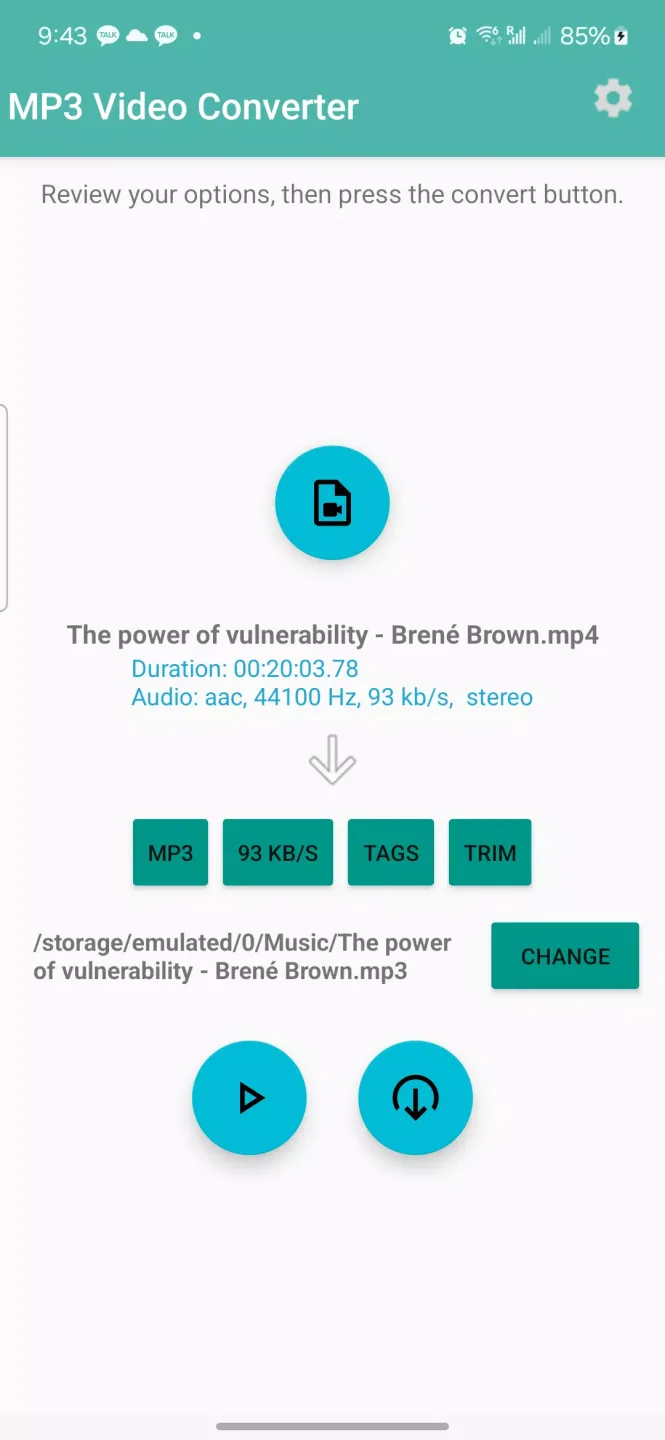
MP3 Video Converter supports the most common video formats: 3GP, FLV, MP4, etc.
It can convert video files to MP3 or AAC audio.
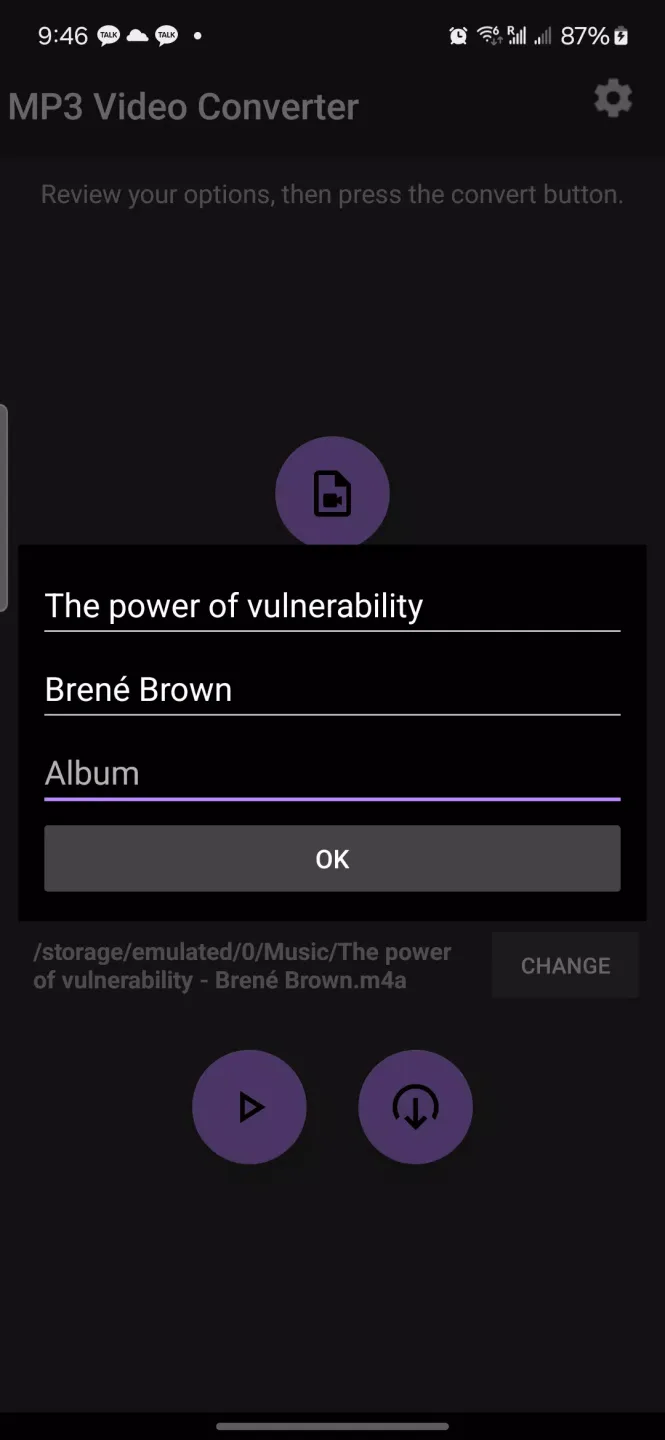
Users can edit metadata information: title, album, and artist.
It supports application-based integration.
Wonderful Features
A completely anonymous application
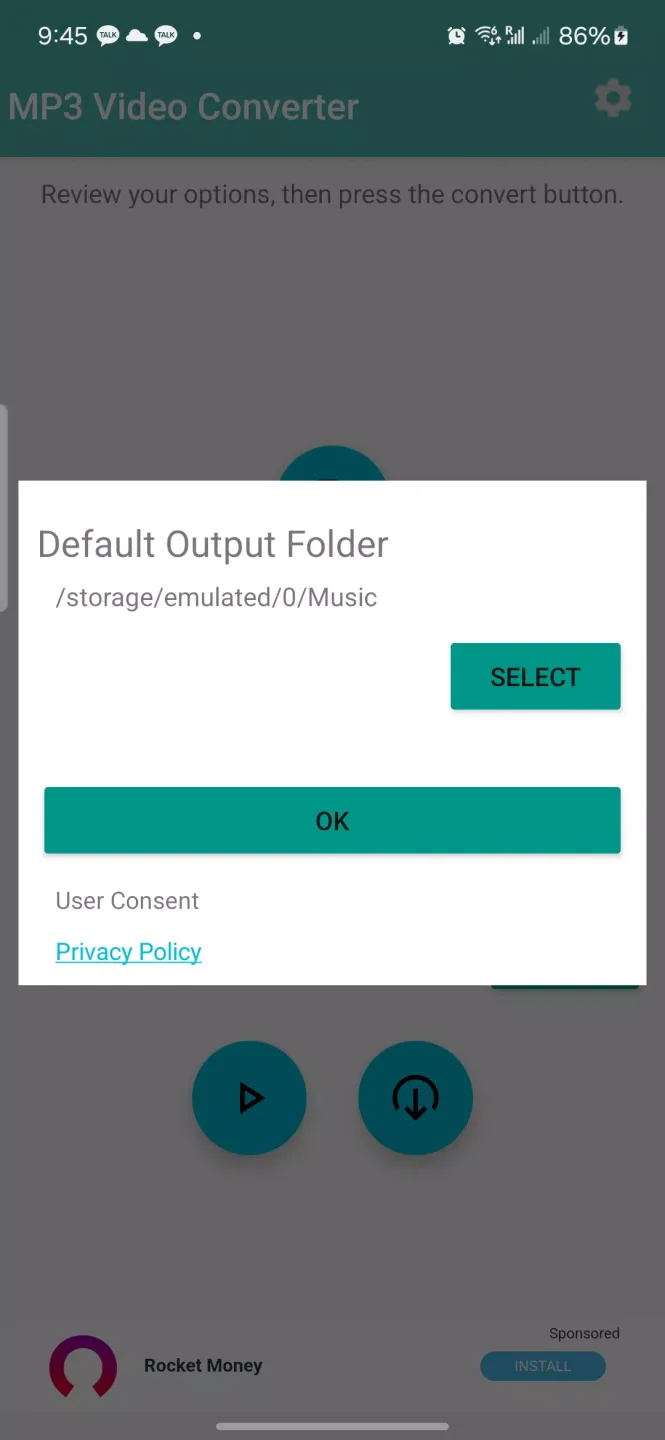
MP3 Video Converter is very easy to use. You don't need to register or enter any personal information—just allow it to access your device's memory, as the application needs internal storage to retrieve videos and save audio files. You can also grant the application permission to access your location information, which is entirely optional. If you don't grant this permission, you'll see more generic ads instead of location-based ads.
Convert Any Format
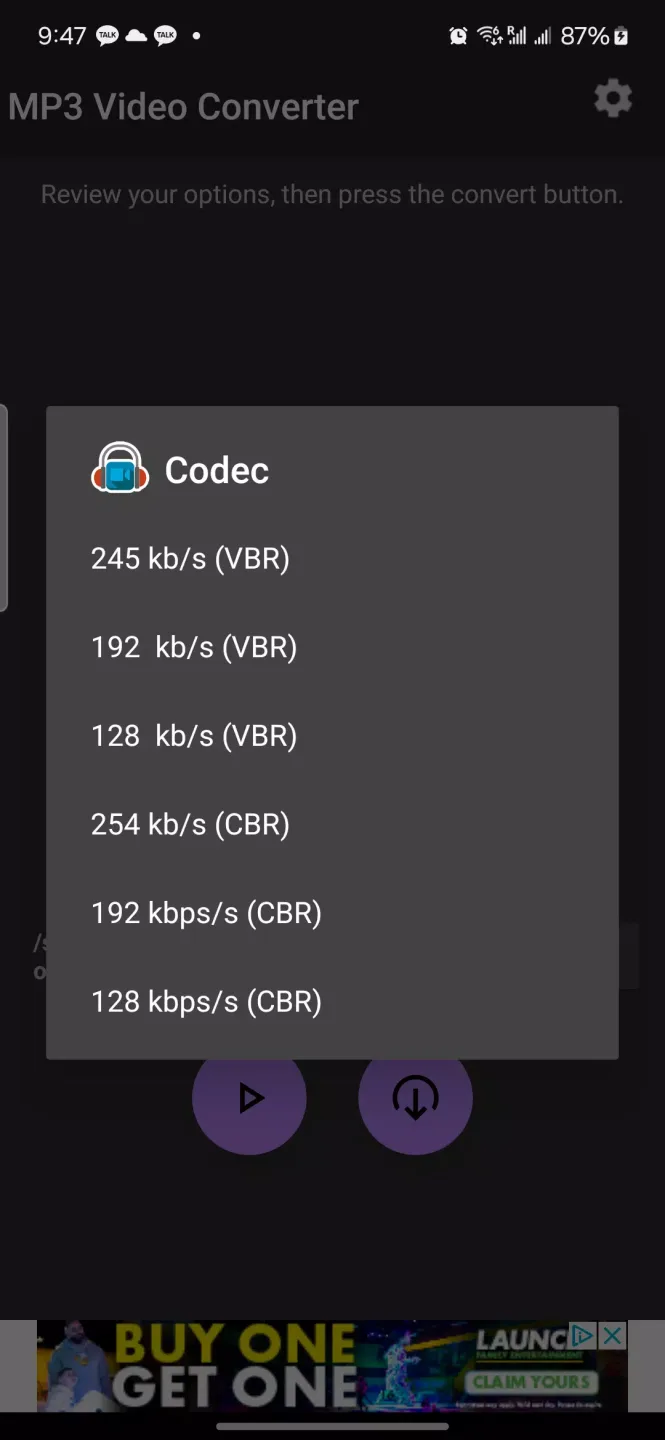
One of the most important aspects of this type of app is its compatibility with different formats. In this regard, MP3 Video Converter stands out. You can convert videos to 3GP, FLV, MP4, AVI, MPEG, and many other formats. No matter what format your video is in, the app can recognize it and quickly convert it to MP3 or AAC. After selecting one of the two output formats, you can also choose your desired bitrate from more than six options.
Edit Song Metadata
Before completing the video-to-audio conversion, you should check out the metadata field. This option allows you to manually edit audio file information: add artist names, album names, song titles, and even album art. All this information is stored in the compressed file, which is especially useful for users with a large local media library.
Awesome Performance
You can compress videos without losing video quality. This app is easy to use, and you can even customize the audio speed and frequency. Furthermore, you can crop, trim, and edit videos. You can also convert movies to different formats and enjoy them on your Android device. If you want to know how to use this app, here are some useful tips.
To start using this MP3 video converter, you need to download it for free. The application is compatible with multiple operating systems and browsers. You can also convert online videos to MP3 audio files. The conversion process is fast and free. Once the application is installed, you can start converting videos. The application is very easy to use and completely free. You can even use it on mobile devices.
This MP3 video converter comes with a tag-adding feature to add metadata to your MP3 files. You can also merge multiple audio files into one file. The only drawback is that you cannot name the output file. You cannot use this converter to convert video to audio. However, there is a way to convert MP3 video to MP4 audio. Simply install the program and follow the instructions.
User's Comments
Perfect! This app does exactly what I need it for. I actually searched to see if I could download another converter other than this, because this is the only converter I've used for over 3 years now, and wanted to try something else. To my amazement, I could not find any as I was turned off just by reading their reviews. This is the best video converter to me, for now. Yes, one more thing, please can the Tech. team build (or recommend) an app like this one for PC. I have trouble finding the perfect application for converting videos using the PC. Thank You.
amazing apps if you want to convert videos to audio
This app made my life much easier like u can name your new sound and use it . It's really good and I advice the one who's reading this to use this app and it's free!!
one the best video to mp3 converter app till now for me. I am still using it..
Perfect! This app does exactly what I need it for. I actually searched to see if I could download another Other than this converter, to my amazement, I couldn't find any as good as this one just by reading reviews. This is the best video converter I've ever used. Yes, one more thing, please check out the Tech team's (or recommend) app for PC, like this one. I'm having trouble finding the performance...
So fast to download and so good to use, really worth it.
Final Thoughts
If you want to easily, smoothly, and quickly convert video files to audio files, please download MP3 Video Converter. This application supports multiple audio formats (AAC, WAV, WMA). You can even edit the metadata of the file you are modifying, such as title, album, and artist.








