

Clickmate - Auto Clicker Macro is a click-based utility. The app boasts beautiful graphics and a user-friendly interface, designed to simplify the setup process for automating tasks. With Clickmate - Auto Clicker Macro, you can automate repetitive clicking tasks on your Android device, saving time in activities requiring frequent clicks by recording specific click sequences. For easy access to the start command, a shortcut is pinned to the home screen for direct use. Furthermore, these recorded macros can be customized to your liking, allowing for a personalized user experience.

Highlights for Clickmate:
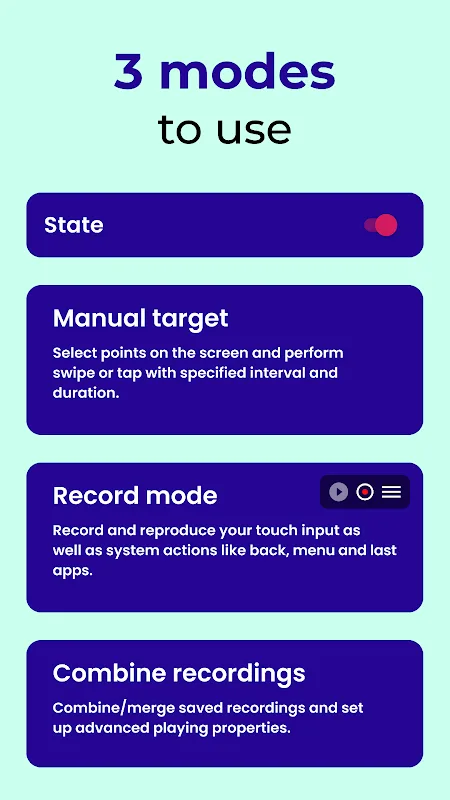
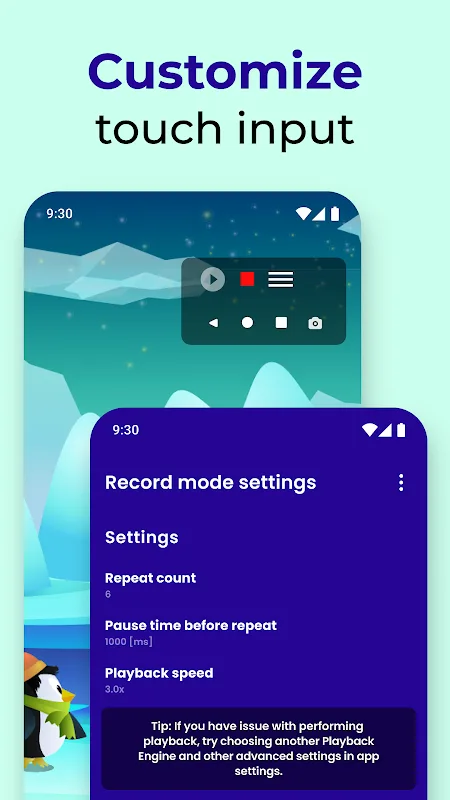
Record Mode for Touch Recorder
Record and reproduce your touch inputs, including system actions like back, menu button, apps button, and taking screenshots using the built-in navigation bar. Click Assistant: Touch Recorder records tasks without requiring root access!
Combination Mode for Auto Clicker Automatic Tapper
Auto Clicker Automatic Tapper connects recordings together using combinations with advanced settings for speed, delays, and repetitions. Customize your automated tasks with precision using the Auto Clicker Automatic Tapper.
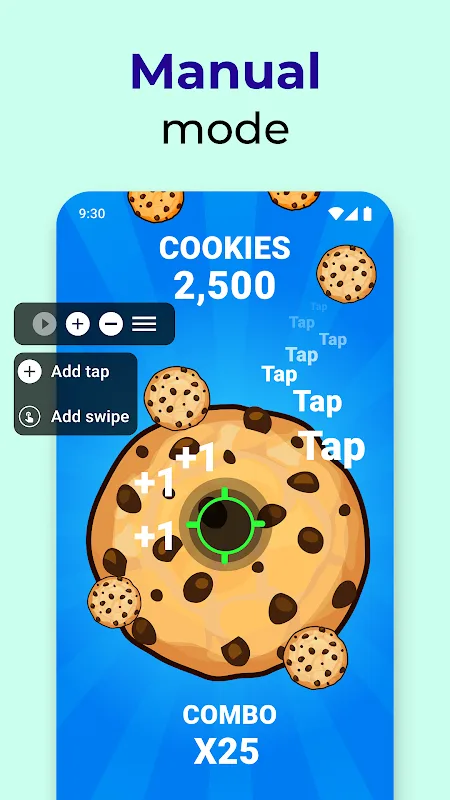
Manual Mode for Macro Auto Tapper App
With manual mode, you can take control of clicking in apps and games. Select points on the screen, specify actions like tap or swipe, and let the magic happen! Enhance productivity with Autoclicker For Games Tasker plugin. Create custom automation flows in Tasker or MacroDroid like never before, utilizing the power of the click assistant to streamline your mobile experience.
Features for Clickmate:
Professional Auto Clicker
- Customizable clicks per second
- Auto click counter with stats
- Precision timing control
- Perfect for consistent practice
Auto Click Speed Test
- Real-time CPS measurement
- Auto click high score tracking
- Performance statistics
10-Second Click Counter
- Quick speed testing mode
- Best score with auto calculation
- CPS performance tracking
APM (Actions Per Minute) Test
- Professional auto click counter
- One-minute testing sessions
- Best APM recording
Target Click Training
- Accuracy-focused clicking
- Auto score tracking
- Speed measurement
Pros & Cons:
Pros
Offers Recording Mode, Manual Mode, and a combined system mode for flexible automation
Can record touch input along with system actions like back, menu, recent apps, and screenshots (on supported Android versions)
Highly customizable tap and swipe behavior with control over duration, intervals, and repeat counts
Randomized coordinates feature helps avoid perfectly identical tap locations
Lightweight and works without root access
Free core functionality with optional in-app purchases
Supports Android 7.0 and higher, with extra features for Android 9 and above
Cons
Some advanced features require payment through in-app purchases
Screenshot recording only available on Android 9 and newer
Interface buttons are relatively small, which can lead to accidental recordings
May feel a bit slow at times when running over other apps
Conclusion:
With its focus on simplicity and effectiveness, Clickmate stands out as a reliable auto clicker and macro tool. Users seeking to enhance their interaction with mobile applications will find the functionalities offered by Clickmate to be practical and beneficial. The app's ability to adapt to various user needs solidifies its role as a valuable assistant in the realm of mobile automation.








