

Touch Macro Pro is a fantastic utility for automating tasks, helping users easily and quickly complete repetitive, multi-click activities. Touch Macro Pro presents a lightweight, powerful, and easy-to-use task clicker application, allowing users to experience convenient operation steps and enjoy customizable activity start and stop. Touch Macro Pro supports a wealth of features including text recognition, grouped repetition, quick clicks, and image recognition. This application helps users save time, improve efficiency, and say goodbye to tedious and repetitive tasks.
Click to load YouTube / 点击加载视频
YouTube ↗Attractive Features of Touch Macro Pro
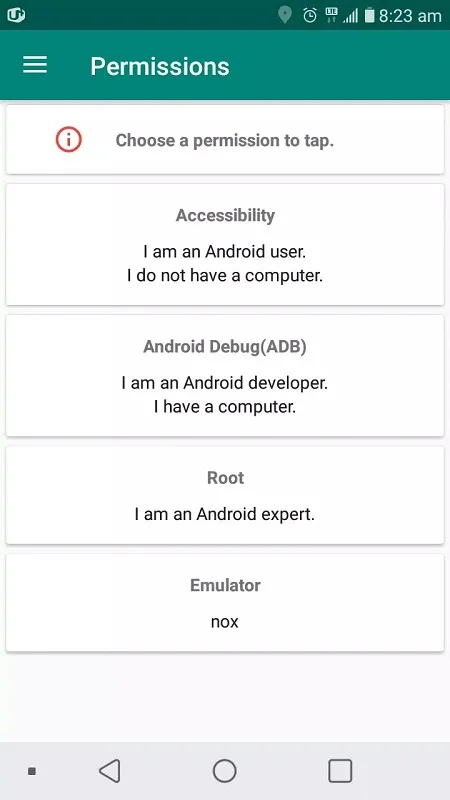
This application is very simple to use due to its clean and intuitive interface. First, you need to grant the appropriate permissions, and then you can access the macro creation tools.
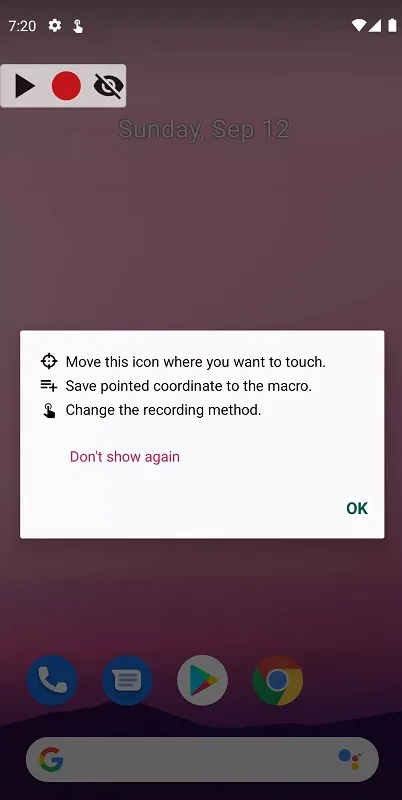
After pressing the start button, a floating recording menu will appear. The next step is to press the record button and then execute the action you want to repeat automatically. It's that simple.
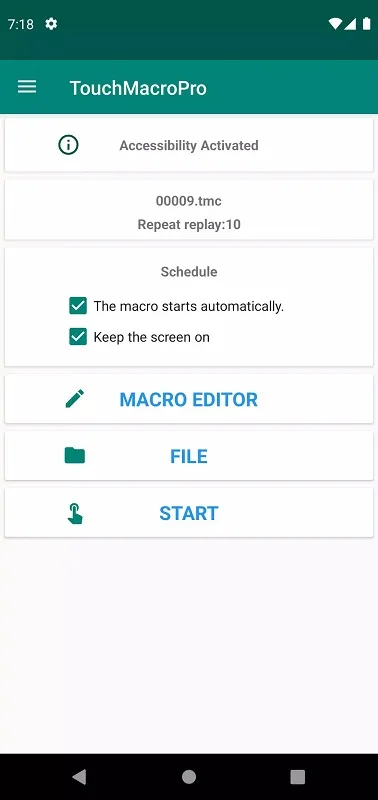
After saving to the application, you can edit the recorded macro, create groups, and more. Using a remote control is very helpful.
Wonderful Performance of Touch Macro Pro
Featured Tools
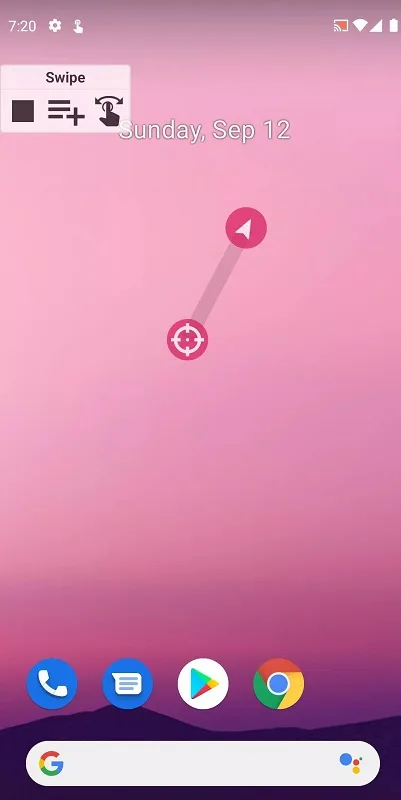
First, we need to understand the tools required to create operations in order to use them. The most common and easiest to use is probably screen clicks. It's the aiming reticle icon you often see in first-person shooter games. Move it to a specific location to click. Set the number of clicks and the click interval. Next is screen swiping, which allows for flexible left, right, up, and down swiping. Combine multiple actions to create a continuous, repetitive flow.
Save Important Actions
Because if you don't save the set of actions you just created when you exit the application, they will be completely lost. Recreating them from scratch is complex and time-consuming. Therefore, save them in Touch Macro Pro's list. This way, when you need to use them, you can still retrieve and continue using them as usual. Don't forget to name the actions to avoid confusion and to quickly select the desired action.
Fantastic Characteristics of Touch Macro Pro
Automate Complex Tasks: Write complex macros to execute multiple actions sequentially, saving you hours of manual labor.
Quick Clicks: Set up automatic click macros to quickly click specific elements on the screen.
Image Recognition: Use image recognition technology to locate and interact with specific images on the screen, improving the automation and efficiency of various tasks.
Grouped Repetitions: Create macros that loop through a series of actions multiple times, simplifying repetitive tasks.
Text Recognition: Create macros that can automatically perform tasks based on the recognized text content.
User's Comments of Touch Macro Pro
Not sure why there are so many bad reviews, it has a small cost associated but it's also labeled "pro", and it offers a 7 day trial. I looked for a simple app to do what I need and this one fits the bill just fine. I do wish it had the option to display the number of cycles left on the popup so you know how much is left and/or how many cycles finished.
I see people complain about having to spend 5 bucks for a whole year on something they want to try first. I get that, but it's 5 dollars people. I bet most, if not all, waste 5 bucks on something ridiculous more than once. I'm glad I came across this app. I'm now able to farm this game I play where I was unable to do so with other auto clickers. Thank you
I have a disability and this is so much better than other free autoclickers out there, IT CAN RECOGNISE SPECIFIC OBJECTS AND IMAGES YOU WANT TO CLICK. 30 After a few days of free trial with a yearly subscription, I've already signed up. To the creator, thank you so much; this is literally amazing and saves me so much pain and energy. HOWEVER, sometimes macros don't do what they're supposed to do, it works 70% - 80% of the time. Creator, if you see this, I will pay more for 100%.
Final Verdict
Touch Macro Pro is a tool for Android devices that allows us to create macros and configure them to trigger automatically when a series of conditions are met. This way, we can easily achieve the desired functionality without any hassle.








