

DevCheck is an outstanding device information utility that helps users easily obtain detailed real-time information and data on hardware, network, battery, operating system, etc., assisting in troubleshooting and understanding internal structure. DevCheck presents users with a clear, intuitive, and powerful device information application. Users can experience detailed hardware information, real-time dashboard monitoring, network and dual-SIM diagnostics, and other services in simple steps. DevCheck boasts accurate data monitoring and detailed system reports, helping you manage your devices more intelligently and efficiently, resolving issues such as device lag and rapid power consumption.
Click to load YouTube / 点击加载视频
YouTube ↗Attractive Features of DevCheck
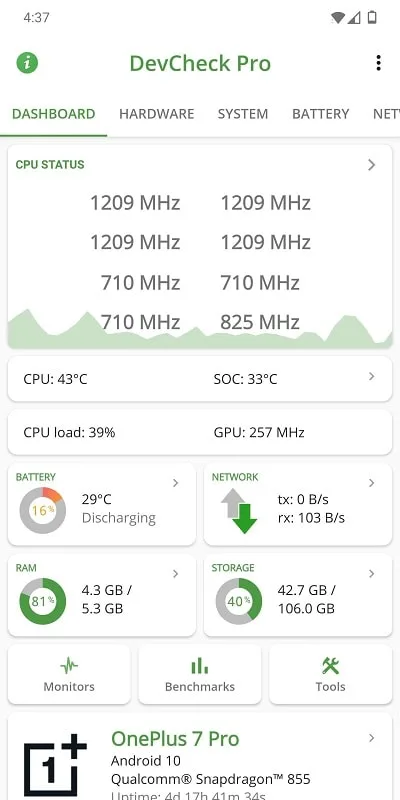
Real-time Dashboard Monitoring
DevCheck displays CPU frequency, memory usage, battery status, deep sleep status, and runtime on the same screen. Data is continuously updated, so you can monitor system performance during gaming or live streaming. Additionally, you can quickly access system settings for faster troubleshooting.
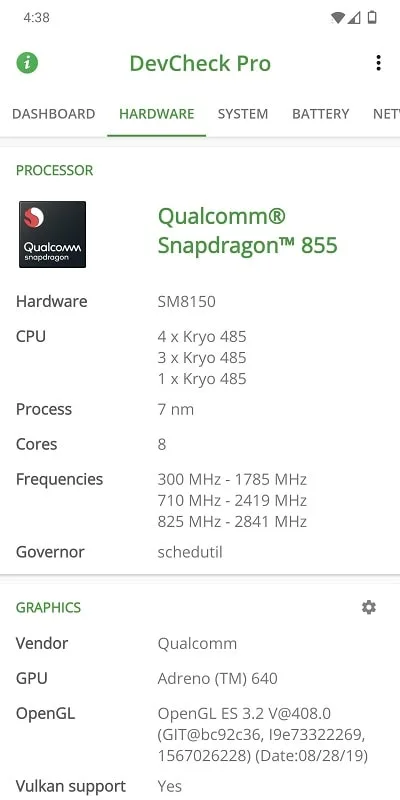
Detailed Hardware Information
DevCheck lists the model of the SoC, CPU, and GPU, including clock frequency and processing information, as well as detailed information on RAM, storage, display, and camera. You can confirm lens resolution and sensor vendor with a single tap. In addition, it can identify Bluetooth devices and input devices connected to your device.
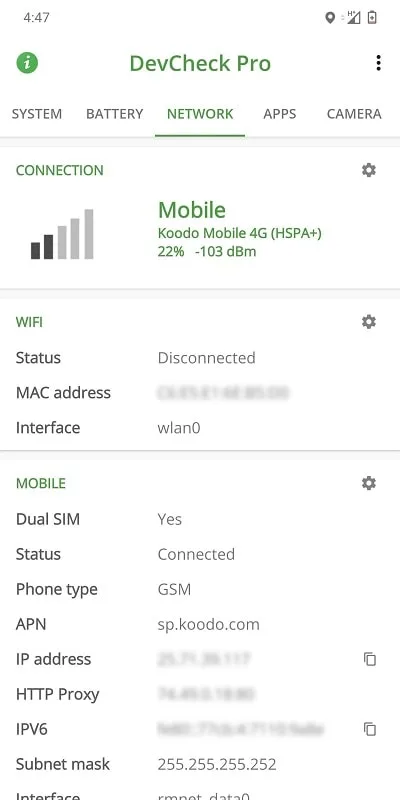
Network and Dual SIM Diagnostics
DevCheck reports WiFi and cellular network information, including IPv4 and IPv6 addresses, carrier names, and public IP addresses. You can track the real-time signal strength and data speed of each SIM card. Therefore, you can more easily view roaming status and network type changes in real time.
Frequently Asked Questions of DevCheck
Is DevCheck safe to download?
Yes, DevCheck is ad-free and respects user privacy. To download DevCheck securely, use the download button on the APKPure. You can also get the latest version of the DevCheck APK directly from this page.
What is DevCheck used for in Android?
DevCheck provides real-time and system information for your Android device. It displays real-time performance, hardware specifications, network status, sensor and battery data, so you can diagnose problems and confirm component details without guesswork.
How to use DevCheck to view hidden battery health on Android 14?
To view hidden battery health fields, open the "Battery" tab in DevCheck and follow the prompts to grant battery statistics permissions. DevCheck supports granting this permission via root or Shizuku (if available). Once granted, the relevant values will be displayed.
Fantastic Characteristics of DevCheck
It displays key hardware components and software details in real time, making it a valuable tool for users who want to better understand their Android devices. The app features a user-friendly dashboard that summarizes important information including CPU, GPU, memory, battery status, camera specifications, storage capacity, network details, sensor information, and operating system version.
In addition to overview features, DevCheck excels at providing detailed information about the device's CPU and System-on-a-Chip (SoC). Users can access comprehensive specifications, frequencies, core configurations, and architecture analysis. The data is presented clearly and systematically, ensuring users can easily browse and understand the device's performance metrics and capabilities.
User's Comments of DevCheck
Spectacular app. Pro version brings together system stats are cumbersome to find any other way. One possible limitation to the power reporting: on a Samsung Galaxy Xcover7 Pro (enterprise phone with a removable battery) the app reports battery protection as disabled when it's turned on. No idea if this has something to do with the phone itself.
This app is really amazing. I can check everything about my phone in one place like the dashboard, system info, apps, CPU usage, battery temperature and more. It’s very helpful, clean, and easy to use. I highly recommend it to anyone who wants full control and details about their phone.
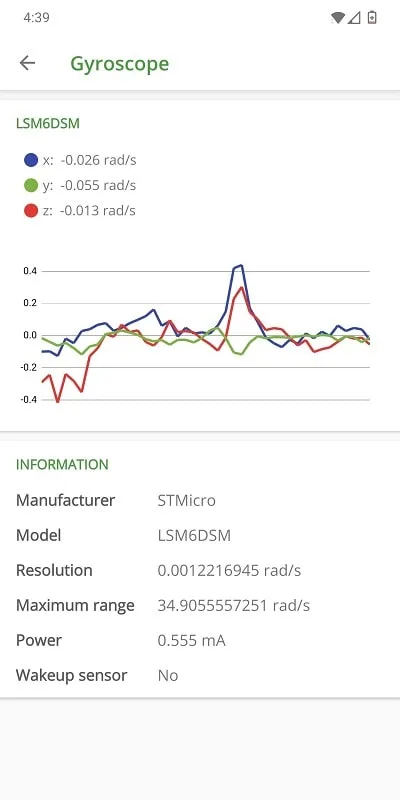
The free version already is amazing. No ads, though you need to pay for advanced features. I really like the sensors' realtime graphs. Actually put my phone in a plastic bag to see it respond to pressure, it works as advertised ;-)
Final Verdict
DevCheck is one of the most comprehensive programs of its kind. The top features eight different tabs: Home Screen, Hardware, System, Battery, Network, Apps, Camera, and Sensors. It allows you to view your device's status in real time and also provides access to its full technical specifications.








