
Launcher 10 is a launcher software designed specifically for Android devices. With just a few simple steps, it transforms your phone screen into a Windows-style display. The search function allows you to find various types of widgets and apply them to your device with a single click, satisfying your personalized needs. Furthermore, the software supports customization features, allowing you to freely customize various app icons, screen options, and more, providing a more comfortable user experience. The software will also be continuously updated, releasing more screen widgets to bring users more novelty.
Click to load YouTube / 点击加载视频
YouTube ↗Features of Launcher 10:
Pin apps as tiles: The system allows you to design a completely new interface with available apps. From there, accessing them is easier in a scientific style.
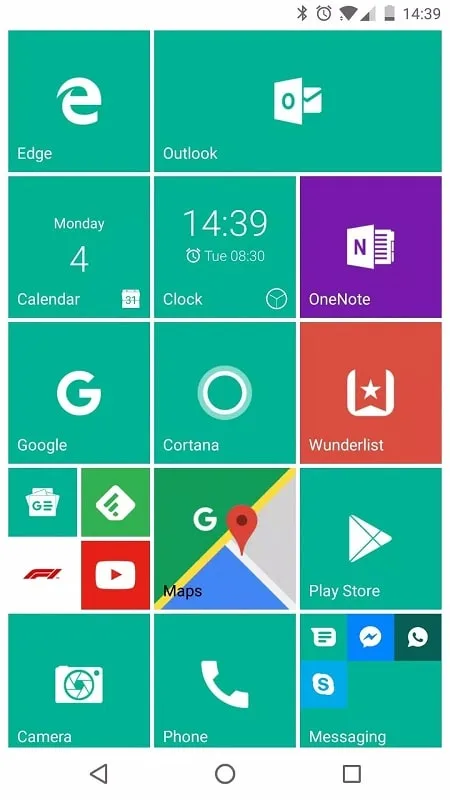
Customizable tiles: Over time, elements such as icons, backgrounds, and sizes can all be edited precisely. Combining them will create a completely new style.
Folders: The application also helps you group applications of the same genre into a suitable folder. Therefore, finding them when you use them becomes easy and saves time.
Live tiles: You will be able to see important notifications displayed accurately. Therefore, important events are often impossible to ignore because they come with dynamic tiles.
Tile badges: Instead of having to check many areas, the necessary things appear at a time. You will know unread messages, missed calls, and many other necessary things.
Custom icon packs: A powerful launcher often interacts with icon packs in many interesting ways. From there, applying new themes can be done easily over time.
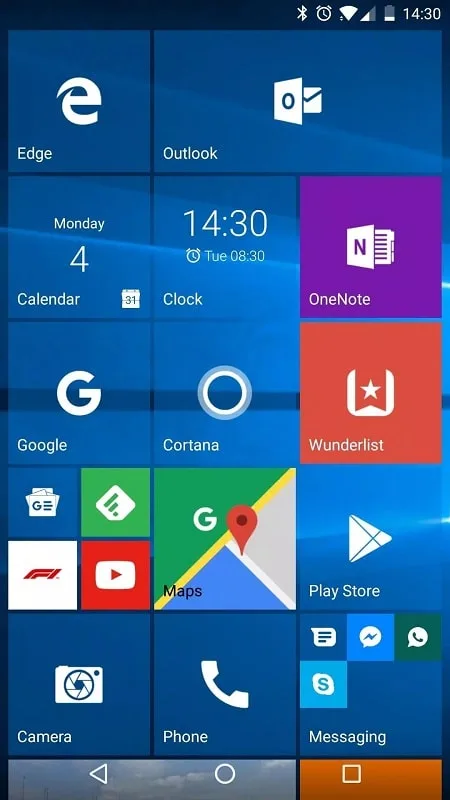
Highlights of Launcher 10:
Live Tiles: Display notification content in tiles, providing quick access to contacts, calendar events, clock, and gallery content.
Tile Badges: Indicate the number of missed calls, unread messages, and other notifications.
Pin Apps as Tiles: Customize your home screen by pinning apps as tiles.
Folders: Group tiles together to create a more organized layout.
View All Installed Apps: Swipe to access the comprehensive list of installed apps.
App Search: Quickly search through the installed apps for easy access.
Recently Added Apps Section: A dedicated area to showcase recently installed applications.
Update:
v2.8.18
Android 16 compatibility
Bug fixes and improvements
Android 6+ is minimum requirement
v2.8
Android 15 compatibility
New option to use a custom image as a tile icon
New option to use a custom image as a tile background
Option to add a widget from app/tile context menu
A new preference to go back to main start screen when returning home (default on)
Bug fixes and improvements
FAQs of Launcher 10:
Can I use Launcher 10 on any Android device?
Launcher 10 is compatible with most Android devices running Android 4.1 and above.
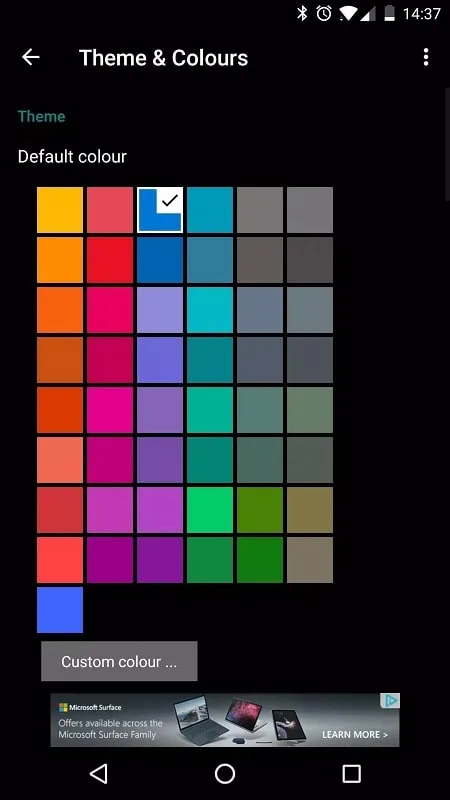
How do I customize the look of my home screen with Launcher 10?
You can customize your home screen by changing the theme, applying different icon packs, adjusting grid size, and using various widgets.
Does Launcher 10 support gesture controls?
Yes, Launcher 10 supports gesture controls for actions like swiping up to open the app drawer or pinching to view all home screens.
Can I back up my Launcher 10 settings and layout?
Launcher 10 may offer the option to back up your settings and layout to ensure you can restore them if needed.
Is there a support community or forum for Launcher 10 users?
nfwebdev may have an online community or forum where users can seek help, share tips, and discuss features related to Launcher 10.
Final words:
Launcher 10 creates an interface similar to Windows devices, used on the phone but feels like operating on a computer. Change the interactive space on the screen, renewing the way of working in a diverse direction. Users choose the Win 10 operating system model, smart and has a scientific layout. This application only changes the external form, other functions are guaranteed to remain the same. You are interested in this unique form, instead of using the default version, now switch to another design. The main and secondary screens are consistent with each other on the same system, creating an attractive whole.








