

Fulguris is a browser utility that allows users to easily and smoothly switch between different tabs with a simple click. The software provides a vast amount of tab storage while automatically blocking ads and pop-ups, allowing users to focus on completing tasks. It also offers a diverse range of wallpaper themes; simply enter keywords to find wallpapers that interest you and apply them to your device for a more pleasing look.
Click to load YouTube / 点击加载视频
YouTube ↗Features of Fulguris:
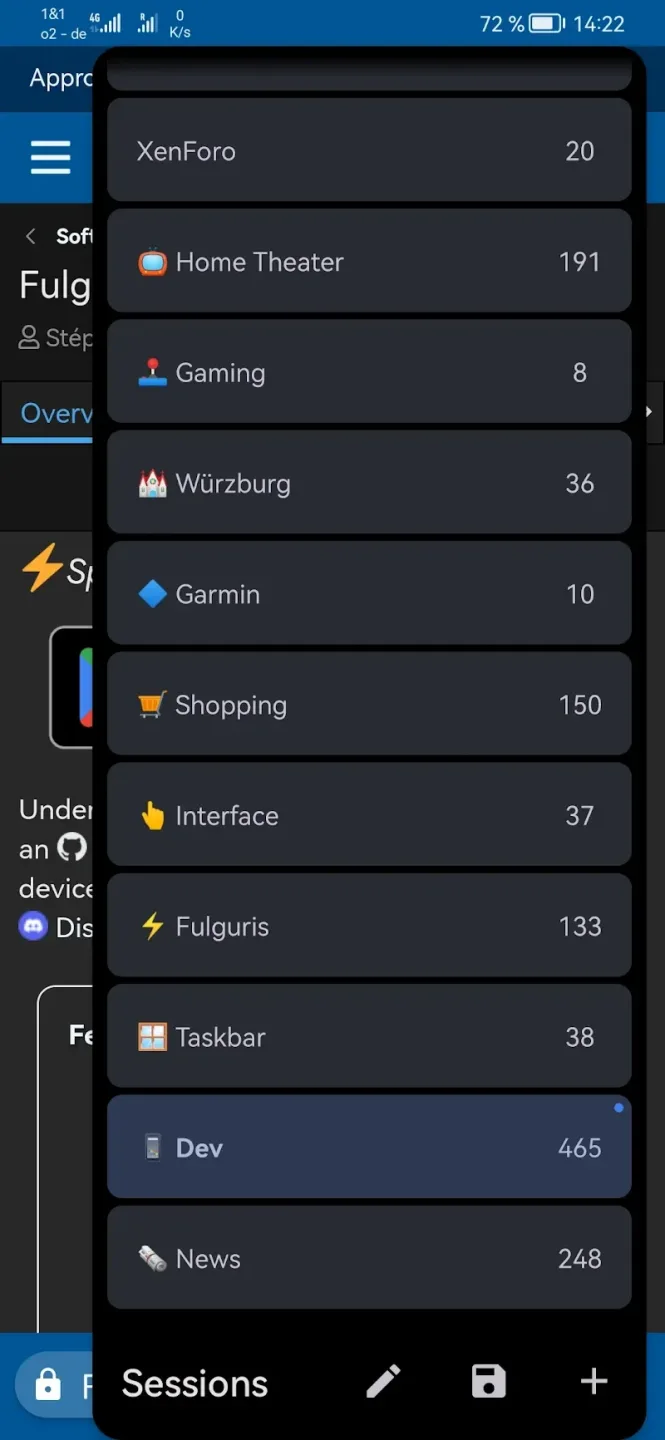
Lightning Session Switching: You can quickly switch between tabs without having to perform many cumbersome and complicated steps. With just one touch, you can smoothly switch to the tab you want.
Massive Tab Capacity: With this application, you will have access to a huge tab capacity. With this capacity. You can handle tasks quickly without any limitations.
Automatic Tab Spawning: The application also has the ability to automatically open tabs. Providing you with a convenient. And intelligent user experience.
Powerful Ad Blocking: When using the application for work, you can fully concentrate on your work without any distractions. Because the application will block all annoying ads. So you can quickly focus and complete your work.
Advanced Privacy Controls: The application will also provide you with management rights. With this management system. You can quickly manage and control your privacy without any difficulty or obstacles.
Adaptive Themes Support: The application also provides you with countless themes in diverse styles. New and unique themes will be brought to you. Offering you attractive and interesting themes to use.
Functions of Fulguris:
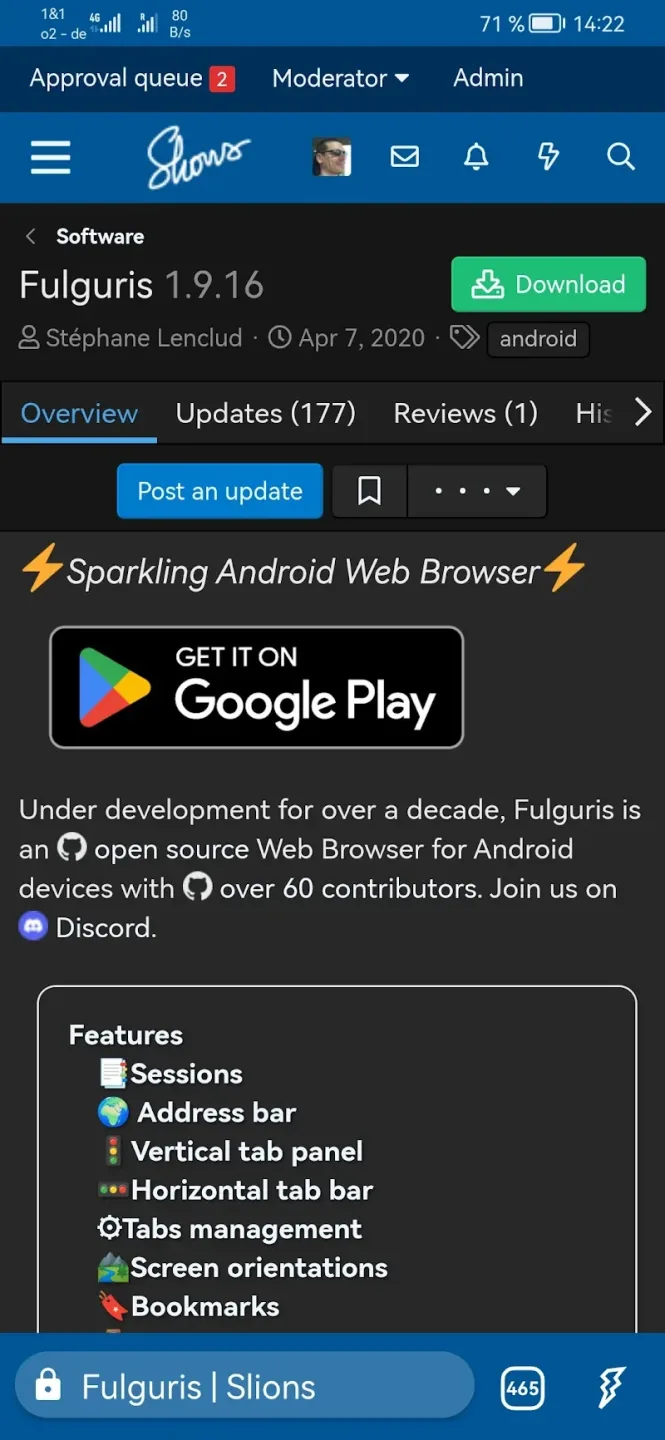
Horizontal Tab Bar: Mimics traditional PC browser tab placement, optimized for tablets and desktop modes such as Samsung DeX and Huawei EMUI Desktop. Can be positioned at either the top or bottom of the display.
Tab Management: By default, new tabs are generated automatically during searches or address input, reducing manual management. Users can customize settings for a streamlined experience with fewer tabs if desired.
Bookmarks: Supports importing, exporting, grouping in folders, and organization via drag-and-drop. Bookmarks can be backed up and restored directly through cloud services.
History: Enables reviewing visited pages with the option to clear browsing history at any time.
Force Dark Mode: Allows forcing dark mode on any web page to facilitate comfortable late-night reading sessions.
Themes: Customizable toolbar and status bar colors that integrate seamlessly with your favorite websites. Supports black, dark, and light themes. Fulguris combines speed, security, aesthetics, and efficiency.
FAQs of Fulguris:
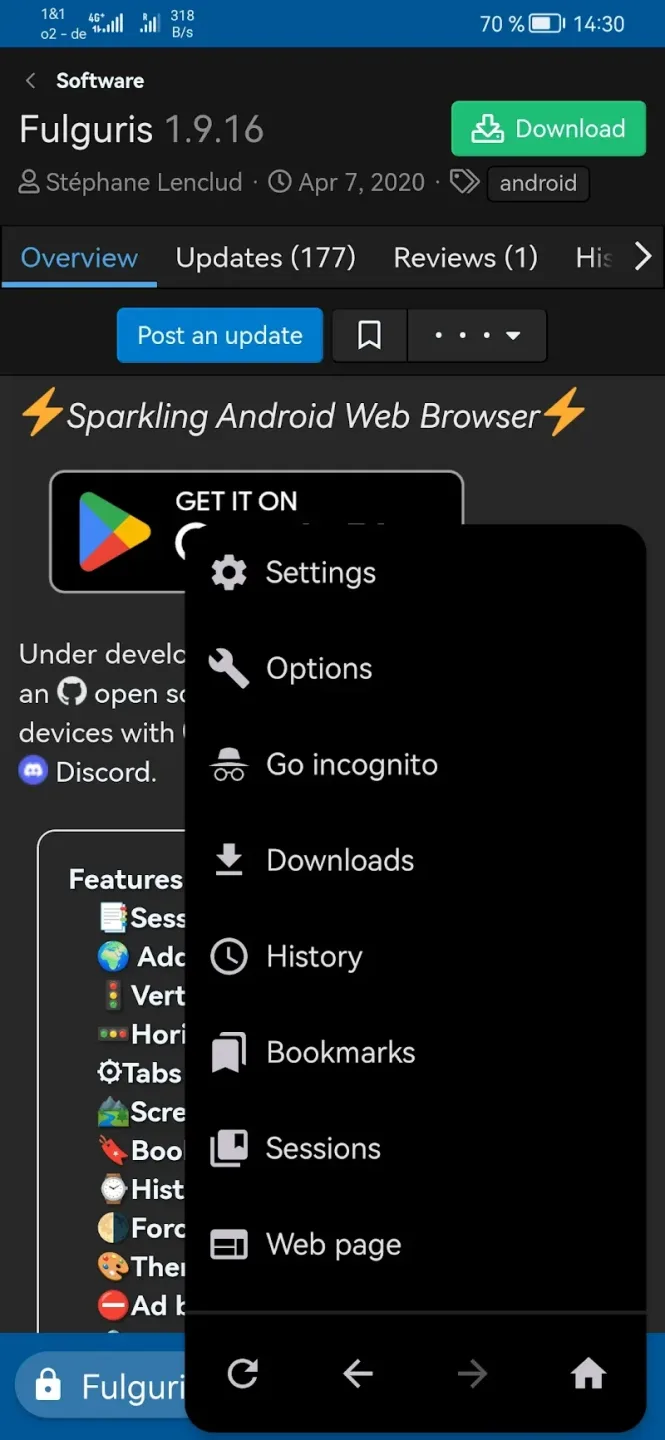
Q: Does the app support incognito browsing?
A: Yes, it includes a private mode with cookie and history clearing features.
Q: Can I change the position of the address bar?
A: Yes, the address bar can be placed at the top or bottom of the screen.
Q: Does the app support multiple search engines?
A: Yes, it supports Google, Bing, Yahoo, DuckDuckGo, and more.
Q: Is there an ad-blocking feature?
A: Yes, a built-in ad blocker is available with customizable lists.
Q: Can I use it on tablets and Chromebooks?
A: Yes, it is optimized for tablets, Chromebooks, and even desktop-like modes.
Final words:
Fulguris Web Browser not only focuses on speed, but also integrates several layers of protection, emphasizing user privacy and simplified browsing. The browser includes an incognito mode for private sessions that do not store history, cookies or cache, a first-class ad blocking using a list of hosts similar to Adblock Plus, and options for automatically deleting tracking cookies at the end of the session.








