

Sentinel Security is a compact yet comprehensive security application. It boasts powerful features to help users protect privacy, free up storage space, monitor network usage, and view hardware status. With Sentinel Security, you can perform a comprehensive scan of installed apps and downloaded files to detect threats and protect your privacy. Track app data usage with separate views of mobile data and Wi-Fi to ensure data usage stays within limits. Furthermore, you can view real-time CPU, RAM, and battery status for a clear understanding of your device's health.
Highlights:
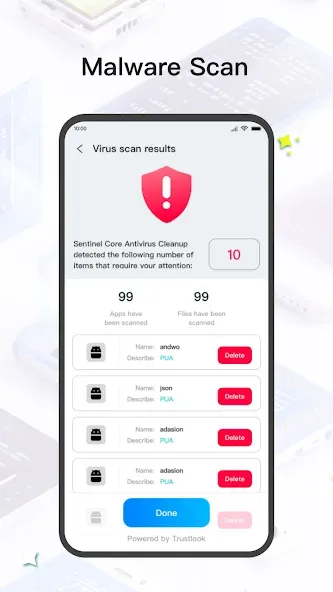
Malware scanning — Run complete scans of installed apps (excluding pre-installed applications) and downloaded files with Sentinel Security to detect viruses and protect your privacy.
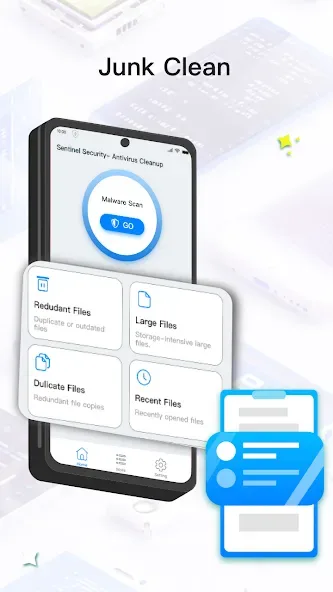
Junk cleaning — Scan your device for redundant, large, duplicate, or recent items and choose which files to remove to free up storage quickly.
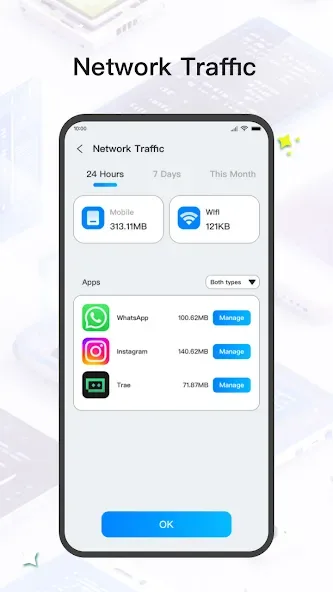
Network traffic monitoring — Track how much data your apps use with separate views for mobile data and Wi-Fi so you can manage consumption and avoid limits.
App usage management — See a full list of installed apps and uninstall ones you no longer need to make room and keep your device tidy.
Storage browsing — Explore all files and folders through an intuitive interface to delete unwanted items and manage storage with ease.
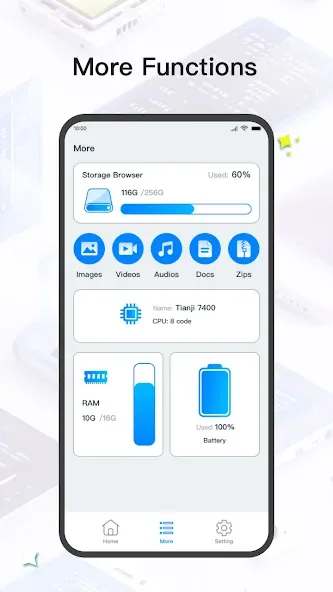
Device information viewing — Check real-time status for CPU, RAM, battery health and other system details to gain a clear picture of device condition.
Features:
Malware scanner that inspects installed apps and downloads
Optional real-time protection to detect suspicious activity
App lock to secure individual applications with a PIN or pattern
Web protection to reduce exposure to malicious sites
Anti-theft tools to locate or remotely lock a lost device
Privacy advisor to review app permissions and privacy risks
Performance tools to clear cache and optimize storage
Benefits:
Malware Scanning
Run complete scans of installed apps (excluding pre-installed applications) and downloaded files.
Keep your privacy safe and guard your device against viruses and infections.
Junk Cleaning
Scan your device for unnecessary files—such as redundant, large, duplicate, or recent items.
Choose which files to remove and free up storage space quickly.
Network Traffic Monitoring
Track how much data your apps use, with separate views for mobile data and Wi-Fi.
Stay informed about your data consumption and avoid going over your limits.
App Usage Management
See a full list of your installed apps.
Uninstall apps you no longer need to make room for new ones and keep your device tidy.
Storage Browsing
Explore all the files and folders on your device through an intuitive interface.
Delete unwanted items and manage your files with ease.
File Format Classification
Files are sorted into clear categories: images, videos, audio, documents, and compressed files (Zips).
Find what you’re looking for faster and streamline your experience.
Device Information Viewing
Check real-time device status—including CPU, RAM, battery health, and more.
Gain a clear understanding of your device’s overall condition and health.
Conclusion:
It combines malware scanning, junk removal, app management, data-usage tracking and a file browser into a single utility so users can keep their phones running smoothly and guard against threats. The interface focuses on clarity and control: run scans of installed apps and files, review storage by type, uninstall unused apps, and check CPU, RAM, and battery status at a glance. People who want to simplify maintenance and preserve their privacy will find it a practical choice.








