

Desmos Test Mode is an exceptional graphing calculator utility designed to help users quickly complete complex, advanced calculations, providing precise results alongside visual analysis. Desmos Test Mode offers users a lightweight yet powerful and convenient computing application suitable for critical fields such as science, engineering, and statistics. Users can leverage robust mathematical rules to tackle high-difficulty operations involving functions, exponents, radicals, and more. The application also supports saving calculation history, allowing users to quickly reference past results.
Click to load YouTube / 点击加载视频
YouTube ↗Excellent Functions of Desmos Test Mode
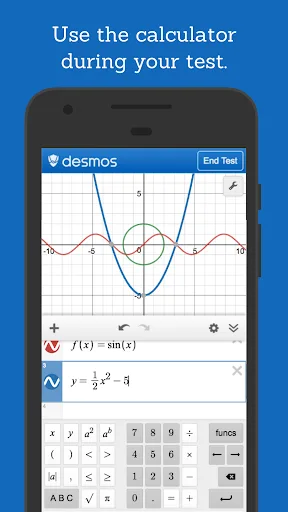
Graphing: Plot polar, Cartesian, and parametric equations. There is no limit to the number of expressions you can graph simultaneously—and you don't even need to enter expressions in the standard "y=" format!
Sliders: Interactively adjust values to build intuition, or animate any parameter to visualize its impact on the graph.
Tables: Input and plot data, or create input-output tables for any function.
Statistics: Use regression analysis to find the line (or other curve!) that best fits your data.
Zooming: Pinch with two fingers to zoom the axes independently or simultaneously, or manually edit the window size to achieve the perfect view of your graph.
Points of Interest: Touch a curve to display its maximums, minimums, intercepts, and intersection points with other curves. Tap any point of interest to view its coordinates. Press and hold while dragging along a curve to see the coordinates change as you move your finger.
Fantastic Highlights of Desmos Test Mode
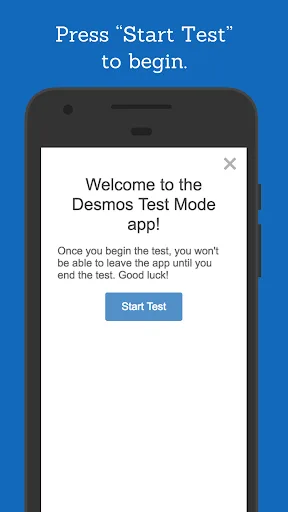
State-Approved Compliance
Fully complies with specific national and state guidelines for exams such as the SAT, ACT, and STAAR, eliminating the need to use a physical calculator.
Zero Learning Curve
By using the same interface you’ve practiced with all year, you can alleviate test-day anxiety and focus entirely on finding the right answers.
Professional-Grade Features—Free to Use
Access high-performance graphing, scientific calculation, and arithmetic tools on your iPad or iPhone—without spending over $100 on outdated hardware.
Wonderful Characteristics of Desmos Test Mode
Variables: Assign values to variables for use in other expressions. Since all operations are saved in the expression list, you can calculate a value once and use it in multiple places simultaneously. Make full use of the "Ans" key, which always stores the value of the previous expression.
Arithmetic: In addition to the four basic operations, the scientific calculator supports exponentiation, root extraction, absolute values, logarithms, rounding, and percentage calculations.
Trigonometry: Evaluate basic trigonometric functions and their inverses using either radian or degree measures.
Statistics: Calculate the mean and standard deviation (for both samples and populations) of a data set.
Combinatorics: Compute combinations and permutations, as well as factorials.
User's Comments of Desmos Test Mode
Hello! I noticed a bug that isn't present on the regular Desmos app or the original browser-based version. When entering the function: tan⁻¹(sin(x)), it seems to produce an incorrect result. Thanks! I really appreciate having access to this app!
Desmos Test Mode was an absolute lifesaver for my state math final exam. I’ve always struggled with those clunky handheld calculators of the past, so being able to use the same touch interface I use for my daily homework gave me so much peace of mind. Plus, it saved my parents over a hundred dollars, since I didn't have to go out and buy a physical graphing calculator specifically for this exam!
As a student preparing for college entrance exams, I need tools that are both fast and reliable. This app is incredibly intuitive—pinching to zoom on graphs and instantly identifying points of interest feels truly revolutionary compared to traditional hardware. It is official and secure, allowing me to focus entirely on the math problems themselves rather than struggling with a complicated interface.
Final Verdict
Desmos supports a wide variety of mathematical functions. It is an application with a clean, user-friendly interface. To generate a graph, simply enter a function and define the independent variable. To add specific points, just tap on the curve and input the desired value for the independent variable.








