

Assistive Touch is an outstanding assistive touch utility that helps users achieve a more flexible smart device experience, making your app access more efficient and convenient. Assistive Touch is a lightweight, convenient, and powerful assistive touch application that allows users to experience easy navigation and quick execution of shortcut tasks. You can customize the layout of convenient tools according to your habits, and try changing personalized theme colors and icon styles. Assistive Touch integrates many functions into a simple and stylish small circular icon, giving you complete control over various device operations.
Click to load YouTube / 点击加载视频
YouTube ↗Attractive Features of Assistive Touch
Quick Switching and One-Click Tools
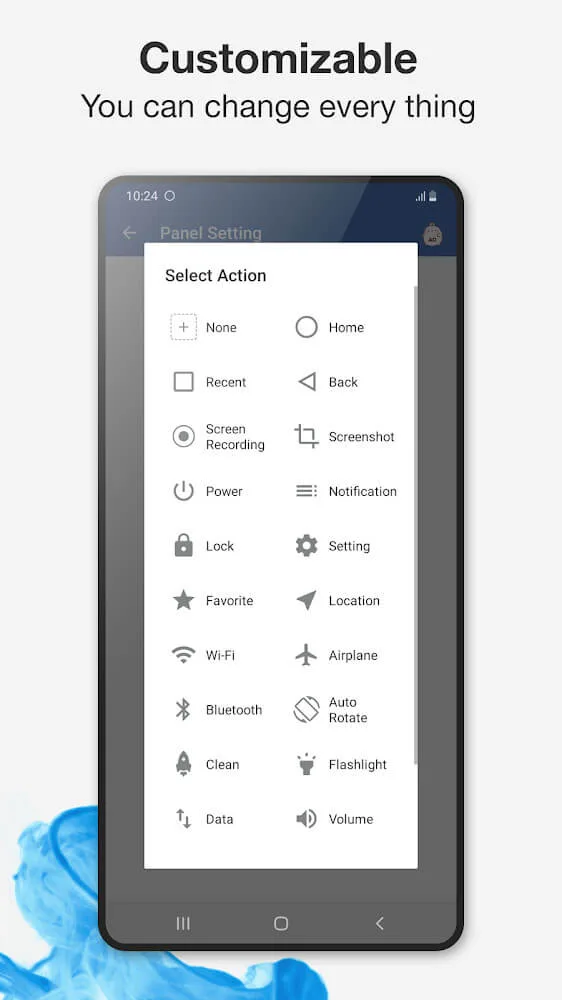
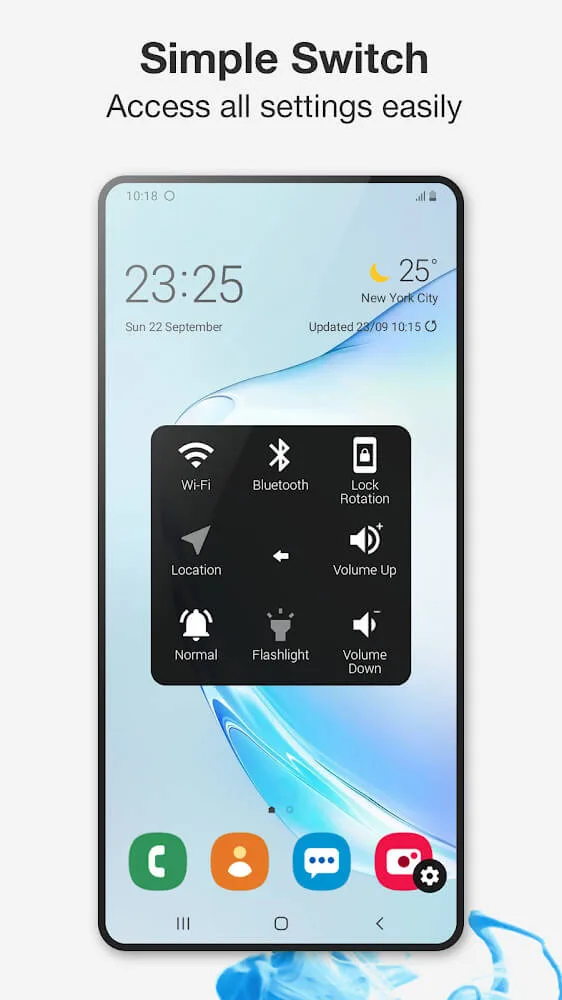
With just a tap, you can open frequently used settings and tools. Available actions include: screenshot, power pop-up, notifications, Wi-Fi, Bluetooth, GPS, ringtone mode, screen rotation, airplane mode, and flashlight. You can also launch frequently used apps and games from the panel, centralizing frequently used operations in one place.
Built-in Screen Recorder
Assistive Touch has a built-in screen recording function that can be used without root access. There is no time limit for recording videos, and no watermarks are added. You can record HD or Full HD video and choose to record microphone audio as needed, which is very useful for creating tutorials or game clips.
Customizable Appearance and Behavior
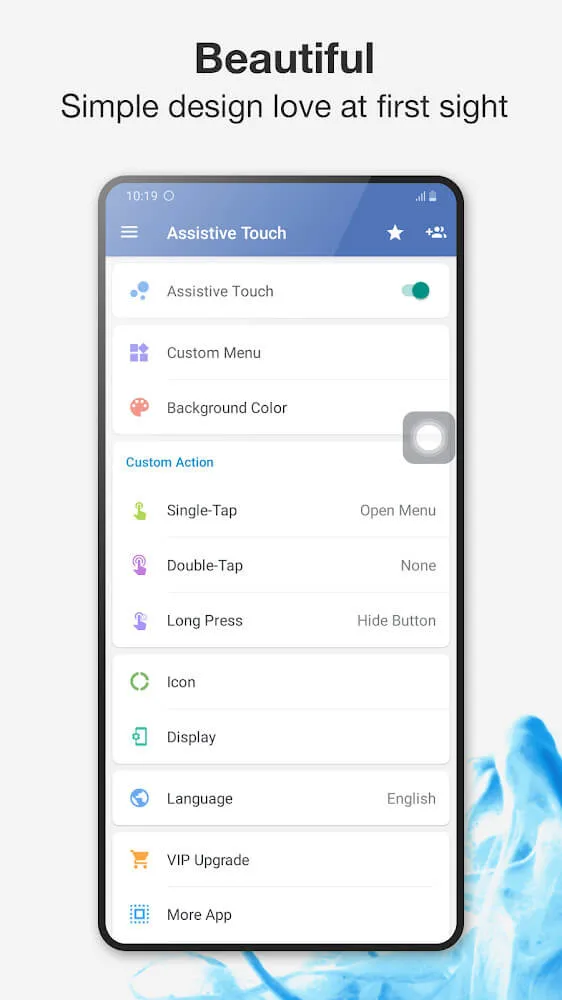
You can change the background color and icon style to match your home screen. Gestures are configurable for single clicks, double clicks, and long presses, so the panel responds the way you like. This level of control allows you to easily create layouts that suit your daily habits.
Ergonomics for Large Screens
AssistiveTouch places key operation buttons closer to your thumb, making it easier to reach the top when using a high screen. This feature is also useful if physical buttons are hard to press or start to wear out. Important controls are always visible, and you can move buttons to avoid obscuring content.
Amazing Performance of Assistive Touch
It controls various parameters on your Android smartphone via gesture shortcuts. Easily manage various operations by simply tapping a small circular icon on your smartphone screen.
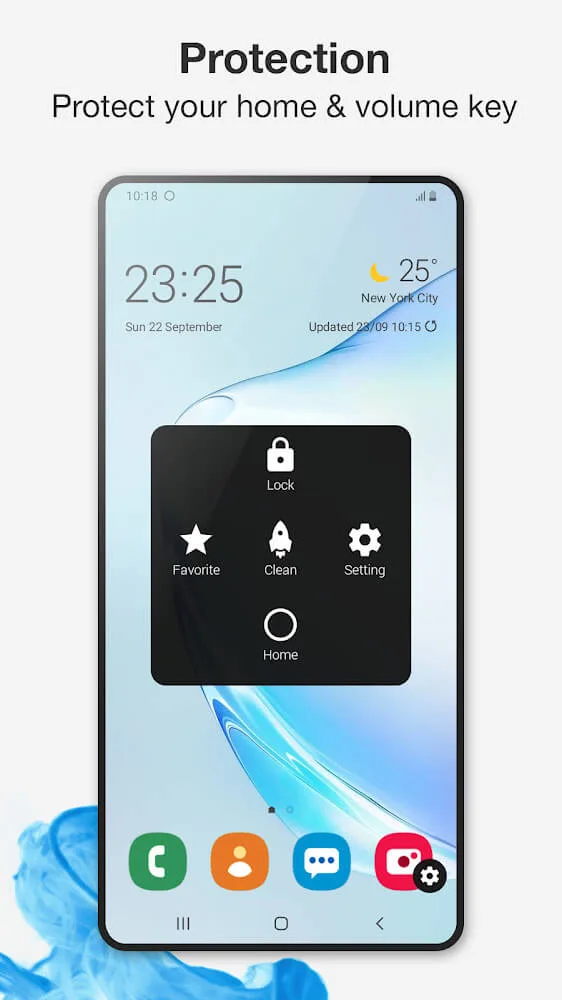
Through the AssistiveTouch interface, you can adjust various parameters to modify the operation flow on your smartphone. For example, you can set shortcuts to access various settings options when you swipe your finger in a specific direction on the circle.
AssistiveTouch lets you manage your smartphone more efficiently, enabling or disabling Wi-Fi, Bluetooth, or screen brightness without manually searching. Other useful features include locking and unlocking your smartphone without touching physical buttons.
Helpful Tips of Assistive Touch
Turn on AssistiveTouch and grant accessibility service permissions when prompted so the panel can perform navigation and overlay operations.
If you plan to use lock screen or power-related tools, enable Device Manager within the app and then return to the home screen.
Drag the floating button to a comfortable edge and set up single-click, double-click, and long-press gestures to trigger your preferred actions.
Add shortcuts to tools like screenshots, Wi-Fi, and Bluetooth, and select the app or game to launch from the panel.
Open the screen recorder from the panel, choose HD or Full HD, decide whether to record microphone audio, and then start and stop recording as needed.
User's Comments of Assistive Touch
A great app. You can choose your icon, but choice is greater if you pay, but it's cheap to subscribe. You can move the icon around the screen, and choose a number of items/apps to access quickly. I use it for screenshots, as it's such a pain to press buttons at the side of the phone. The icon is not intrusive on the screen, but means you can access things quickly and easily.
Nifty. Useful, hands down... but I'll rather choose a lifetime purchase if available, even though yearly subscription is pretty affordable no doubt. A bit more customization would be nice, like resizing and transparency. Also, an assistive button disappearing prior to screenshot then softly re-appearing right after, plus a much needed dark theme would be just as welcome.
the beginning felt tedious...but once you're passed it, the app is actually very resourceful. minimal crashing. ads arent aplenty. happy to have a floating icon with the desired options/features in mind.(turn off my (Phone/screenshots.) I would highly recommend it. An idea? Let us change the icon to whatever we want! Haha. (A floating picture of our choosing, an emoticon, etcetera.) All the best in your ventures; to those behind the Assistive Touch app.
Final Verdict
Assistive Touch is an excellent application that lets you use your smartphone more efficiently in a quick and easy way. You can customize buttons to your liking, create shortcuts, and access any function on your smartphone in seconds.








