

Advanced Download Manager is a highly praised download management utility that helps users achieve fast and convenient download tasks. Advanced Download Manager presents a lightweight yet powerful download application, offering users an outstanding experience of accelerated downloads and seamless torrent management. Advanced Download Manager allows users to customize their download experience, meeting your flexible download needs. The application has an intuitive interface and is easy to use, greatly facilitating your download tasks.
Click to load YouTube / 点击加载视频
YouTube ↗Wonderful Features of Advanced Download Manager
One of the most outstanding features of Advanced Download Manager is its ability to select different download folders based on file type. For example, when downloading videos, you can automatically save them to the "Videos" folder, while text files will be downloaded to the corresponding folder.
Advanced Download Manager also includes other useful features, such as resuming downloads or program downloads that were interrupted due to network connection interruptions. Additionally, you can set program downloads to automatically start at a specific time.
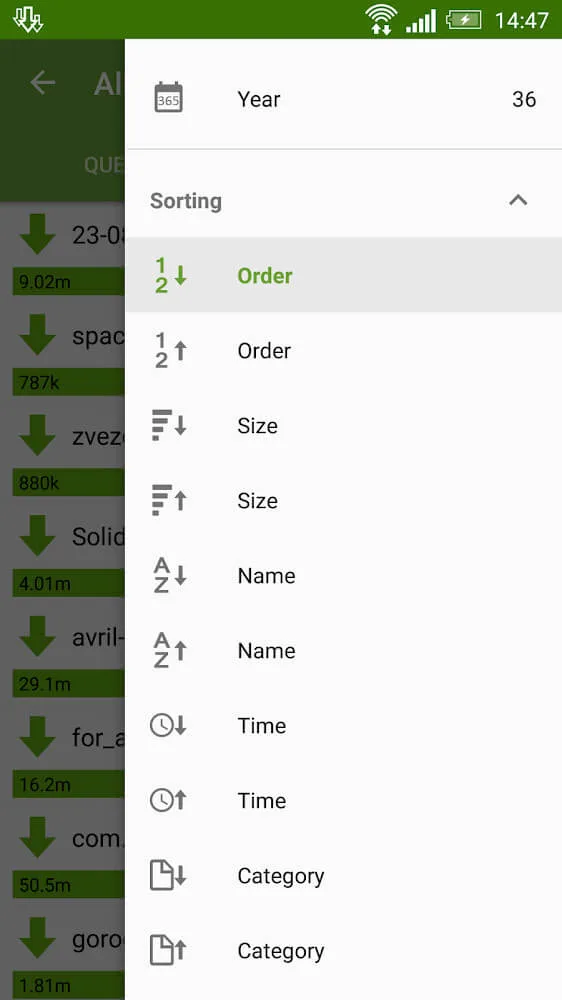
Excellent Performance of Advanced Download Manager
Speed Up and Optimize Your Downloads
With ADM's multi-threading technology and advanced features, downloads are faster and smarter.
Split files into 16 parts to speed up downloads.
Automatically optimize download speed.
If a network problem occurs, you can resume from where you left off.
Downloads will continue even if the app is closed.
Seamless Torrent Management
Easily download and manage torrent files directly within the app.
Import torrent files from links, clipboard, or file browser.
Select specific files or folders within the torrent file.
Easily organize your torrent downloads.
View torrent details, including size, type, and progress.
Customize your download experience
Customize settings to suit your preferences and optimize performance.
Choose where to save downloaded files.
Set the action to trigger after download completion.
Download only via Wi-Fi, or use mobile data to boost download speed.
You can choose the download time yourself.
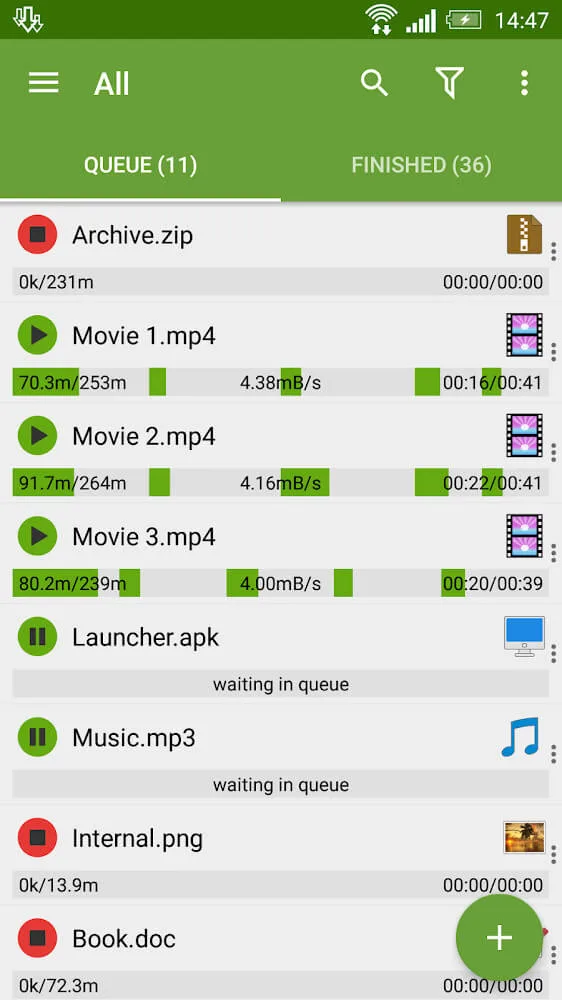
User's Comments of Advanced Download Manager
This app was recommended to me, and I didn't bother looking further because this one does the job efficiently and accurately. The wide variety of options allow a person to set everything precisely as desired once. Then simply paste the URL (or browse to it) of the target media in the built-in browser, click start, and trust that the what/when/how fast/where stored is taken care of. It's a shame the pro version is no longer available (too good for it's own good?), but a few out-of-the-way ads don'
I don't understand what (also don't know the correct term) browser embedded video player is and why ADM can't, uhh, intercept those videos lol. Other than that, ADM is excellent. Adds aren't that bad, imo. It's like, one constant banner in the home page of the app. Browser uses adblock. The in-app purchases is just a solo button under options to disable adds. $1.99 usd. Fantastic
Note, for People are saying the app stops with the screen off, so I'm adding it to the exception list... It doesn't optimize the app list, and it allows background data transfer. Great app, it just does what's mentioned in the description, no strange or suspicious connections. I have a real-time firewall, and this app doesn't create any suspicious connections. The app works great; the developer only has this app, and I'd like to see more apps in the future, or a Pro version without ads... a pay-option app without ads.
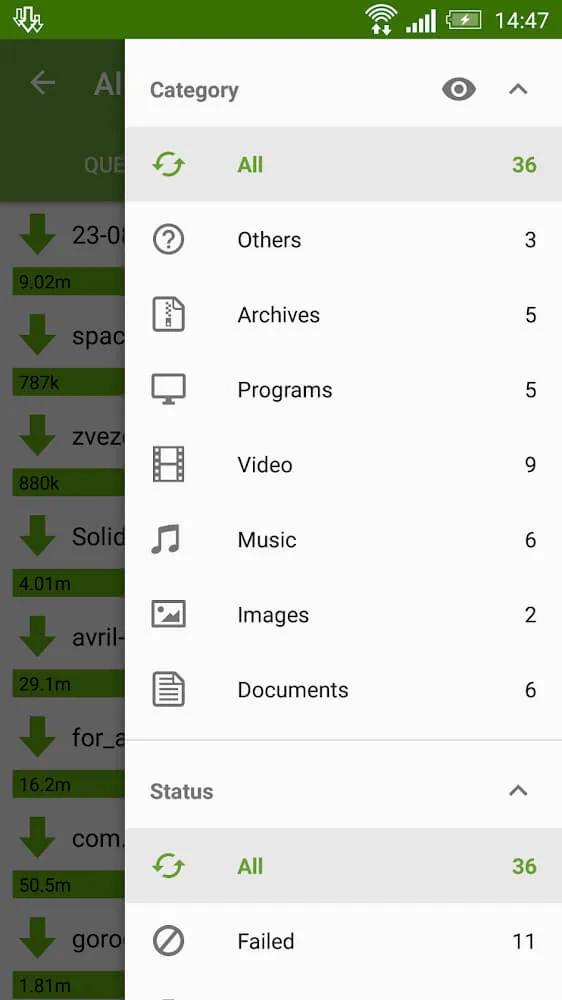
Fantastic Benefits of Advanced Download Manager
Download up to three files at a time.
Download accelerator.
Automatically detect download links.
Automatically restart downloads.
Built-in browser for accessing websites that require authentication before downloading.
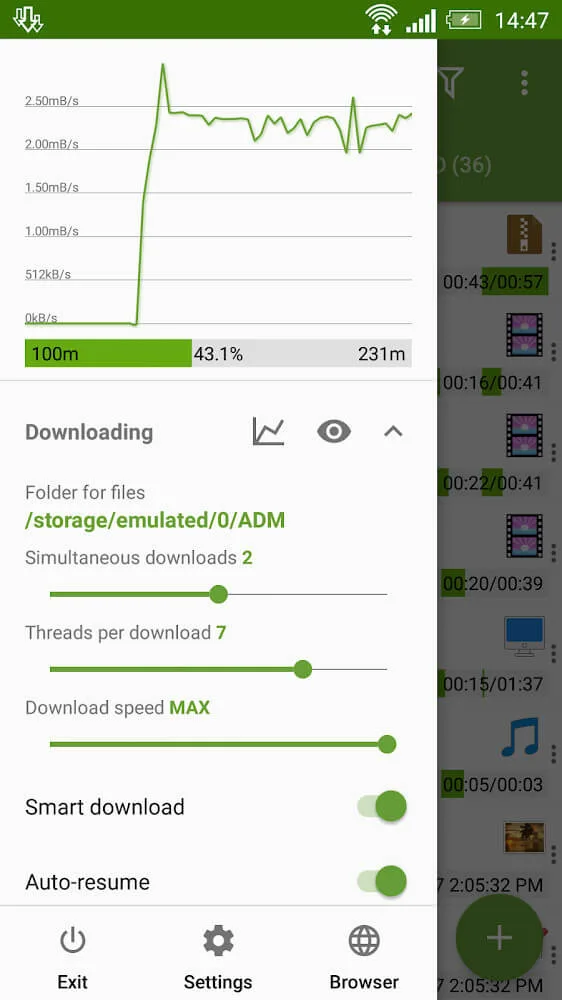
Final Verdict
Advanced Download Manager is a comprehensive download management tool that turns your Android device into a central hub to manage all your downloads. It's a great way to download files from the internet without giving up your phone; it's simple, straightforward, and fast, getting what you want without any hassle.








