
Lemuroid is a full-featured open-source emulator. Based on the Libretro system, it's optimized for Android users who want to enjoy a variety of classic console retro games on their phones or tablets. With Lemuroid, you can easily play your favorite retro classic games and experience a different kind of gaming experience. After installation, it automatically analyzes your phone or tablet's memory and searches for compatible files. With its simple and easy-to-use interface and perfect optimization of system resources, it's undoubtedly a highly attractive option for anyone wanting to play classic console games on their Android device.
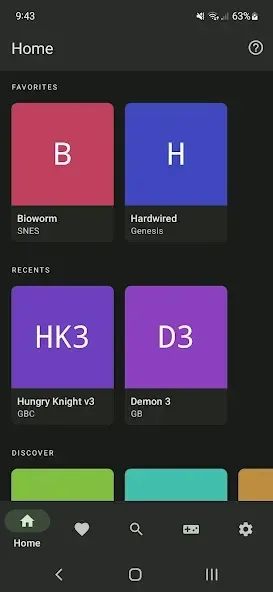
Highlights:
- Automatically save and restore game states
- ROMs scanning and indexing
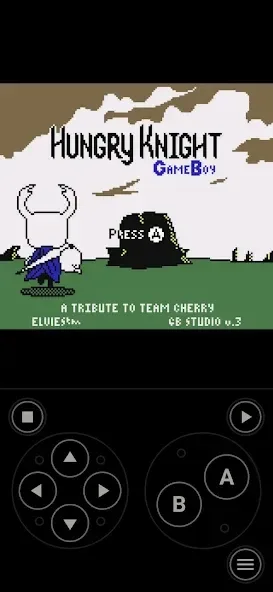
- Optimized touch controls
- Quick save/load with slots
- Support for zipped ROMs
- Display simulation (LCD/CRT)
- Fast-forward support
- Gamepad support
- Tilt to stick support
- Touch control customization (size and position)
- Cloud save sync
- No ads
- Local multiplayer (connect multiple gamepads to the same device)
Features:
Auto-Save & Resume
Never lose progress with automatic saving and seamless resume functionality.
Controller & Touch Support
Play with touchscreen controls or connect your favorite external controller for a classic gaming experience.
ROM Library Management
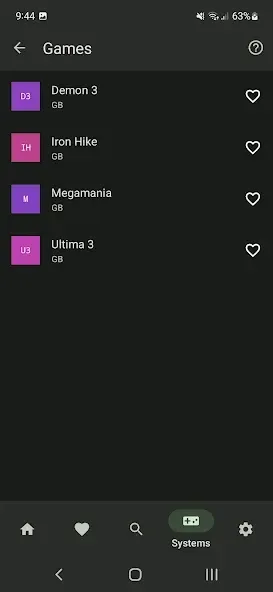
Effortlessly organize and scan your ROMs for a clean and easy-to-navigate library.
Cloud Sync (Google Drive)
Sync your game data across devices using Google Drive for a smooth, uninterrupted experience.
Local Multiplayer
Enjoy multiplayer gaming with friends on supported consoles and devices.
Playback Speed Control
Speed up or slow down gameplay to match your preference for relaxed or fast-paced action.
Tips and Tricks:
Enable frame skipping for smoother playback on low-end devices.
Lower video resolution for demanding systems like PlayStation.
Disable background apps to free up system memory.
Update Lemuroid regularly for bug fixes and performance improvements.
Pros & Cons:
Pros
Free and open-source
Supports a wide range of gaming systems, including NDS
Smooth performance with minimal errors
User-friendly interface
Customizable controls
Cons
Does not support 3DS games
'Start' and 'Select' buttons could be more intuitively designed
Conclusion:
In short, Lemuroid is a console emulator application, not a console game provider. Many users have wrong opinions about this application, so there are many negative comments appearing on the Google Play store. Hopefully, through this article, you can better understand the Lemuroid emulator application. Now, download Lemuroid here and enjoy your childhood games again.








