

Live2DViewerEX is an L2D and Spine model viewing software. Users can simply import WPK and LPK format files to generate corresponding models. Users can interact with the models by touching them to elicit different responses, and can also export them as images and videos to share with friends and earn their likes. The software supports user customization of the models, allowing users to adjust their position, size, rotation, and changes, and set them as backgrounds with a single click to meet individual user needs.
Click to load YouTube / 点击加载视频
YouTube ↗Features of Live2DViewerEX:
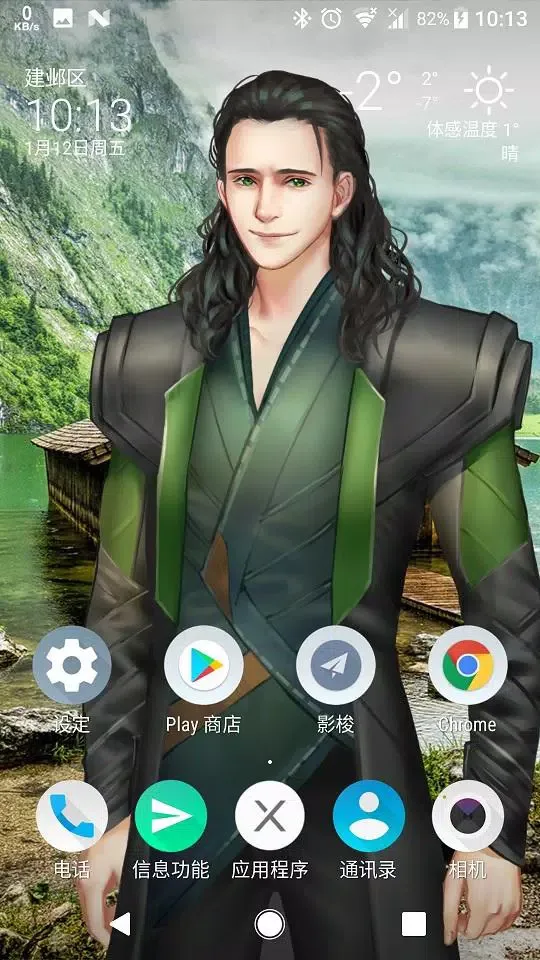
The app supports a variety of Live2D models, including those from the Steam Workshop, as well as LPK and Json formats. Users can easily load and display these models, tailoring their positions, sizes, and rotations to suit their personal preferences. This customization ensures that each user's experience is unique, allowing for a personalized touch to their device's wallpaper.
Live2DViewerEX also includes a built-in workshop, facilitating model downloads and sharing within the user community. This feature encourages users to discover and experiment with different models, further enriching their experience. Additionally, users can set images and videos as backgrounds, including panoramic options, which adds another layer of customization to the visual aesthetic.
A notable aspect of the app is its ability to handle double model displays. This functionality allows users to showcase two different models simultaneously, providing an opportunity for creative arrangements and interactions on the screen. The app also incorporates a slideshow feature for backgrounds and scenes, enabling a dynamic display that can change over time, keeping the user's wallpaper fresh and engaging.
Interactive elements are a significant part of Live2DViewerEX. The app includes touch effects that respond to user interactions, such as taps and swipes, allowing for a more immersive experience. Users can also add custom text bubbles that display messages or captions, enhancing the interaction between the user and the animated models.
For those who enjoy keeping track of time, Live2DViewerEX offers a clock widget. This widget can be conveniently placed on the screen, allowing users to check the time without navigating away from their live wallpaper. This integration of functional elements with aesthetic features exemplifies the app's versatility.
User Reviews of Live2DViewerEX:
after trying this app for a month, I've decided to purchase the premium one on steam and it was great with no more ads, but the workshop search feature is kinda lacking, if possible could you guys add a feature to search for wallpapers through their steam username or something, because it's very hard to find all their work scattered on the workshop list of recommendation.
Great app, that being said it's mainly in Chinese if you're searching for wallpapers. It functions well and is still being updated. Over Wallpaper engine I prefer it especially here. I do wish I could use up to 8 models like PC or at least more.. I use it on both my PC and phone and purchased it way back. So finding out if I own it on PC and being able to link it. So I have access to content I own and no ads was lovely. It works fine on my one plus 6t. Battery drain isn't terrible.
Probably the best Live2D or animated wallpaper for mobile, and you could use any custom background whether it's an image or a video. You also can find various Live2D models and other animated models and they're interactive too, (although you need to own the app on steam for unlimited points) nonetheless this is still a great app, 10/10 recommended if you have the money or time for it.

FAQs of Live2DViewerEX:
The application does not start properly?
Install .Net Framework 4.6 or a higher version. If installation fails, reset your system.
In the Steam library, click Launch and select Repair.
Try installing the application in a different directory (some directories, like certain system directories on the C drive, may have read/write permission issues).
Update your graphics driver.
"Startup failed / DESKWND_NOT_FOUND" error?
Avoid using the Insider Preview version of the operating system, as it is not supported.
Restart your computer.
Close other wallpaper software or desktop management software.
Go to Advanced System Settings → Performance → Visual Effects, and switch to Recommended Settings or Best Appearance.
Antivirus or security software (including Windows Defender) may block the application. Add the installation directory to the whitelist or disable such software.
"Aero Theme Required" error?
This issue typically occurs on Windows 7. Right-click on the desktop → Personalization → Select an Aero theme.
"Connection Failed" or "Connection Error" in the control panel?
Ensure that the wallpaper/desktop program is displayed correctly and the tray icon is visible (if not, reinstall .Net Framework 4.6).
In the Steam library, click Launch and select Repair.
Disable the network firewall, or add the installation directory bin/lw/lw.exe to the Allow an App through Firewall list.
Shut down the computer completely and restart (do not just reboot).
Application starts normally, but wallpaper is not visible or the mouse cannot control the wallpaper?
In the Steam library, click Launch and select Repair.
Desktop assistants or system customization software may interfere with the wallpaper or mouse events. Try closing such software.
Disable the network firewall, or add the installation directory bin/lw/lw.exe to the Allow an App through Firewall list.
Final words:
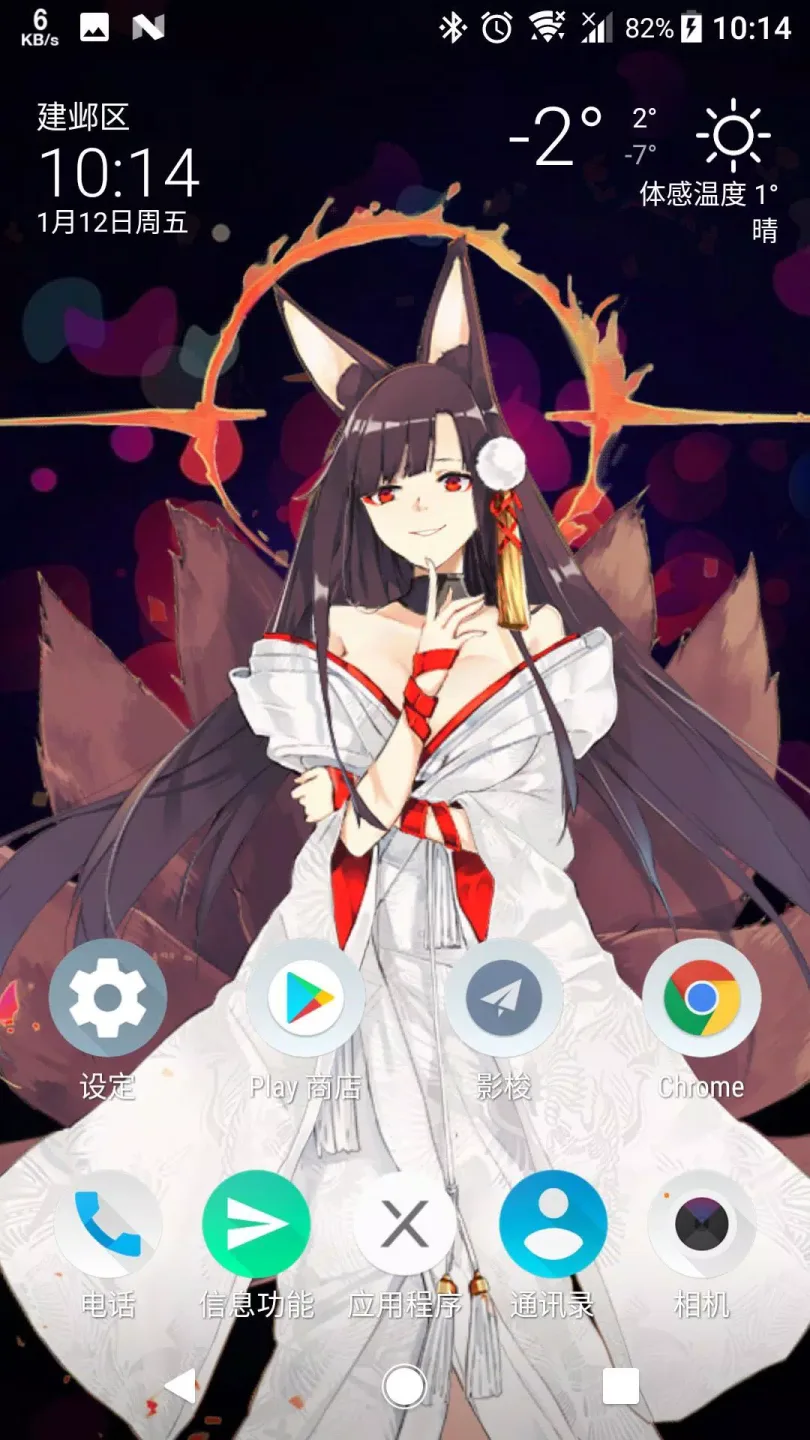
Live2DViewerEX offers touch effects and a clock widget. The app has a built-in workshop and supports Cubism SDK 3/4. Users can enjoy ultra-rich interactive features and unlimited model expansion with this app.It also supports Cubism SDK 3/4 and has a built-in Workshop for easy model expansion. With its rich interactive features, users can create unique and personalized Live2D live wallpapers on their mobile devices.








