

Pulse VPN is a high-speed, convenient, and unlimited VPN application. It boasts powerful features, offering unlimited bandwidth for an annual subscription, designed to allow users unrestricted access to any website or application. With Pulse VPN, you can protect your digital identity and enjoy private access thanks to advanced V2Ray technology. This application also provides unlimited bandwidth, allowing users to watch and download content without restrictions, access full streaming content, and without worrying about data collection, no matter where they are.

Highlights of Pulse VPN:
High-speed VPN for browsing the web securely and privately.
Military-grade encryption to protect your privacy and security.
Free and unlimited usage with no data collection.
Strict no-logs policy for anonymous browsing.
Access restricted and blocked content with ease.
Share the app with friends and provide feedback for continuous improvement.

Features of Pulse VPN:
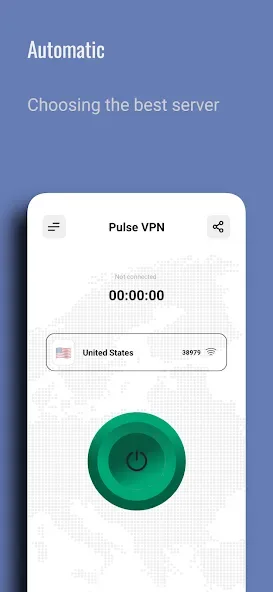
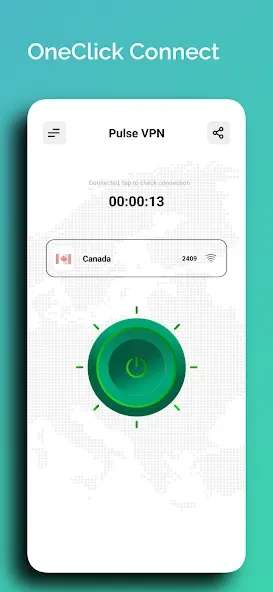
Effortless Connection
One tap is all it takes! Our app automatically connects you to the fastest and most stable server, offering an intuitive experience suitable for everyone.
Ultra-Fast Servers
Connect to high-speed servers optimized for streaming, gaming, or browsing. Our VPN ensures a seamless connection wherever you are.
Enhanced Security Features
Your privacy is our top concern. Using VPNService combined with V2Ray technology, your online activities are encrypted to protect personal information on public Wi-Fi or cellular data networks.
Global VPN Network
Access servers in numerous countries and change your virtual location instantly to maintain your online privacy.
App-Specific Proxy
Choose which apps utilize the VPN through our customizable per-app proxy settings, giving you control and flexibility.
Advanced V2Ray Network
Set up powerful V2Ray network proxies for essential services, ensuring improved performance and reliability.
Privacy First
We do not collect or share any personal data. All generated information remains securely on your device, ensuring complete privacy.
Tips for Users:
Connect to a server near your desired location to achieve optimal speed and performance.
Use the app to access geo-restricted content such as streaming services, ensuring you never miss out on your favorite shows and movies.
Activate the automatic Wi-Fi protection feature to safeguard your data when connecting to public Wi-Fi networks.
FAQs about Pulse VPN:
Is it completely free?
Yes, it is 100% free to use. You don't have to pay any subscription fees or register an account. Simply download the app and start using it right away.
Can I access geo-restricted websites with Pulse VPN?
Absolutely! It allows you to bypass all filters and unblock any geographically restricted websites. Whether it's accessing social media platforms, streaming services, or news websites, Pulse VPN has got you covered.
Is it compatible with Android devices?
Yes, it is specially designed for Android devices. It is compatible with smartphones and tablets running on the Android operating system.
Conclusion:
Enhance your online privacy and experience a borderless internet with Pulse VPN. With its robust security protocols, extensive global server network, lightning-fast speeds, user-friendly interface, strict no-logs policy, and automatic Wi-Fi protection, Pulse VPN offers unparalleled security, anonymity, and internet access. Say goodbye to online restrictions and potential threats and take control of your internet security by downloading Pulse VPN from LinkPulse Tech. Embrace a safer and more private online experience now!








