

Have you ever forgotten your phone's password and been unable to unlock it? GsmNeoFRP is an application for bypassing the FRP lock, allowing you to unlock your phone without flashing your ROM. Worried about needing professional skills? Using GsmNeoFRP requires absolutely no prior knowledge; simply follow the instructions! Furthermore, GsmNeoFRP is compatible with multiple devices and is easy to install, allowing you to unlock your FRP lock on any device type!
Usage
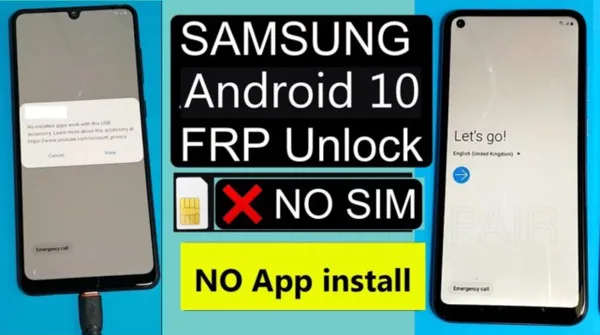
Using the GsmNeo APK, you can easily bypass the FRP lock. Please follow these steps:
Run the GsmNeo FRP APK on your device.
The application will guide you through the FRP unlocking process. Specific steps will vary depending on your device type and the Android version you are running.
Please follow the instructions carefully. Sometimes, you may need to tap specific locations on the screen or manually enter codes.
After completing these steps, your device will restart and the Google account verification screen will be skipped.
Features
Unlock FRP for free without a computer or root access.
One of the biggest advantages of the GsmNeo FRP APK is that it runs without a computer or root access. You don't need to install drivers, connect a data cable, or modify system permissions. All operations are completed directly on the Android device.
This method is especially useful if you lack technical experience or cannot use a computer when you need to restore access. By eliminating these common obstacles, the application can be used not only in controlled technical environments but also in many more real-world scenarios.
On-device FRP Unlock Process:
The GsmNeo FRP APK runs entirely within the phone. It offers multiple access paths, allowing users to continue the setup process without leaving the device interface. This in-device approach reduces reliance on external tools, making the user experience more focused and streamlined.
Simple Interface for Non-Technical Users:
The app is designed with the needs of everyday users in mind. The menus are simple and easy to understand, the operation options are clear and concise, and the layout is logical, avoiding unnecessary confusion. You don't need advanced Android system knowledge to get started easily.
This simplicity helps reduce errors and build confidence, especially when dealing with FRP locks for the first time. The application guides you through the process without overwhelming you.
Supports Multiple Android Versions
The GsmNeo FRP APK supports multiple Android versions, enabling it to work across device generations. This flexibility makes it suitable for both older and newer models, depending on system updates and security levels.
Note that actual results may vary depending on device configuration and software updates. However, broad version support means the app will work in a variety of situations.
Compatible with Major Android Brands
The application is designed to be compatible with many common Android brands. This multi-brand compatibility caters to users in different regions, as users in different regions may have different device preferences.
Users don't need to find separate solutions for each manufacturer; they can use one tool that covers multiple device ecosystems.
Lightweight APK and Easy Installation
The GsmNeo FRP APK file is small, installs quickly, and doesn't take up much storage space. This is very useful for devices with limited memory or slow network connections.
The installation process itself is simple, requiring no complicated setup steps. You can focus on restoring access permissions without worrying about installation issues.
No need to flash firmware or modify the system
Unlike some traditional methods, the GsmNeo FRP APK does not require flashing firmware or modifying the system partition. This helps keep the device close to its original state and reduces potential risks.
By avoiding deep modifications to the system, the application provides a more comfortable option for users concerned about stability or the long-term behavior of their devices.
Highlights
Ease of use: Anyone with basic Android knowledge can use it.
Time-saving: Completes in just a few minutes, instead of spending hours.
Affordable: Saves money compared to on-site service.
No additional hardware required: Runs directly on the phone, unlike PC-based tools.
Highly compatible: Works with different brands and models of products.
Advantages and disadvantages
Advantages
Recommended for beginners due to its simple interface.
It features a fast FRP lock bypass process.
It is regularly updated, bringing more features to users.
The tool is completely free.
Disadvantages
It can only be downloaded on Windows systems and cannot be used on Linux and Mac systems.
It cannot run without a network connection.
It supports a limited number of Android phone brands.
It bypasses and violates the device policies on your Android phone.
It does not provide customer service, support, or team guidance to help you if you encounter problems.
It is incompatible with phones running earlier versions of Android.
Summary
GsmNeo FRP APK is more than just an ordinary Android application; it's a lifesaver for users stuck in the FRP unlocking loop. With its broad compatibility, lightweight design, and user-friendly interface, it has become a trusted tool for both tech professionals and ordinary users.








