

Ever played PSP games? With PS Emulator, you can find many classic handheld games and manage multiple consoles in one place. The layout is too awkward? You can change the control scheme and button layout in the settings to adapt the screen to your playstyle without having to adapt to it. In addition, PS Emulator offers save and game speed-up functions, allowing you to save your game anytime and fast-forward through slow-paced scenes! Play classics on your phone and get the best arcade gaming experience!
Features
Multi-System Support
PS Emulator runs PlayStation, PlayStation 2, and PSP games via the Libretro kernel. Additionally, it provides kernels for Dreamcast and Saturn for users who need them. This allows you to manage multiple console libraries in one place.
Control and Layout Customization
Besides system support, you can also customize the controls and screen layout to match your playstyle.
Adjust screen position and size to fit portrait or landscape display.
Customize the size and position of on-screen buttons.
You can also use a physical game controller if you prefer.
Save and Speed-Up Tools
The save function and speed-up tools come in handy when flexible maneuvering is required during gameplay. You can save and load your game progress at any time. The fast-forward function allows you to skip slower-paced sections and increase the emulation speed when needed. These options make it easier to retry difficult parts or quickly skip repetitive scenes.
ROM Management and Settings
ROM management and settings are crucial before starting the game. The PS emulator includes tools for managing ROM files and creating multiple game images. It supports compressed files in zip, 7z, or rar formats; you may need to unzip downloaded files in your browser. This emulator does not include games, so you must provide legally obtained ROM files yourself. Third-party claims and licensing information can be viewed in the settings.
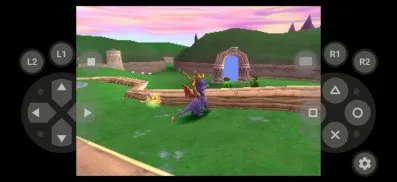
Highlights
A fast game engine for a smooth gaming experience.
Quickly save and restore your game progress; never worry about losing your game again.
Simple keyboard controls for the best arcade gaming experience.
Easily create multiple images and manage your ROM files.
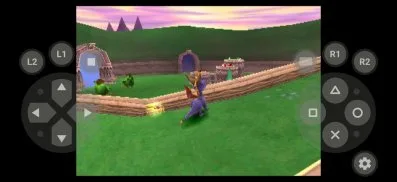
Advantages and Disadvantages
Advantages:
Intuitive, user-friendly interface; Remote play functionality; Sync with PS4/PS5 for remote downloads and updates; Easy access to friends, messages, and trophies; Push notifications for game releases and invites.
Disadvantages:
Remote play may experience latency on slower Wi-Fi networks.
Some input lag or quality degradation may occur during remote sessions.
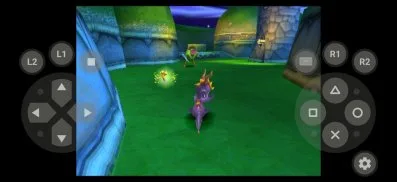
FAQs:
How much storage space is required to install the PS emulator?
Please reserve at least 198.8 MB of space. After installation, please reserve an additional 100-500 MB of space for smooth updates and cache management.
What system configuration is required for the PS emulator?
Your device should be running Android 5.0 or later (first released around November 2014). If your phone does not meet the requirements, you can download an older version of the application.
How long does the download take?
The PS emulator installation package is 198.8 MB. Download time may vary depending on your network connection. Typical speeds are as follows: - 4G: 30-100 MB/s - 5G: 170-400 MB/s - Wi-Fi: 50-500 MB/s
Why can't I download or install?
Common reasons for download or installation failures include: 1. Insufficient device storage space; 2. Device incompatibility; 3. Poor network connection.
Summary
PS Emulator APK is an essential tool for any retro game enthusiast who wants to relive the glory days of the PlayStation console. It supports multiple game platforms, boasts excellent performance, a user-friendly interface, and ensures a smooth gaming experience. The PS Vita Emulator APK goes a step further, allowing users to play their favorite PS Vita games on Android devices.








