

Want to easily change your phone's appearance? The Realme Theme Store offers a wealth of wallpapers, themes, and even fonts. With just a couple of taps, you can change to your desired theme and personalize your phone! The Realme Theme Store is user-friendly and intuitive. No technical skills are required; you can easily adjust themes and UI to match your mood or preferences. Furthermore, the software runs smoothly without affecting your phone's system speed, allowing you to change wallpapers without worry!
Tips
Don't worry, I've got you covered. There's a trick to make the Theme Store work correctly in any region. Want to know how? Follow these steps and try it yourself.
Step 1: Download the zip file containing the Theme Store and the Myrealme APK. Click here to download the zip file.
Step 2: After downloading the .zip file, open "My Files" (file manager). Then, click "Archives" to find the "Themestore.zip" file. Open the .zip file and install the Theme Store My realme APK.
Features
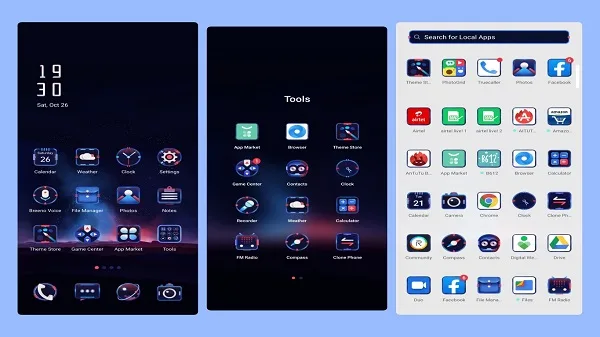
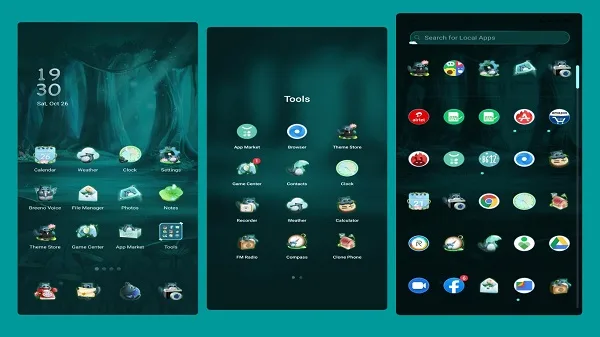
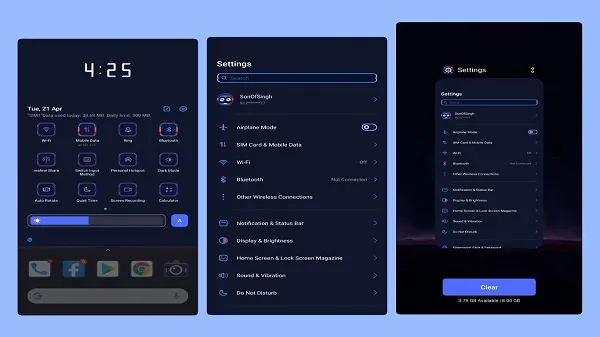
Thousands of Themes - Choose from a vast selection of themes, including dark mode, animated themes, and artistic designs.
Exclusive Wallpapers - Get high-quality static and live wallpapers to refresh your home screen.
Custom Icons and Fonts - Further personalize your device with stylish icon packs and unique fonts.
Easy Theme Switching - Switch themes instantly with just a tap.
Lightweight and Fast - The app is optimized for all Realme devices for smooth operation.
Regular Updates - New themes, wallpapers, and icons are added frequently.
No Root Required - Works on all Realme smartphones without requiring root access.
Pros and Cons
Pros:
Massive wallpaper collection
Rich personalization options
Cons:
Designs require payment to view
Duplicate free designs
FAQS
What is Realme Theme Store for?
Realme Theme Store is a built-in app on Realme phones that lets you change the look of your phone with themes, wallpapers, and icon packs.
Can I use Realme Theme Store on any Android phone?
No, it's designed specifically for Realme smartphones and its features are deeply integrated with the Realme UI system.
Are there free themes in the Realme Theme Store?
Yes, there are many free themes to choose from, but premium themes offer additional features such as exclusive icons and animations.
How do I apply themes from the Realme Theme Store?
Simply tap any theme to preview the effect, then tap Apply. No restarts or extra steps are required for instant updates.
Is it safe to use the Realme Theme Store?
Absolutely. This is the official Realme app, meaning there are no hidden malware, no performance issues, and it's regularly updated to ensure both security and aesthetics.
Summary
This app is suitable for users who like to change their phone's appearance regularly. It's perfect for students, casual users, and anyone who wants to personalize their phone's look but doesn't want to spend time manually adjusting it. It's especially practical when you want to quickly change your phone's appearance without affecting its normal use.








