

Kindle is a powerful reading app where you can find a vast library of ebooks and publications, covering a wide range of topics—you're sure to find something that interests you! It also boasts numerous smart features, including a built-in dictionary, Wikipedia search, and seamless Google services integration, allowing you to easily find any information about textual content without switching apps! It truly brings the weight of books to your phone, letting you enjoy the pleasure of reading wherever you are!
Features
Delve into a vast library
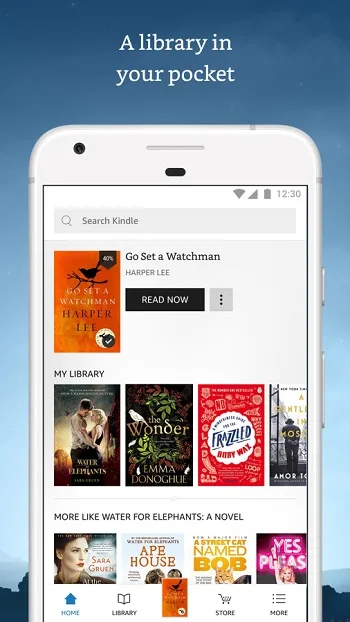
The Kindle app opens the door to a wealth of digital content. Explore bestsellers, classics, and hidden gems across various genres. With such a rich library, you'll never run out of reading material, whether you're commuting, traveling, or relaxing at home.
Customize your reading experience
Customize the app to your preferences for optimal comfort. Adjust font size, type, and background color to create a reading environment suitable for your eyes. Fine-tune brightness to reduce eye strain, especially when reading at night.
Sync across all devices
Seamlessly pick up where you left off, no matter which device you're using. The Kindle app syncs your reading progress, bookmarks, and notes across all your devices, ensuring a smooth and convenient reading experience. Start reading on your phone during your commute and continue on your tablet when you get home.
Read offline, anytime, anywhere.
Download your favorite books and read offline, even without an internet connection. This feature is perfect for travel, commuting, or any situation where Wi-Fi connectivity might be unreliable. Enjoy an uninterrupted reading experience anytime, anywhere.
Easily discover new books.
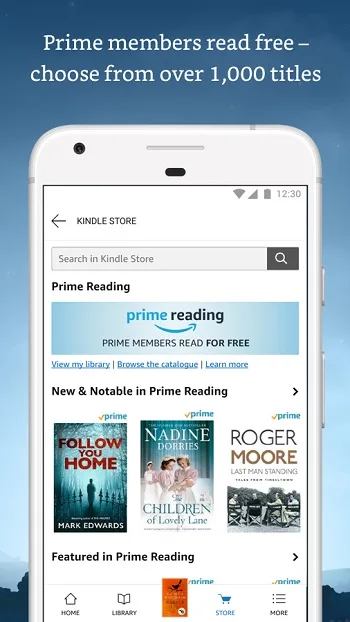
The Kindle Store is directly integrated into the app, making it easy to browse and discover new books. You can view recommended titles, bestseller lists, and read preview chapters before purchasing. Stay up-to-date with the latest publications and find your next favorite book.
Highlights
Read anytime, anywhere with Whispersync
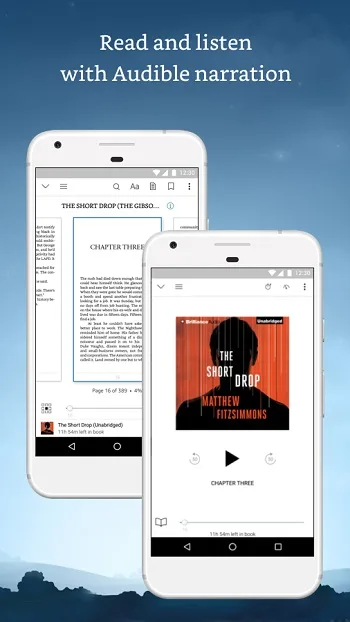
Kindle for Android lets you easily read Kindle ebooks anytime, anywhere, even if you don't have a Kindle device. Whispersync lets you sync bookmarks, last read page numbers, notes, and annotations across all your Kindle-enabled devices, ensuring your reading progress isn't lost.
Read a book in 60 seconds.
With the Kindle app for Android, you can access the Kindle online store directly from your phone. Purchase ebooks optimized for Android from the Kindle store, and they will automatically transfer wirelessly to your phone. Your purchased ebooks can also be read on Kindle readers, computers, or other Kindle-compatible mobile devices.
A vast selection.
Search and browse over 850,000 books, including 107 of 111 New York Times bestsellers (book availability may vary if you are outside the US). You can browse different categories such as "New Books" or "New York Times Bestsellers," or use the search box to find specific titles or authors. Read over 100 newspapers and magazines, including The New York Times, The Atlantic, and Reader's Digest, and enjoy high-resolution color images.
Pros and Cons
Pros:
Integration with Amazon Store,
Abundant Content,
Clean and Simple Interface
Cons:
No Preferences Settings,
No Zoom Functionality
FAQs
What is Kindle?
Kindle is a free mobile reading application from Amazon that allows users to read ebooks, magazines, and other content on their smartphones, tablets, or computers.
Do I need a Kindle device to use the Kindle app?
No, you don't. The Kindle app works perfectly on Android, iOS, and computers without any Kindle e-reader.
Can I read books offline on Kindle?
Yes, you can download books to your device and read them later, even without an internet connection.
Can Kindle sync my reading progress across different devices?
Yes, it supports this feature. Kindle uses Whispersync technology to automatically save and sync your last read pages, notes, and annotations across all your devices.
Are all books on Kindle free to read?
Not all content is free. While there are some free books and sample chapters, most content—especially new or exclusive titles—must be purchased or downloaded through Amazon.
In summary
The Kindle is ideal for casual readers, students, working professionals, and anyone who frequently reads on the go. It's especially useful for long commutes, study breaks, or when you want to carry multiple books without lugging bulky physical ones.








