

AI Video Editor: ShotCut AI is a unique video editing utility designed to help users effortlessly create stunning video content, share it across social media platforms, and garner a large following along with rave reviews. The app presents users with a powerful video editor featuring a sleek, modern interface. Users can easily and conveniently import videos or photos, utilize intelligent editing tools, and explore robust customization options and controls. The app offers a vast library of templates and a rich array of smart tools, making your video creation process smoother than ever and providing a constant stream of inspiration.
Click to load YouTube / 点击加载视频
YouTube ↗Wonderful Characteristics of ShotCut AI
With ShotCut—a VHS-style video editor—users can easily reverse, crop, cut, and trim their videos. Its merging and combining tools are particularly effective for creating seamless video projects from multiple clips. ShotCut’s video enhancement features are also noteworthy; utilizing AI technology, the app can boost video resolution and quality with just a single click. Furthermore, the app includes a video compressor to reduce file sizes and a video converter for exporting high-definition videos.
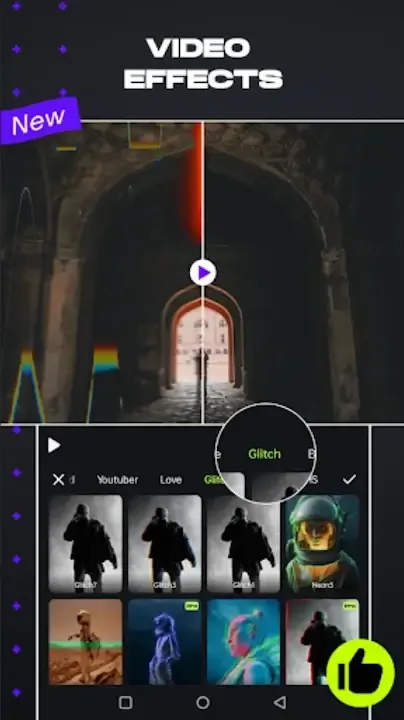
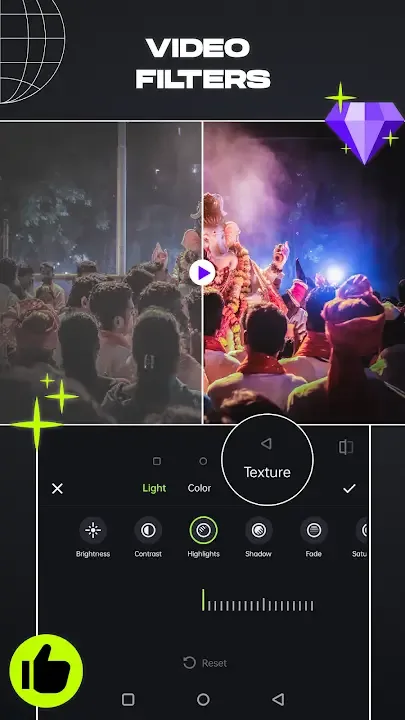
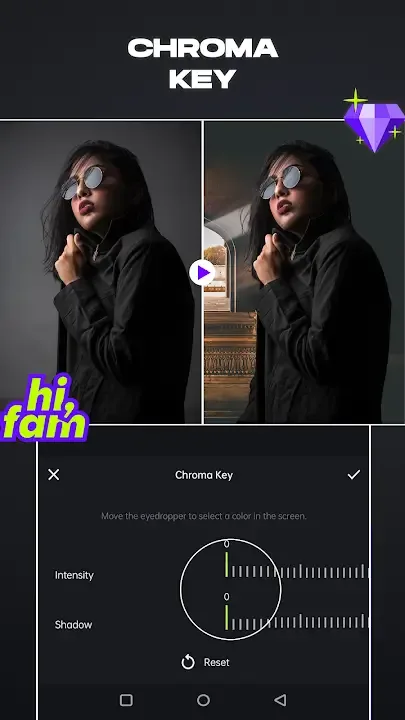
Adding music to your videos is also incredibly simple; users can choose to add songs, voiceovers, and sound effects. The app supports the creation of stop-motion animations and slow-motion effects, as well as the ability to blur or pixelate video footage. ShotCut’s extensive library of video effects and filters caters to a wide range of creative needs, proving especially useful for content creators on social media platforms such as Instagram and TikTok. Additionally, a video stabilizer and green screen editor further expand the app's capabilities.
Attractive Features of ShotCut AI
Free Video Editor, Maker, and Creator
A free video production tool capable of generating slideshows, movies, and vlogs for platforms like TikTok, YouTube, and Instagram.
Movie Maker & Editor
Create movies for free at the standard frame rate of 24 fps. Edit your footage like a professional.
Slideshow Maker
A free tool for creating photo-to-video slideshows, complete with music and voiceovers. Photo-to-Video Creator: Transform your still photos into dynamic videos.
Free Collage Maker
Create video collages for free, arranging your videos and photos in any layout you desire.
User's Comments of ShotCut AI
Finally, an app that does exactly what it claims—without forcing you to hunt for buried features or download additional add-ons to supplement the ones you *should* already have. (Or *had*, rather; I don't need them anymore.) Thanks for a great app! My only criticism concerns the annual subscription model. I can buy a competent video editor for PC for $50 and own it forever. I simply prefer to purchase my software outright. I don't always like the subsequent versions; for instance, I still use Photoshop CS2! (Lol.)
This is one of the best video editing apps available for users of all skill levels—from beginners to advanced editors. It offers a robust suite of editing tools within an intuitive, easy-to-navigate interface. The app consistently delivers high-quality video output completely free of watermarks—which is truly impressive. I genuinely enjoy using this app because it makes the entire video editing process feel smooth, seamless, and professional. If you are looking for a reliable video editor to help you create flawless videos, I highly recommend giving this app a try. A big thank you to the developers for providing such a fantastic user experience!
I’ve tried so many different editing apps, only to find them either confusing to navigate or lacking basic trimming tools. This one, however, is incredibly easy to use. The only improvement I would suggest is making the editing process smoother when working on a mobile phone. Trying to pinpoint a specific millisecond by dragging your finger along the timeline can be quite tricky. It would be much easier if users could zoom in on the timeline bar to precisely align the starting point of their edits.
Amazing Performance of ShotCut AI
ShotCut offers Android users a rich and diverse array of text editing options—tools that are both simple to use and incredibly powerful. Users can leverage these features to add unique text overlays, subtitles, animated text effects, and other creative visual elements to their videos. Furthermore, ShotCut provides access to a wide variety of unique fonts and text styles, allowing it to compete head-to-head with other popular apps like VN Video Editor and EasyCut. Unleash the full potential of ShotCut to create captivating subtitles, titles, and text-based expressions for your videos—completely without limitations.
If you wish to save and share your creations, the app makes it incredibly easy to store and distribute the many videos you produce. Within this section, you can select and export your projects in high-definition (HD) or Full HD resolution, ensuring that your final videos boast exceptional visual quality. Additionally, achieving the perfect video smoothness you desire is no longer a challenge, thanks to the app's easy-to-use custom frame rate settings. Furthermore, you can utilize the convenient sharing feature to post your videos to various social media platforms and instant messaging apps, without having to worry about annoying watermarks or a loss in video quality.
Conclusion
ShotCut—a VHS video editor—offers a beginner-friendly platform featuring a rich array of modern effects and filters designed to keep pace with rapidly changing social media trends. All in all, ShotCut is an excellent choice for users seeking a quick and convenient video editor.








