

Game Guardian is an application for modifying games. Here, you can freely modify in-game attributes, such as increasing lives, increasing coins, adjusting difficulty, etc., giving you a better customized gaming experience. Game Guardian doesn't provide cheat codes, but true game control, and you can make adjustments while the game is running in real time without switching applications or exiting the game. It's not just a game modifier; it's more like a console for game developers.
Usage
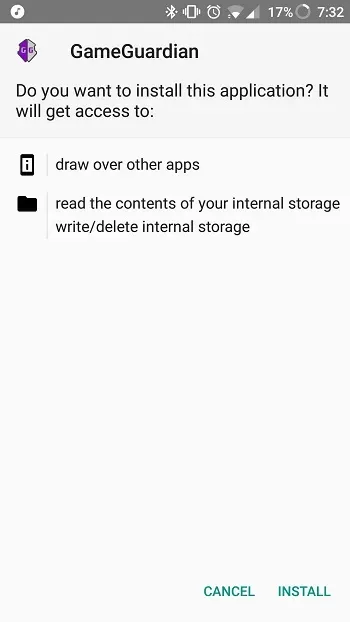
After installing Game Guardian, you can let the application run in the background; a semi-transparent icon will appear on the screen, which you can check at any time. When running a game, you can open Game Guardian and select the application process you want to modify. For example, if you only have a certain number of lives in the game, you can use Game Guardian's hexadecimal editor to find that number and replace it with any number you want.
Features
Modify Game Values: Change values in the game, such as your score or money.
Find Values: Find the specific content you want to change in the game.
Filter Search Results: Narrow your search to find only what you need.
Time Jump: In games where you need to wait for the plot to unfold, skip certain scenes directly.
Supports Multiple Languages: GameGuardian supports multiple languages.
Incognito Mode: GameGuardian can evade certain game detection systems.
Advantages and Disadvantages
Advantages
Game Modification Tool
Hack program, trainer, cheat, etc.
Disadvantages
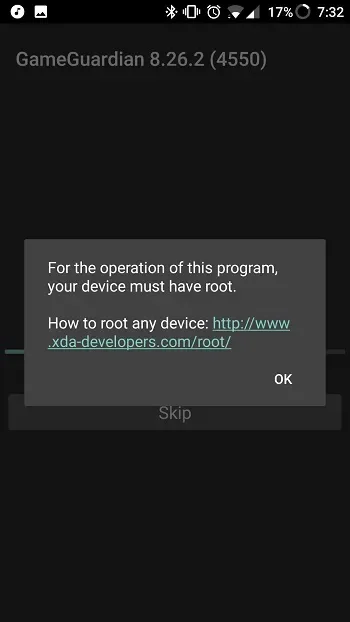
Requires a rooted device
FAQs
What is GameGuardian used for?
GameGuardian is an Android tool that allows you to modify game data in offline games, such as coins, lives, and timers. It allows you to control memory values during gameplay.
Can GameGuardian run without root access?
Yes, it can run in limited mode through virtual applications such as Parallel Space or VirtualXposed. However, to use full functionality, your device needs to be rooted.
Can GameGuardian modify online games?
No. It only works for offline games. Online game data is stored on secure servers, and GameGuardian cannot modify anything.
Is GameGuardian safe to use?
The application itself is safe and reliable and has a large user community, but using it may result in being banned by some games. It's best to choose a standalone or offline application.
Which devices is GameGuardian compatible with?
GameGuardian runs on Android 2.3.3 and above and is compatible with ARM, x86, and x64 devices, including emulators such as Nox, BlueStacks, and Droid4x.
Summary
While there are some risks (especially with root access), this application is backed by a passionate and active community that has been operating for many years. Frequent updates, translation support in over 50 languages, and guides provided by experienced users keep the entire ecosystem well-maintained. Whether you're testing game mechanics, analyzing app behavior, or customizing game flow, GameGuardian is a powerful tool that empowers curious players to truly take control of their games.








