

Welcome to a new world of entertainment! With Buz TV, you can easily watch TV channels, movies, and TV series. All content supports multi-stream switching and background playback, ensuring a smooth viewing experience without buffering. You can even chat with friends while watching a movie. It supports a wide range of video formats, offering maximum compatibility. Its simple design and user-friendly interface provide the best streaming experience. Buz TV also supports personalized settings, allowing you to easily track your favorite content and get more great recommendations!
Use
Open Buz TV | Video Player and grant any media or storage permissions when prompted so local files and streams can load correctly.
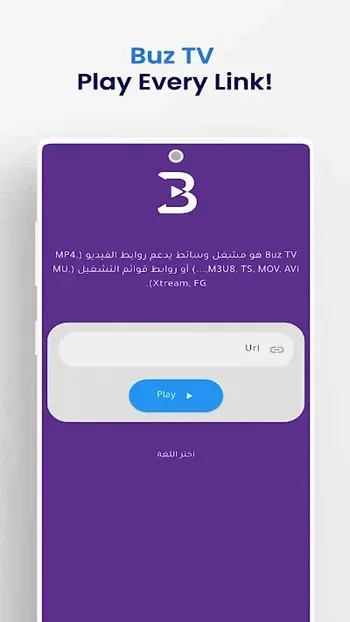
Tap the option to add a playlist or portal, then choose an M3U URL or file, Xtream, or FG. Enter a name for the source, fill in the required fields, and save.
Wait for the app to load channels and VOD, then browse the categories. Use search or filters to find the stream or video you want to play.
Open a stream and adjust playback as needed. You can set a default quality, switch audio tracks when available, or enable picture-in-picture or background playback.
Organize your favorites and channel groups to speed up future access. On Android TV or a TV box, use the remote to navigate through grid or list views and switch streams as needed.
Features
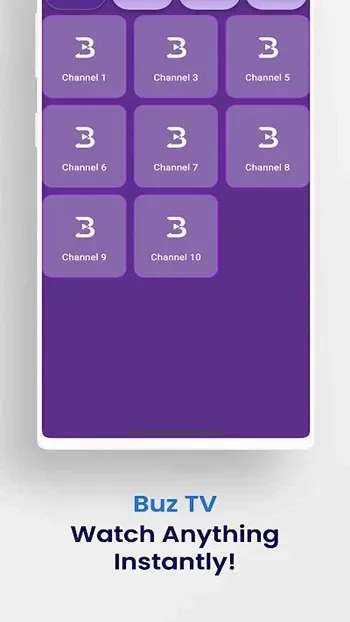
Rich and Diverse Content: This app offers a wealth of content, including live TV channels, movies, TV series, documentaries, and even children's programs. No matter your preferences, you can find something to watch.
High-definition and smooth playback: A major highlight of Buz TV APK is its high-definition playback capability. Whether you prefer 720p or 1080p, this app provides a clear and smooth viewing experience. It also adapts to lower network bandwidth, allowing even users with slow internet speeds to watch smoothly without buffering.
Live TV Channels: Buz TV APK supports numerous live TV channels from around the world. From news channels to sports channels, from entertainment channels to cultural programs, you'll never miss any of your favorite live shows. This app brings global events directly to your phone screen!
User-friendly interface: This app is designed with ease of use at its core. The intuitive interface makes navigation simple, and the clean layout allows users to quickly find the content they want to watch. Whether you're a tech novice or an experienced user, Buz TV APK provides a smooth user experience.
Personalized settings: Users can save their favorite shows, channels, and movies to personalized lists to customize their viewing experience. This feature helps you keep track of your favorite content, ensuring you don't miss any episodes or live broadcasts.
Multi-device compatibility: In addition to Android smartphones, Buz TV APK is also compatible with a variety of devices such as tablets and smart TVs. This allows you to easily enjoy content on a larger screen for a more immersive viewing experience.
Free viewing: Unlike many other streaming apps that require subscriptions or paid viewing, Buz TV APK offers free content. This makes it ideal for users who want access to high-quality content but don't want to pay for a subscription.
Pros and Cons
Pros: Supports various media formats
Flexible playback features
Works across multiple devices
Easy content organization options
Supports external media sources
Cons: No built-in content available
FAQs
What is Buz TV?
Buz TV is a media player application for Android that can play live channels, playlists, and local video files.
Can Buz TV be used offline?
Yes, you can watch saved videos offline, but live channels and online playlists require an internet connection.
Is it safe to install Buz TV?
It is safe as long as you download it from a trusted source that provides a verified APK.
Who should use Buz TV?
It's suitable for Android users who want to organize playlists, watch live TV, or enjoy videos with flexible playback options.
Does Buz TV support subtitles?
Yes, it supports multiple subtitle formats, which users can adjust during playback.
Summary
Buz TV caters to the needs of different user groups, depending on their media consumption habits. It's ideal for binge-watchers who enjoy customizing playlists, live TV viewers who need stable and smooth playback, and travelers who require background playback and portability. In short, its target users are Android users who want control over their streaming settings while also enjoying ease of use.








