

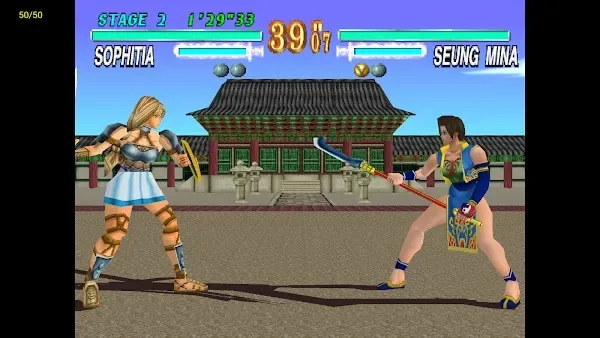
Want to experience 1999 classics on your phone? ePSXe can help. It emulates PSX and PSOne games beautifully, allowing you to relive that nostalgic feeling on your mobile device! ePSXe is incredibly practical—no console, no cables, nothing is needed to play your childhood classics. With ePSXe, you can enjoy smooth gameplay with high frame rates and low latency; it solves all your gaming problems, giving you the best retro gaming experience.
Features
Play PlayStation games on Android devices.
High compatibility with PS1 titles.
Good game speed and accurate sound.
Save and load game states at any point.
Supports split-screen mode for two players on one device.
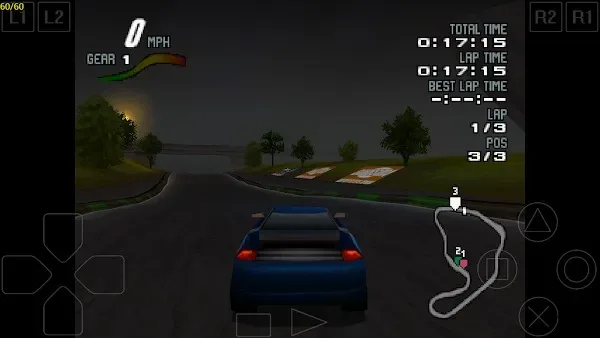
Customizable controls, including a virtual touchscreen pad or hardware buttons, if available.
Hardware controller support via Bluetooth or USB OTG
Pros and Cons
Pros:
Free and easy to access. Very powerful emulation capabilities for many games.
Cons:
Not easy to customize and troubleshoot. Game backup is a legal issue.

Download
Click the link above to download the ePSXe APK for Android.
Save the APK file to your device's "Downloads" folder.
Locate the file in your device's storage and tap it.
Tap "Install" and wait for the installation to complete.
Once complete, open the application.
Now download ePSXe games for Android and use this application to open and play them.
FAQS
What is ePSXe? What does it do?
ePSXe is a PlayStation emulator application for Android that allows you to play PSX and PSOne games on your phone or tablet. It highly replicates the console gaming experience and provides smooth graphics.
Does ePSXe come pre-installed with games?
No, ePSXe does not include any games. You need to provide legally obtained game files in ISO, BIN, or similar formats to work with this application.
Can I use an external controller to run ePSXe?
Yes, ePSXe supports various external game controllers via Bluetooth or USB, including Xbox 360 controllers, Sixaxis, WiiMote, Moga, and Ipega devices.
Is ePSXe compatible with all Android phones?
ePSXe runs on most Android devices (Android 2.3 and above) and supports ARM and Intel processors, offering broad compatibility.
Can I save my game progress with ePSXe?
Absolutely. ePSXe supports both instant save and virtual memory cards, so you can save and load your game progress at any time, even during gameplay.
Summary
This emulator is not only technically sophisticated but also an experience. It perfectly blends the nostalgia of classic games with the power of modern gaming. Whether you're playing RPGs solo or honing your skills with friends in racing games, ePSXe turns your phone or tablet into a portable PlayStation console.








