

Samsung Internet Browser is a popular web browsing software that offers users a variety of practical modes such as Incognito, Dark, and Secret modes to protect user privacy and provide a better browsing experience. Users can easily find valuable content across the web by simply entering keywords, and download files, software, and games of interest to their devices. All installation packages are tested to ensure user security. The software is continuously being updated and optimized, releasing more useful browsing tools and improving security technology. Users can look forward to it!
Click to load YouTube / 点击加载视频
YouTube ↗Features of Samsung Internet Browser:
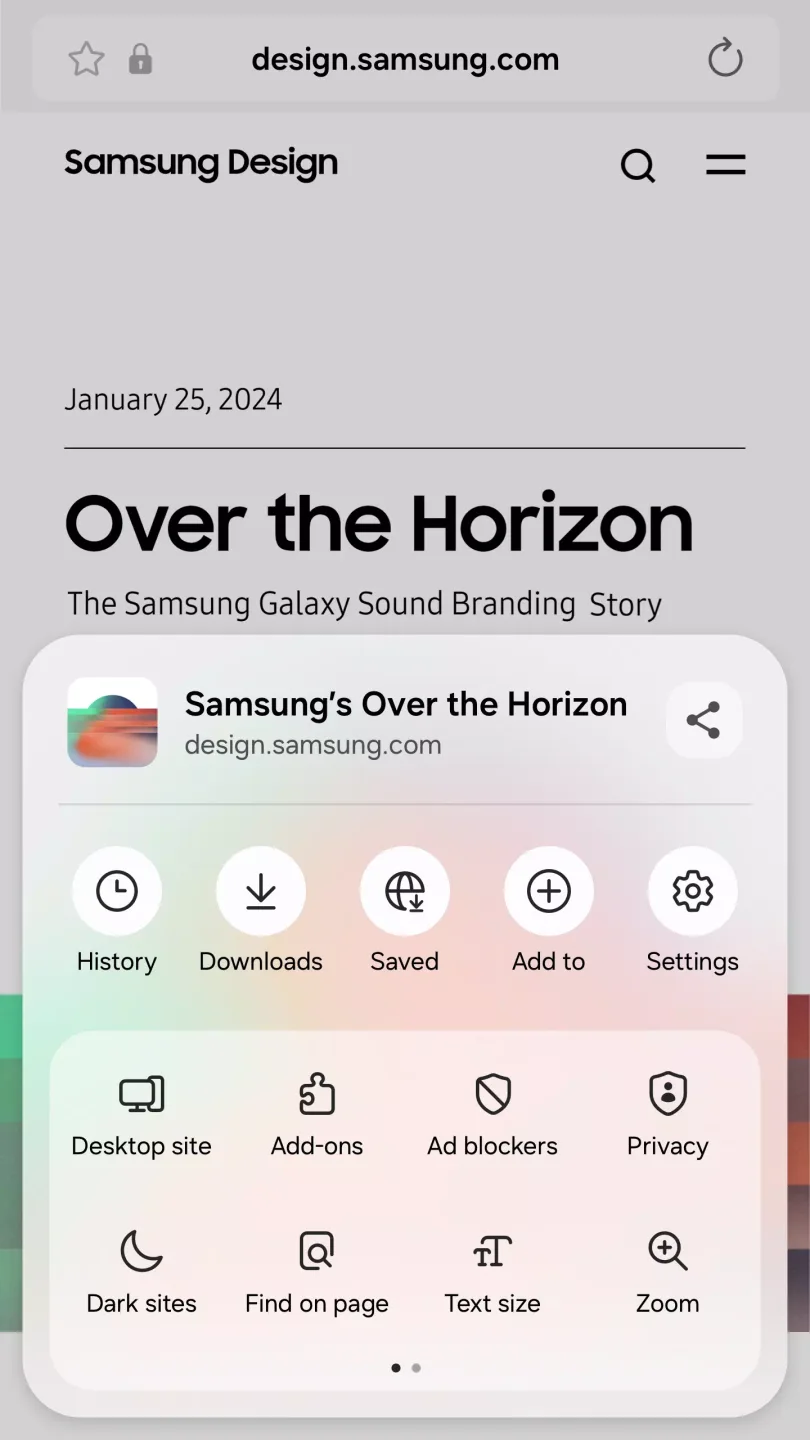
Advanced Privacy and Security: One of the defining features of Samsung Internet Browser is its extensive suite of privacy options. Secret Mode allows users to browse without leaving traces of their session, such as browsing history or cookies, and can be enhanced with biometric authentication like fingerprint recognition for an extra layer of protection. Additional controls such as tracking prevention and customizable permission management further enhance user security.
Content Blocking & Ad Reduction: Samsung Internet Browser provides strong content blocking capabilities through third-party add-ons, enabling reduction of ads, pop-ups, and trackers. Users have granular control over which types of content are blocked, resulting in speedier load times and less clutter. A robust pop-up blocker and functionality to prevent unwanted redirects or background tabs contribute to a more focused browsing experience.
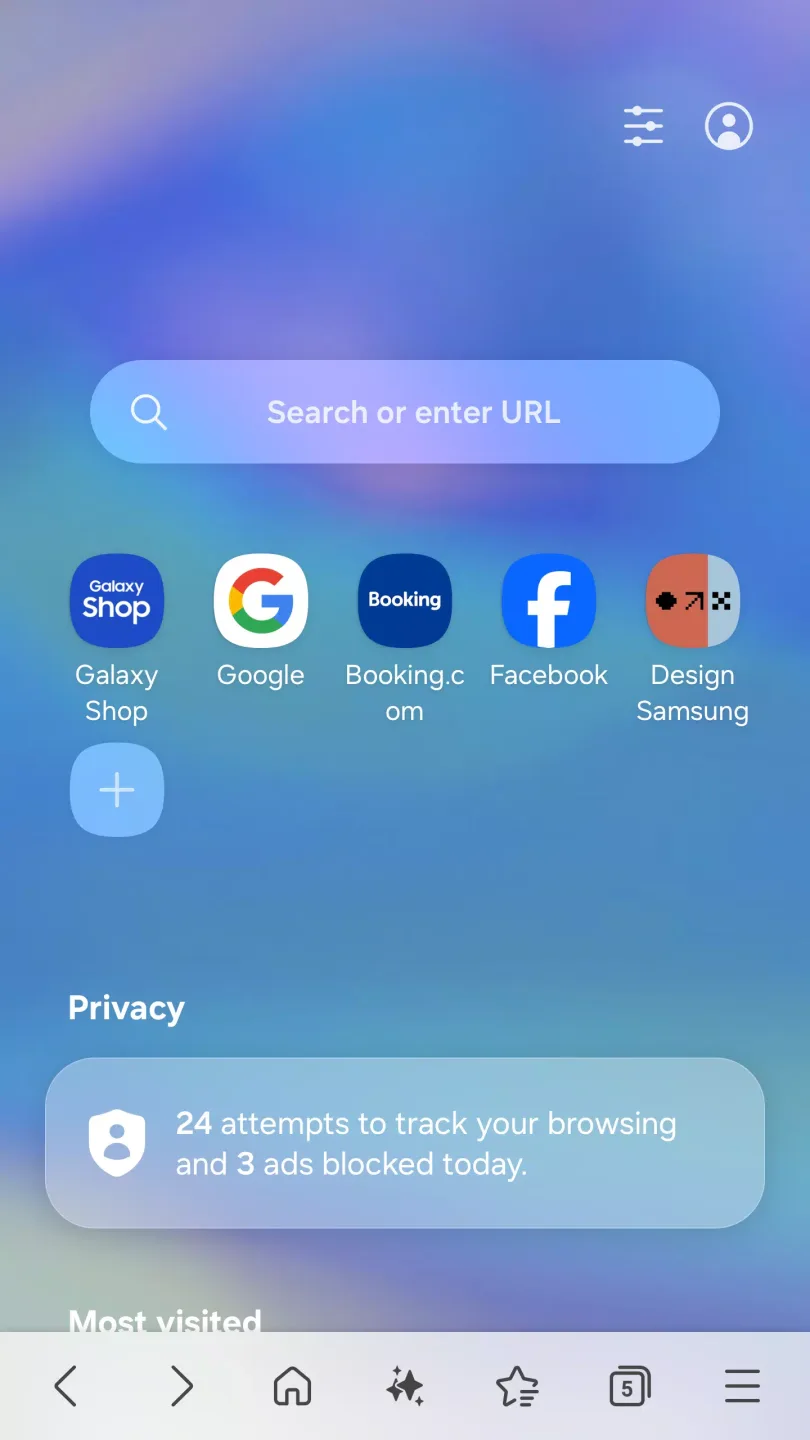
User Interface and Customization: The browser sports a clean, lightweight interface designed for easy navigation. Features such as a customizable menu, quick access toolbar, and dark mode make it comfortable to use in various environments. The high contrast mode aids accessibility, improving readability for visually impaired users.
Feature-Packed Browsing for Android Users: Samsung Internet Browser offers a comprehensive and modern browsing experience for Android devices, catering to users seeking both robust privacy tools and performance. While pre-installed on Samsung smartphones, it is available for download on a wide variety of Android devices, making it accessible beyond the Samsung ecosystem.
Features of Samsung Internet Browser:
Dark Mode: Switch to a darker interface to reduce eye strain and save battery life, which is especially useful in low-light environments.
Customizable Menu: You can customize the browser's menu to your preferences, making navigation and access to features more intuitive.
Extensions Support: Install extensions such as Translator to extend the browser's functionality and improve your browsing experience.
Secret Mode: Browse privately with features that do not save your history or cookies, ensuring your activities remain confidential.
Smart Anti-Tracking: Block tracking scripts and cookies that collect your data to protect yourself from unwanted tracking.
Intelligent Protection: Enhance security with features that detect and block potentially harmful websites and content.
Tiles and Complications on Galaxy Watch: Access essential features, including web browsing functions and notifications, directly from your Galaxy Watch (Galaxy Watch4 series and later models).
User Reviews of Samsung Internet Browser:
I use it mainly for playing media, like white noise, because this is the most consistent browser for background media playback. But it still has problems with stopping it after some time, when it's in the background or with the screen off. I know it's not Android killing it or battery optimization because i disabled it. So can you guys add an option to keep it working 100% in the background when there is media playing?
Samsung Internet Browser is an excellent and underrated browser. The Quick Access feature is extremely useful and saves a lot of time. Browsing feels very smooth, with effortless scrolling and surfing. It is fast, secure, and stable, even with multiple tabs open. What makes it stand out is how unique and clean it feels compared to other browsers. The built-in tracker blocking enhances privacy, and the absence of ad bloating gives a clutter-free experience. Overall, it’s a reliable, user-friendly.
I’ve been using Samsung Internet on my Motorola Edge, and it’s been fantastic! The app is simple and straightforward, making browsing a seamless experience. I especially love that it has a dark mode option, which is easy on the eyes and perfect for late-night browsing. It’s quick, reliable, and a great alternative to other browsers. Highly recommend it for anyone looking for a smooth and efficient browsing experience!
i like it. l'm using as default browser, much better than chrome. It has many features that I couldn't live without, such as; the reader button, makes it easier to read articles without distraction. Video assistance which makes watching experience more convenient, we can zoom in or out of the video or rotate the video. add on adblocker has many choices.

FAQs of Samsung Internet Browser:
How can I set Samsung Browser as my default browser?
To set the Samsung Browser as your default browser, open the app and navigate to More → Settings → Default Browser menu.Click the 'Set as Default' button, which will direct you to the Windows Settings.Here, select the 'Set Samsung Browser as Default' option and tap the 'Set Default' button to finalize the setup.
The app icon appears as an old version or is displayed as a blank icon. How can I resolve this issue?
Please launch the browser once and then restart your PC.If the pinned taskbar icon does not change, please remove it from the taskbar and pin it again.If the icon is still not displayed properly, it may be caused by an error in Windows' app icon management process. Please refer to the Microsoft official guide for additional steps.
How can I set Samsung Browser as my default browser?
To set the Samsung Browser as your default browser, open the app and navigate to More → Settings → Default Browser menu.Click the 'Set as Default' button, which will direct you to the Windows Settings.Here, select the 'Set Samsung Browser as Default' option and tap the 'Set Default' button to finalize the setup.
How to sign in with my Samsung Account?
You can sign in to Samsung Browser with your Samsung Account. Go to More - Settings - Sync and import, and click 'Sign in'. Then you can sign in at the Samsung Account app which will be launched automatically.
How to connect with my Samsung Browser on other devices?
Samsung Browsers will be connected across your devices if you sign in with your Samsung Account. If you want to check or change settings, then go to More → Settings → Sync and import.
Conclusion:
Samsung Internet Browser suits users who want a fast, straightforward browser with strong control over data and settings. It fits common tasks such as reading news, watching videos, shopping, and signing in to sites while keeping your browsing organized. In everyday use, it emphasizes privacy and security alongside simple customization, so you can adjust the look and behavior to your needs. It also supports continuity across devices for smoother daily routines. If you prefer installing manually, Samsung Internet APK is available for direct installation.








