
OTT Navigator is a powerful streaming application. Here, you have complete control over your movie and TV entertainment. It integrates live streams, movies, and on-demand videos from numerous providers, so you can always find what you want to watch here without switching between multiple applications; simply search for what you want. The design is clean and simple, without cluttered pop-ups and menus, making it easy to find and bookmark content. All content on OTT Navigator supports high-definition playback with low latency and no buffering, allowing you to easily enjoy your movies and TV shows!
Tips
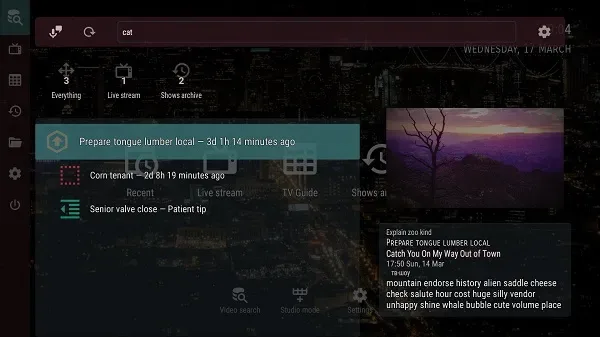
Watch past episodes and browse your media library.
Filter by channel, category, type, season, year, favorites, age, or country/region.
Search using pure keywords in available resources.
Save your playback progress and automatically resume from your last position.
Adjust playback speed to suit your viewing needs.
Features
Watch live TV
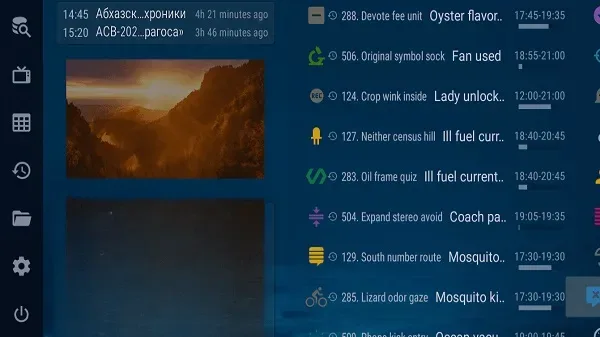
Automatically group your favorite channels and categories
Start playing the last channel on launch
Time-shift support for providers with archives
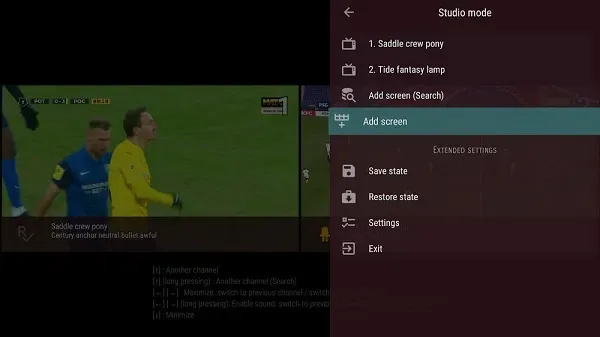
Picture-in-picture mode (and studio mode for watching multiple video streams)
Highlights
Rich and diverse content: From movies to TV series, everything is at your fingertips.
Suitable for all ages: Simply enter your age range, and the app will easily identify and recommend content to you.
Unbeatable ultra-HD quality: Content is always delivered in HD.
Minimize user discomfort: By reducing latency and other issues, your experience is always the most stable and enjoyable.
Always available: The app functions perfectly even after extended use.
FAQs
What is OTT Navigator?
OTTT Navigator is a mobile streaming app that allows users to organize and watch live TV, movies, and shows in one place without switching between multiple apps.
Is OTT Navigator free to use?
Yes, it offers free basic streaming features, but some advanced features may depend on your connected content provider.
Can I use OTT Navigator on multiple devices?
Absolutely! The app syncs across smartphones, tablets, and smart TVs, allowing you to continue watching seamlessly.
Does OTT Navigator support HD streaming?
Yes, all supported channels and videos play in HD, ensuring stable and smooth playback.
Who should use OTT Navigator?
It's great for users who prefer personalized control, want less advertising, and like managing their own playlists rather than relying on algorithmic recommendations.
Summary
OTT Navigator is suitable for users who like to be in control and have an easy-to-use streaming app. It's perfect for those who enjoy organizing playlists, managing favorite shows, and enjoying a pure viewing experience. For users who want a reliable and streamlined streaming experience, OTT Navigator is a great choice.








