
Sora 2 is a creative application for digital art creation. Driven by artificial intelligence, it eliminates the need for professional design skills, allowing you to directly transform your ideas into polished videos or images, simplifying the artistic creation process and increasing efficiency. Sora 2 also offers a wealth of art themes and settings, making each piece easily unique by changing relevant parameters. The mobile version of Sora 2 lets you create anytime, anywhere; as soon as an idea pops into your head, you can instantly bring it to life!
Features
Instantly transform ideas into videos
Generate synchronized sound and images in one step
Deliver professional-quality products without editing skills
Interact with the creator community in real time
Highlights
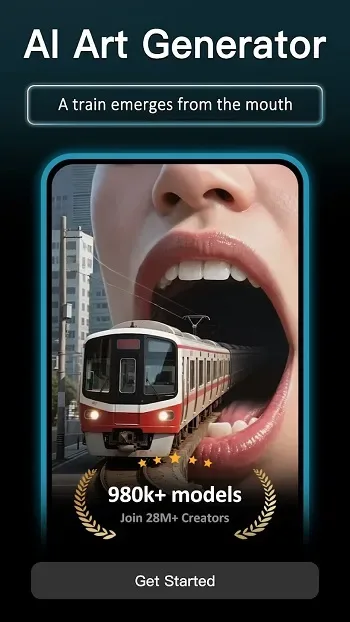
One of the biggest highlights of this application is its flexibility. Beginners can create stunning works with simple descriptions, while advanced users can adjust details and settings to achieve the precise effects they desire. Features such as text-to-video, image-to-image, image restoration, and face swapping provide a wealth of options for creative experimentation. Furthermore, the application connects to a vast model library, meaning a constant stream of inspiration awaits you.
Sora 2 also prioritizes convenience. Designed specifically for Android, this app runs smoothly on mobile devices, allowing users to create art during commutes, breaks, or any moment of inspiration. The final product is high-quality, making it suitable for personal projects, design references, and even professional work.
Suitable for
Content creators and influencers
Businesses and marketers
Students and educators
Anyone who wants to create videos but lacks editing experience
FAQs:
What is Sora 2?
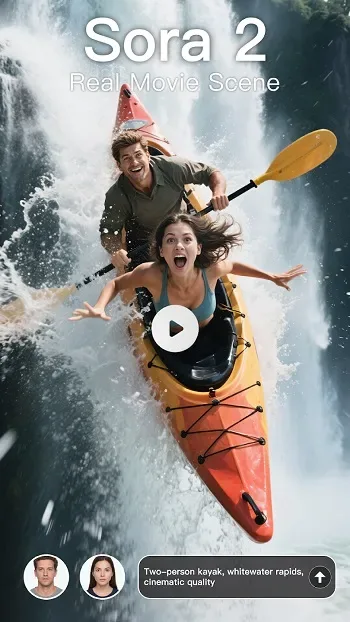
Sora 2 is OpenAI's latest video clip generation model, capable of generating videos up to 12 seconds long. Compared to its predecessor, it offers significant improvements in realism, physics, and instruction adherence.
How to use the Sora AI Video Generator on Invideo?
To generate a video using the Sora Video Generator, enter a prompt and click "Generate"; you can choose "Sora 2" (balanced quality, speed, and cost) or "Sora 2 Pro" (flagship quality for best results). Alternatively, select "Agents and Models" at the bottom center of the prompt page and create a project using Sora 2.
How many credits do I need to use SORA 2 on InVideo?
Creating a 60-second video using SORA 2 on InVideo costs 20 credits, while creating a video using SORA 2 Pro costs 40 credits.
What types of videos can I create using Sora 2 in InVideo?
Create commercials, brand and service promotional videos, music videos, viral social media content, movies, educational content—virtually any video you can imagine, any length.
Summary
Experience the Sora 2 video builder, with the same intuitive workflow and powerful tools as the homepage builder. Create cinematic short films with guided prompts, flexible aspect ratios, and smooth audio options.








