

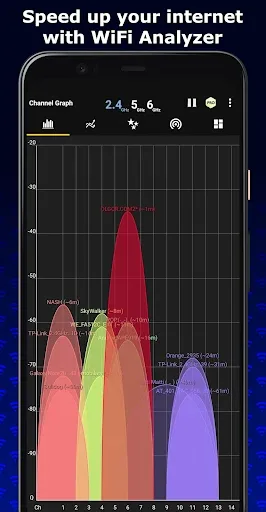
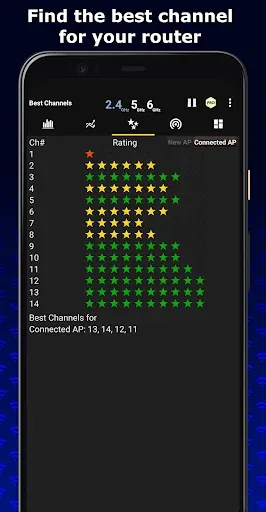
WiFi Analyzer is a tool for WiFi connectivity. It helps you analyze network conditions, obtain a fast and stable network connection, and take control of your network. WiFi Analyzer is easy to use; it provides you with relevant WiFi charts, including frequency, time, and channel graphs, giving you a clear understanding of your WiFi status. In multi-user networks, you can use it to switch to idle frequency bands for the best network experience, instead of competing with many others for a single network connection.
Content
On the first tab of WiFi Analyzer, you can view signal quality charts for all nearby WiFi networks. This allows you to quickly see which networks offer stable connections. The second tab features a dashboard that displays the signal saturation of each network.
Features
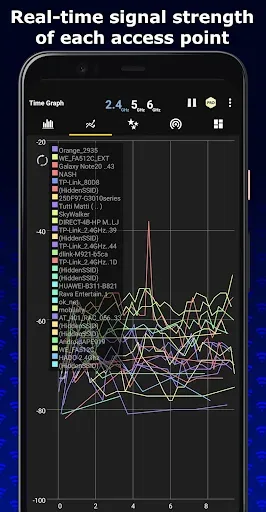
Real-time updated Wi-Fi network data.
Charts are divided into two types: channel graphs and time graphs.
Signal strength meter.
List of nearby Wi-Fi networks with detailed information (including whether password protection is enabled).
Settings menu offers various customization options.
Other tools.
Button for taking screenshots of the interface.
Pros and Cons
Pros: This is open-source and free software available for download.
One-click access provides crucial details about your wireless network.
Cons: May impact the performance of other applications.
Does not provide any methods for cracking passwords.
Summary
With the increasing prevalence of WiFi, having an app like WiFi Analyzer is essential for optimizing your network connection. Don't let network issues affect your online experience. Download the WiFi Analyzer app now to optimize your network!








