

Samsung Good Lock is an excellent utility application. It offers a variety of built-in functions, allowing users to easily personalize their smartphones and create a unique user experience. With Samsung Good Lock, you can easily change the clock displayed in the central area and customize notification styles or designs to perfectly match your personal preferences. At the same time, you can finely personalize the device interface, from the lock screen appearance to the navigation bar layout, making daily operations more intuitive and better reflecting your personal style.
Click to load YouTube / 点击加载视频
YouTube ↗Highlights:
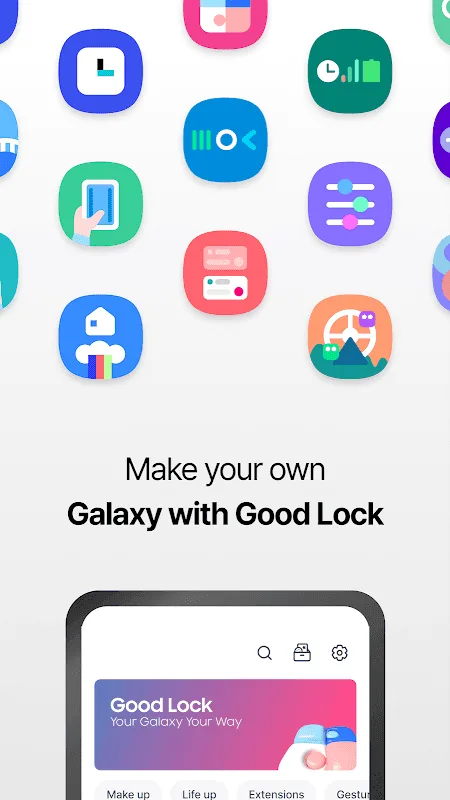
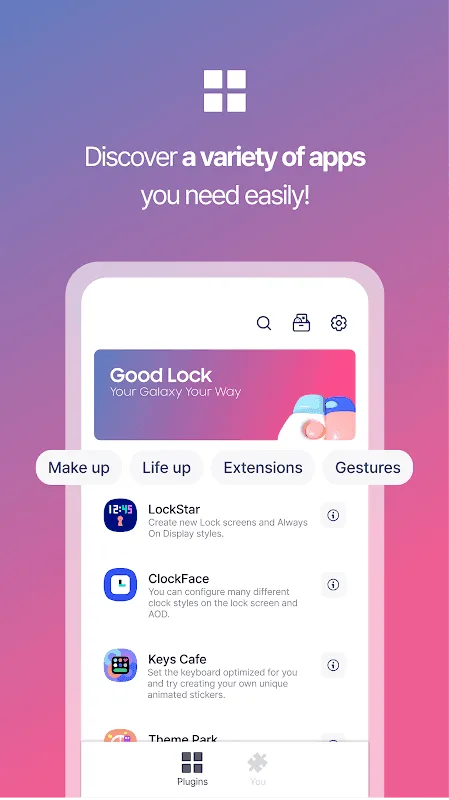
LockStar: Create new lock screens and AOD styles.
ClockFace: Set various clock styles for the lock screen and AOD.
NavStar: Conveniently organize navigation bar buttons and swipe gestures.
Home Up: It provides an improved One UI Home experience.
QuickStar: Organize a simple and unique top bar and Quick panel.
Wonderland: Create backgrounds that move based on how your device moves.
Features:
Unrivaled UI Customization
This robust tool provides extensive options to tailor core elements of your phone’s interface. Users can redesign the Quick Panel, fine-tune the status bar, and even revamp the notification shade to better suit their workflow and visual preferences. It’s about crafting an environment that feels uniquely yours, enhancing both aesthetics and functionality.
Dynamic Lock Screen Styles
With dedicated modules like LockStar, users gain complete creative freedom over their lock screen and Always On Display (AOD). Beyond just wallpapers, you can design entirely new layouts, reposition elements, and integrate widgets, transforming a static screen into a dynamic information hub. This level of personalization ensures your device makes a statement even before unlocking.
Personalized Navigation Bar
NavStar, another key component, allows for precise control over the navigation bar. You can rearrange buttons, add new functions, or even change their icons and colors to match your theme. This flexibility means essential actions are always within easy reach, streamlining navigation and improving overall usability on your Samsung device.
Advanced Multitasking Features
Beyond just visual tweaks, the platform significantly enhances productivity with advanced multitasking capabilities. Users can manage multiple applications more efficiently, optimizing screen space and workflow for complex tasks. This makes switching between apps seamless and significantly boosts productivity for power users.
Audio and Routine Control
The utility extends to refining audio experiences and automating device behaviors. Users can gain finer control over sound settings for different apps and scenarios, ensuring an optimal listening experience. Furthermore, it enables the creation of custom routines, automating tasks based on specific conditions, making your smartphone proactively adapt to your daily life. Samsung Good Lock truly elevates how users interact with their device’s hidden potentials.
Expressive Clock Faces
ClockFace offers a diverse gallery of clock styles for both the lock screen and AOD. Whether you prefer minimalist digital displays or intricate analog designs, there’s a style to match every aesthetic. This allows for quick, impactful visual changes that contribute significantly to the overall personalized feel of your device.
Powerful toolkit:
A simple way to look at the Samsung Good Lock app is it's basically a Swiss army multi-tool for the company's smartphones and tablets. It's an after-sales value-add that provides all sorts of additional options and functions on to add to the already feature-packed One UI interface running on top of the Android mobile operating system. Best of all, you can cherry-pick only the ones you want.
The way this app works is it employs modules which are essentially mini-apps that run in conjunction with One UI to enhance the capabilities of your devices in various ways. Some of the most popular and useful ones include the Camera Assistant which adds Auto HDR and Lens Switching options, Dropship that lets you create shareable links for any content, and many more to try out.
As mentioned earlier, the great thing about this app is that you can install only what you need and none that you don't, so you don't unnecessarily take up too much storage space. It should go without saying, this application is only compatible with Samsung devices. Even then, not all models are supported, hence check if yours is included in the list before diving in.
Pros & Cons:
Pros
Plenty of modules to choose from
Works on multiple Samsung smartphones and tablets
Customizable installation
Cons
Not all models are supported
Conclusion:
Samsung Good Lock is a free tool for Samsung users to customize their devices with all possibilities. Change the theme, customize buttons, add mini gestures, find live wallpapers and many more tweaks in the list. Install the app to enjoy the free benefits and share your valuable experience with us.








