

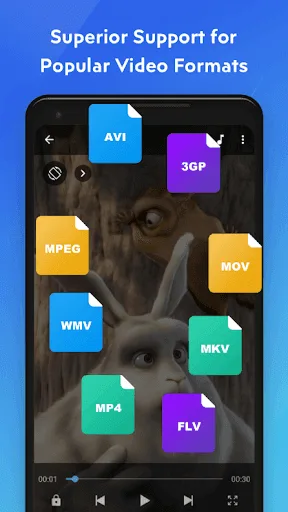
MX Player Beta is a popular mobile video player. This powerful application boasts an acceleration system that effectively prevents video playback stuttering and ensures smooth playback of videos of all formats. With MX Player Beta, you can easily enjoy various media content on your device and experience a smooth viewing experience. This advanced tool is meticulously designed to provide a superior video playback experience and efficiently supports multiple formats. In addition to its powerful playback features, MX Player Beta offers a wealth of customization options. Users can personalize themes, control playback speed, and fine-tune audio settings to their liking.
Highlights:
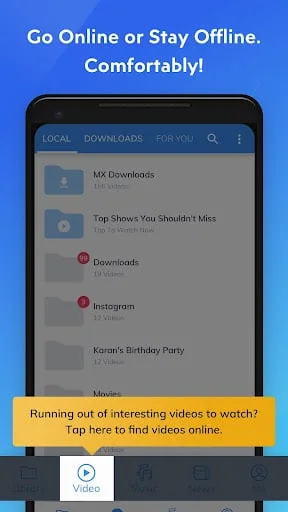
MX Player Beta is very easy to use. The app loads all the videos stored on your device upon launching, so you can easily stream them at once. What’s more, the app supports all video formats. It can even read and edit subtitles in SSA/ASS, SRT, TXT, and VTT file extensions. What users would love the most about this version is its acceleration system, which can eliminate annoying lags in playing videos.
On top of the new HW + decoder for hardware acceleration, the app also accepts many gestures for easy control action. You can pinch your screen to zoom in on an area and expand to zoom out. You can also swipe across the screen to pan and tap anywhere to play or pause. In addition to the video, you can also use the gesture system to manage the subtitles.
Since it is a free app, MX Player Beta is ad-supported. You cannot skip these ads, which can be a bit annoying if you are streaming movies. You can remove these interruptions if you subscribe to the pro version. Aside from the ads, you may also find the constant asking of permission tedious. The app asks for permission for just about everything. However, you need to go through with it since the installer will have trouble loading all the right functions if you refuse to give permissions.
Features:
Advanced Video Decoding
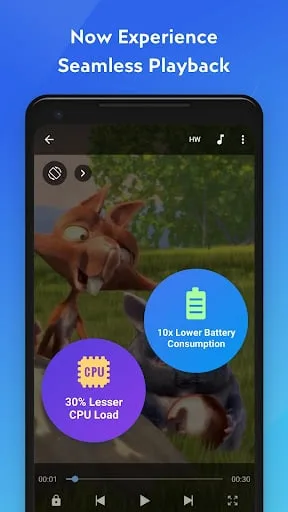
This platform leverages powerful hardware acceleration, ensuring smooth playback of even high-resolution video files without lag. It supports multi-core decoding, which significantly boosts performance on modern Android devices, resulting in a more responsive and efficient viewing experience. This optimization is crucial for enjoying demanding media content seamlessly on the go.
Intuitive User Interface
The application boasts a clean, user-friendly interface that simplifies navigation and control. Gestures are seamlessly integrated, allowing for quick adjustments to volume, brightness, and seeking through videos with simple swipes. This thoughtful design minimizes distractions, letting users immerse themselves fully in their content without unnecessary complexity.
Comprehensive Subtitle Support
For global users or those enjoying foreign films, the tool offers extensive subtitle capabilities. It supports various subtitle formats and provides options for adjusting font size, color, and synchronization. Users can easily load external subtitle files or download them directly within the player, ensuring a perfectly tailored viewing experience.
Picture-in-Picture Mode
Enhancing multitasking on Android, this solution includes a robust Picture-in-Picture (PiP) mode. This feature allows users to continue watching their videos in a small, resizable window while interacting with other applications. It’s incredibly useful for productivity or simply browsing the web without interrupting your entertainment.
Performance Optimizations
Being a beta version, MX Player Beta constantly receives updates focused on performance and stability. Developers actively refine its core engine to support the latest codecs and Android versions, ensuring compatibility and peak efficiency. This commitment to continuous improvement means users always have access to a reliable and future-proof media player.
Pros & Cons:
Pros
Supports all video formats
Can read and edit subtitles
Gesture system
Hardware acceleration for videos
Cons
Cannot skip ads
Asks a lot of permissions
Changelog:
With each release, we strive to provide better experiences for you.
In this release, we squashed some pesky bugs and made sweet performance improvements.
Love MX Player Beta? Rate us! Your feedback keeps us running.
Conclusion:
MX Player Beta is quite a complete version of the popular Android video player. Interact with its many parameters and view the videos stored on your smartphone in a smooth and simple way.








