

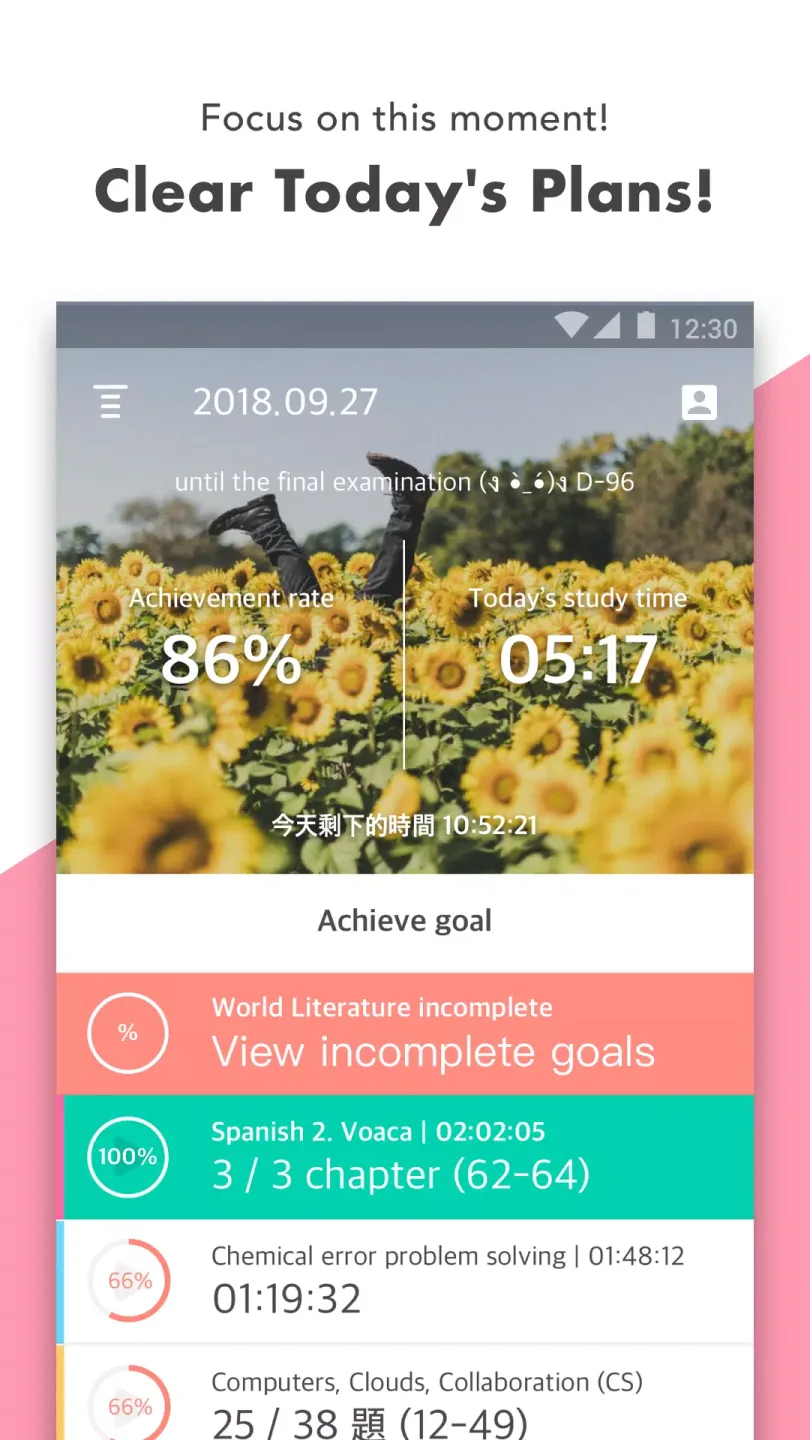
Todait is a learning planning and efficiency software designed for effective learning and time management. Simply input your total study load and deadline, and Todait will automatically allocate tasks by day or week, generating a clear schedule. If tasks are not completed on a given day, the system will automatically reallocate remaining tasks to prevent backlog and maintain a consistent pace. It's especially suitable for students, test-takers, and users who need self-discipline to achieve their goals, helping you scientifically plan your daily study tasks and track your progress in real time.
Click to load YouTube / 点击加载视频
YouTube ↗Function:
Emphasizes learning, not planning
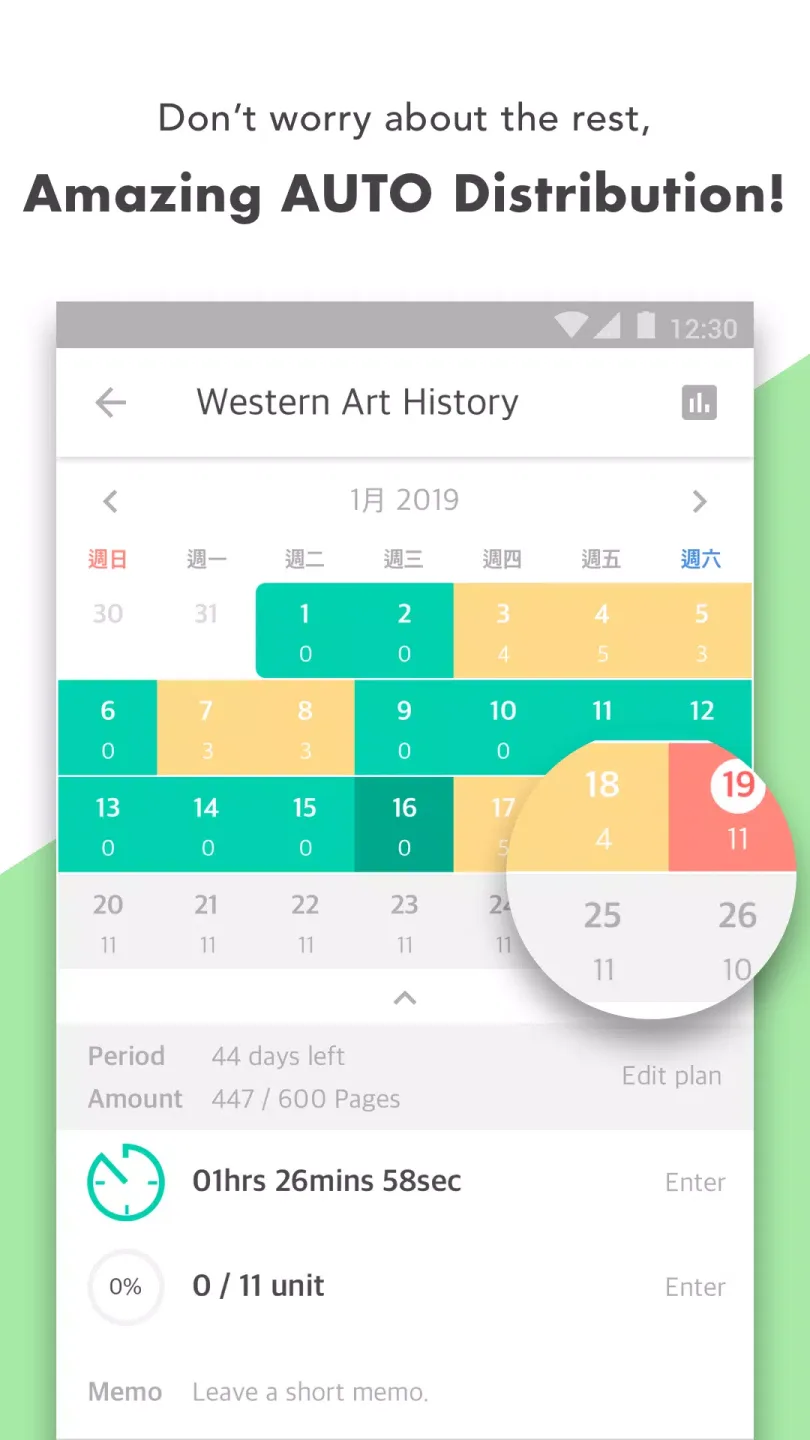
Automatic distribution tells you how much you should study each day to achieve your goals within selected time periods
Automatic plan adjustment reallocates your study materials based on whether you are ahead of or behind schedule
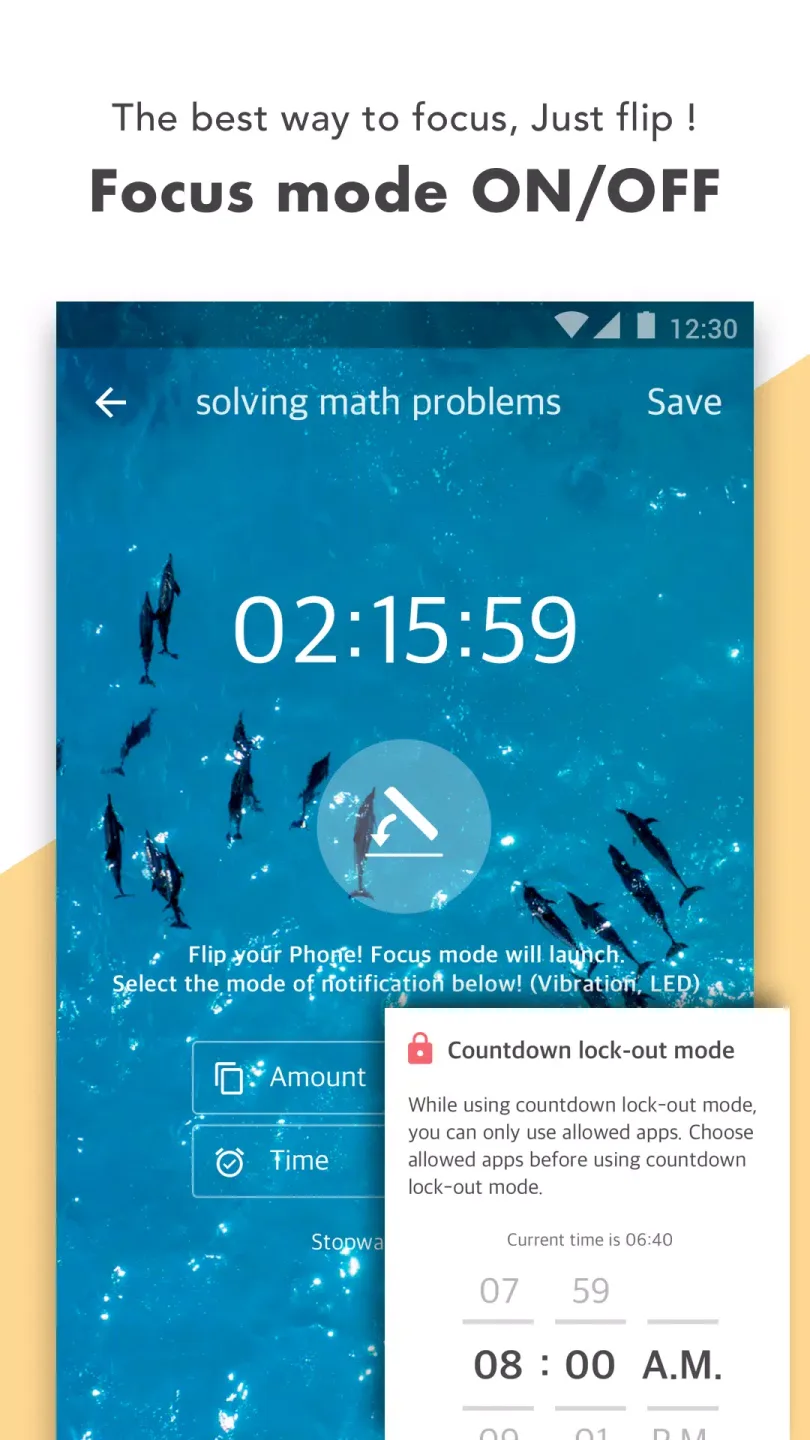
Stopwatch lets you measure and manage study time for each subject
Widgets allow you to start studying directly from the home screen without running the app itself
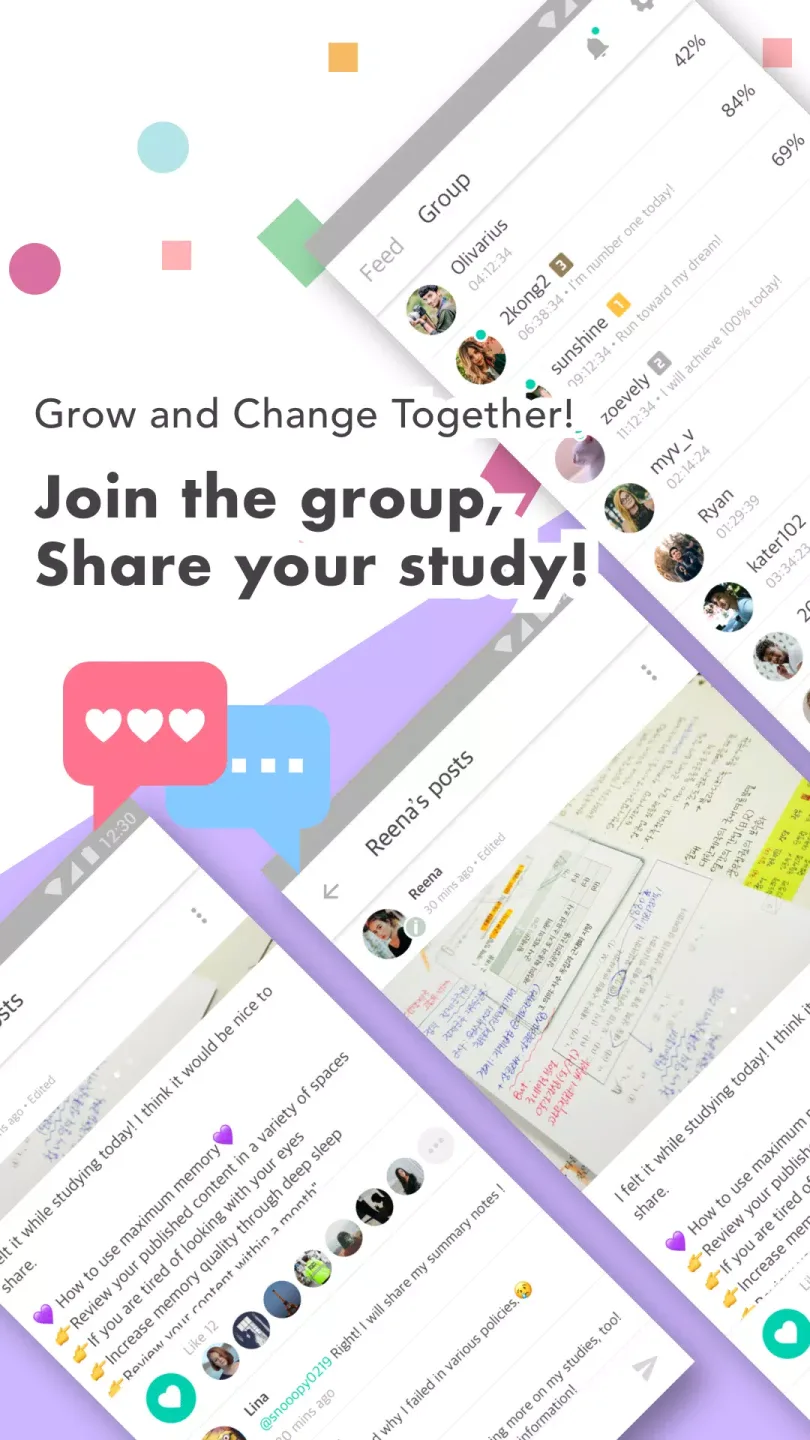
Provides feedback on study habits you can't get on your own
Study trend graph shows your weekly progress and average study time
Timetable shows your daily study time
Calendar records your monthly performance
Alerts remind you to start studying at any time
Study journal lets you reflect on your daily performance on each task
Lock mode prevents you from receiving distracting notifications or using other apps while the stopwatch is running
View all tasks in a simple checklist layout
Allows you to view and manage your study time on other devices
Get more feedback from Todait based on your progress and data
Timetable motivates you to study by comparing your study time with your friends (not yet updated)
Features:
Quick Task Addition: Effortlessly add tasks with essential details like time allocation, topics, and reading pages to ensure a productive study session.
Custom Alarm Notifications: Set specific schedules for your tasks, and receive timely reminders to keep you accountable and on track.
Activity Tracking Tool: Analyze your performance trends to identify areas for improvement, helping you to optimize your study habits over time.
User-Friendly Interface: Enjoy a sleek and intuitive design that makes planning and managing tasks a seamless experience.
Pros and Cons:
Pros
Efficient task management and scheduling tool
Activity tracking for performance assessment
Applicable to both students and professionals
User-friendly and aesthetically pleasing interface
Cons
Lack of integration with other digital calendars
No offline functionality
FAQs:
- Is Todait a free app?
Yes, Todait is a free app that provides all its essential features without any subscription requirement.
- Can Todait help me improve my time management skills?
Absolutely! Todait is specifically designed to help students manage their time effectively and improve their study habits.
- How user-friendly is Todait?
Todait is incredibly user-friendly, even for those who are new to study planners. Its well-designed interface guides you through the app seamlessly.
- Can I track my progress with Todait?
Yes, Todait allows you to track your daily activities and provides valuable insights into your study routine.
- Is Todait available for download on the Play Store?
Yes, Todait is available for download on the Play Store. Join the Todait community and experience its benefits for yourself.
Conclusion:
Whether you are a high school student preparing for exams or a university student juggling multiple courses, the Todait Smart Study Planner is the ultimate companion for academic success. Download the app now and take control of your study routine.








