
Files by Google is a full-featured file management tool. Developed by Google, its main function is file management, allowing users to easily copy, transfer, and delete files, as well as distribute them as needed. With Files by Google, you can easily move all your files on your phone, eliminating tedious operations. In addition to file management, this app also offers a space cleanup feature. You can quickly delete duplicate files and unwanted old documents, easily restoring storage space with just a few taps, thus freeing up space and making your phone run smoother.
Highlights:
Free up space with clear, smart recommendations for duplicates, junk, and media.
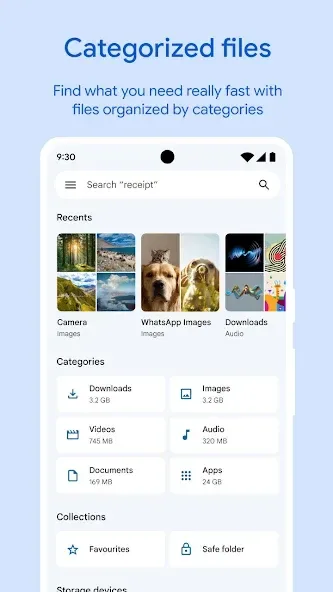
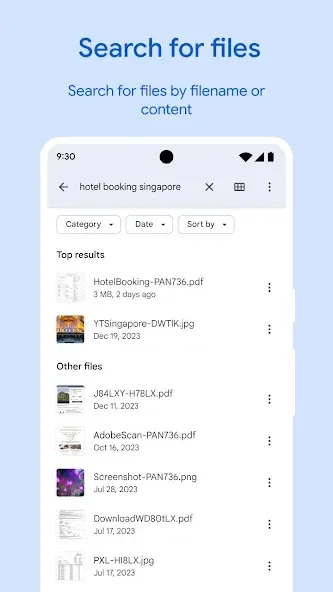
Browse categories and search to find files fast across phone, SD, and USB.
Quick Share moves files offline at up to 480 Mbps with encryption.
Protect items in a PIN- or pattern-locked Safe Folder separate from device lock.
Back up to Google Drive or move files to SD card with a few taps.
Features:
Free up space
Easily see how much space is left on your device, SD card and USB drive. Free up space by finding old photos from chat apps, duplicate files, clearing cache, and more.
Find files faster
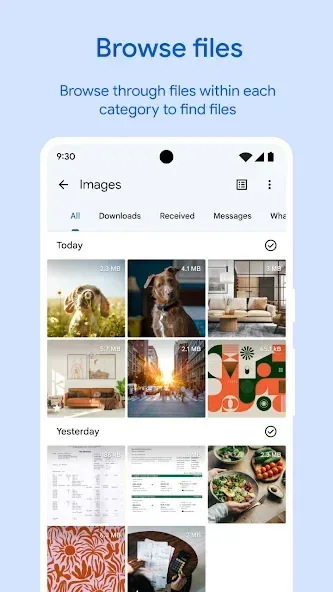
Save time looking for photos, videos, and documents on your phone. Search quickly or browse your GIFs or share that video you downloaded recently. Sort files by size to understand what’s taking up space.
Fast & secure file sharing
Share photos, videos, apps, and more to Android and Chromebook devices around you with Quick Share. Files transfer quickly, with speeds up to 480 Mbps, even without an internet connection. Transfers are private and secured with end-to-end encryption.
Secure your files
Keep your sensitive files safe with a PIN or pattern that can be different from your device lock.
Play offline media
Listen to your music or watch your videos with advanced controls like playback speed, shuffle, and more.
Back up files
Move your files to Google Drive or an SD card to save space on your device. You can also share to other cloud storage apps on your device.
Get smart recommendations
Get helpful suggestions to save space, protect your device, and more. Your recommendations get smarter the more you use the app.
Pros & Cons:
Pros
Lightweight and ad-free, quick to install and use.
Smart cleaning suggestions save time across phone and SD.
Clear storage overview for device, SD, and USB sources.
Fast, encrypted offline sharing for nearby devices.
Straightforward search and browse with handy media playback.
Cons
File-name sorting misorders numbers without zero padding.
Fewer advanced tools than dedicated power-user managers.
Often preinstalled; some devices block full uninstall.
FAQs:
Is the app free to use?
Yes, Files by Google is a free app that helps you manage your device storage efficiently.
Can I transfer files without an internet connection?
Yes, the Quick Share feature allows you to transfer files offline at high speeds of up to 480 Mbps.
Are my files secure when using the app?
Yes, you can secure your sensitive files with a PIN or pattern separate from your device lock for added protection.
Conclusion:
Files by Google is a full featured tool. So much so, in fact, that you're now much more likely to manage all your files from your smartphone; simple and easy. Plus, in just a matter of seconds, you'll clean out your whole device by eliminating any duplicate files, or useless folders that are bogging down your smartphone memory.








