
Translate On Screen is a screen translation app. It offers translation in dozens of languages and allows you to use it while using other apps, providing real-time translation. Even games or anime from other countries can be easily understood! With Translate On Screen, you can customize the appearance of your translations. You can freely choose the font, size, color, and display area, such as displaying it like movie subtitles, for the best translation experience.
Usage
Open the application and follow the prompts to enable accessibility services so it can read text on the screen.
Allow the app to appear on top of other apps so the floating bubble remains visible while using your phone.
Set your target language and enable automatic detection, or you can choose a specific source language if you prefer.
Open any app and tap the bubble to translate the text displayed on the screen. If the bubble obscures content, move it.
When translating images or screenshots, use the OCR option in the bubble menu. For signs or printed pages, turn on camera mode. To speak a phrase, use voice input.
Features
Translate on other apps
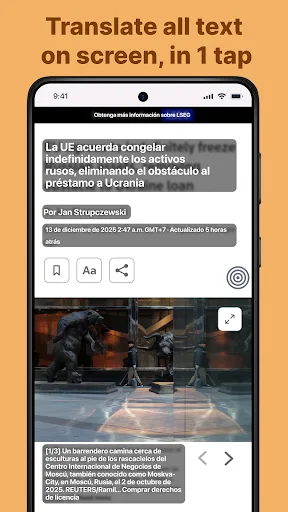
Translate text directly on your phone screen
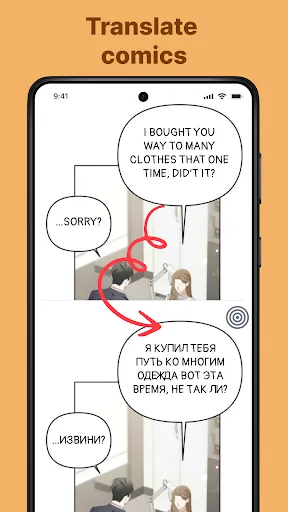
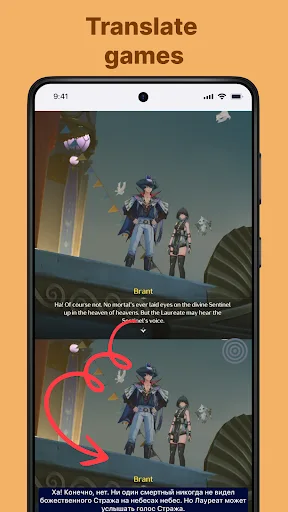
Translate games, comics, and comic books
Chat translator
Translate posts and comments on social networks
Translate foreign language shopping apps
Translate foreign language documents
Image, voice, and camera translation
Detect and translate copied text
Allow copying of translated text
Floating speech bubble translation on screen
Screen translation
Highlights
Customize the translation appearance
We highly recommend taking a few minutes to customize the app before you start using it. In the "Screen Translation Settings," you can choose the font type, size, and color. You can also choose whether the translation is displayed next to the original text or overlays the original text and displays the translation. You can set it to your liking.
Unlock the premium version for more features
While "Screen Translation" is free, the app also offers a premium version with more features. First, the premium version completely removes in-app ads and supports offline use without an internet connection. Other additional features include more fonts and visual styles to choose from for translation.
Dozens of languages available
The screen translation feature supports translation between dozens of languages. You can translate English to Spanish, Spanish to Portuguese, Portuguese to Chinese, Chinese to German, German to Thai, and more. With this app, language barriers are no longer a problem. You can keep the app running to read web pages, text messages, comics, books, and more.
Pros & Cons
Pros: User-friendly interface, Offline translation, Can be used with any app on your device
Cons: Translation accuracy may vary
Summary
Overall, "Screen Translation" is a very useful app for users who need to communicate in different languages. Its advanced features allow users to easily understand and translate screen text on any app or website.








