

Location Changer is a location simulator. It allows you to effectively hide your real location and set a virtual location, protecting your privacy. The app is highly versatile; you can use it to change your virtual location in any application. You can also save your frequently used locations, making them easier to find and apply from your app favorites. Even if you want to express your movement, the app offers a random speed change feature, allowing you to make your virtual movement appear more realistic by randomly changing the speed, time, and parameters.
Usage
To set a virtual location, simply long-press to place a pin on the map, similar to Google Maps; double-tap to zoom. The app continues to run smoothly even after a device restart. You can easily disable the app using the "Stop" button in the notification panel.
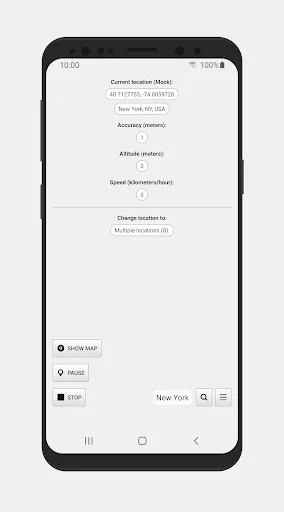
It features a joystick that can be activated in settings to adjust the speed to simulate real-time movement. Other features include creating multiple location points and setting the automatic location switching interval without manual intervention. Note that this interval may vary when the device screen is off or in sleep mode.
Features
Change Location:
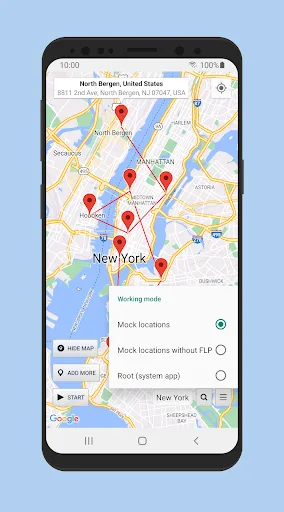
You can set this app as your primary GPS account instead of Google Maps for precise location changes. You can choose any location in the world and virtually move randomly within that radius in real time.
Virtual GPS for All Apps:
To use Location Changer Apk as your primary GPS app, you must go to Developer Options and set this app as your primary GPS app. Once set up, you can easily change your device's location using Fake GPS.
Save Favorite Locations:
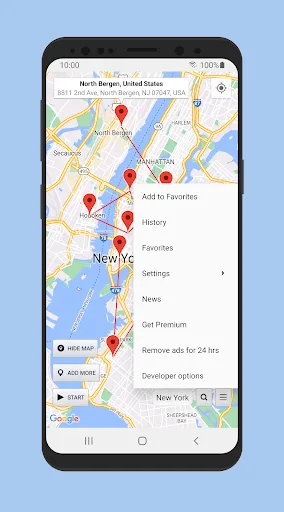
To save your favorite locations, tap the "Add to Favorites" button, and the location will be saved to this app. If you want to find all your saved locations, go to "Favorites" and tap the exact location you want.
Randomly Change Speed:
If you want your GPS location to look like you're moving from one place to another, you can use this feature. You can make the real-time virtual GPS location look more realistic across all your devices by randomly changing the speed, time, and distance. With this app, you can prank your friends and family by showing them a fake current location.
Change Map Type:
Location Changer Apk offers two map types: default map and satellite map. You can choose any map type and select the location where you want to display your virtual GPS location.
Highlights
Location Changer also includes a driving mode, which allows the app to navigate between multiple marker points instead of instantaneously moving. This feature utilizes speed settings to create a more realistic movement experience and updates the location at user-defined time intervals. This simulation feature is especially useful for users who want to test or explore virtual locations without actually traveling.
In terms of ease of use, the app is intuitively designed, offering clear options for users to adjust settings as needed. The interface navigation is convenient, making it easy for users to get started, whether they are tech enthusiasts or just starting to explore location spoofing apps.
Pros and Cons
Pros: User-friendly interface, multiple location pins, simulated location mode
Cons: Potential collisions
Summary
Location Changer plays an important role in various fields with its rich simulation and location simulation capabilities. From entertainment to scientific research, this app has contributed in varying degrees. So, how would you use this app?








