

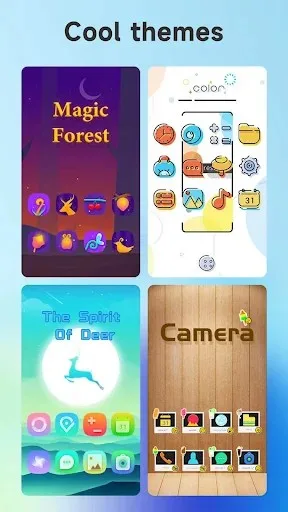
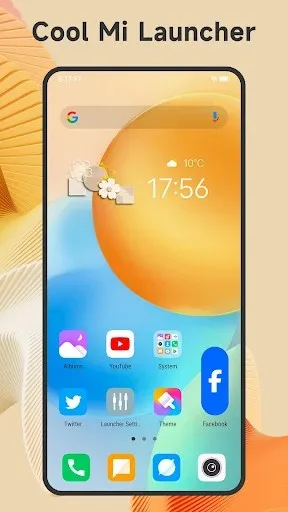
Cool Mi Launcher is a third-party Xiaomi-style mobile launcher software that helps Android phone users replicate the MIUI system desktop style. The software includes over 500 cool themes and over 1000 beautiful wallpapers, supporting live wallpapers and video wallpapers. It is also compatible with almost all third-party icon packs from the Play Store. Users can freely customize the desktop style. It also comes with lightweight tools such as junk file cleaner and power-saving tools, as well as app hiding and app lock functions to effectively protect phone privacy and security.
Click to load YouTube / 点击加载视频
YouTube ↗Features:
Compatible with all Android 4.1+ devices, instantly giving your phone a fresh new look
Offers 500+ cool themes and 1000+ beautiful wallpapers to choose from
Supports almost all icon packs available on the Play Store
Includes gestures such as swipe up/down, pinch in/out, and two-finger gestures
Provides Video Wallpaper and Live Wallpaper for a captivating experience
Allows you to hide apps and lock hidden apps for enhanced privacy
Enables individual app icon customization for personalization
Offers the MIUI 12 folder style and supports folders in the drawer
Round Corner feature for a modern full-screen phone appearance
Includes useful tools like battery percentage, app manager, storage usage/free status, and more
Offers 3 color modes: light launcher mode, dark launcher mode, and automatic mode
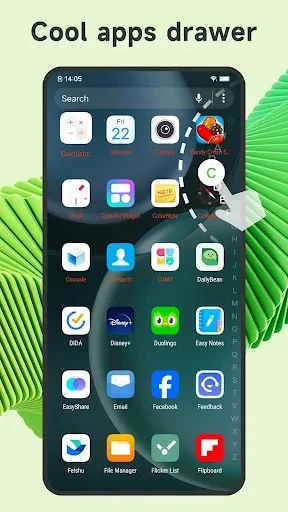
Choose from 4 drawer styles: horizontal, vertical, category, or list drawer
5 app sorting methods available: A-Z, latest installed first, earliest installed first, mostly used, and customized
Displays Unread Notifier on the launcher desktop icon to ensure you never miss important messages
Offers numerous options like dock background, folder color, and folder style customization
Allows you to adjust icon size and launcher grid size for a personalized experience
Provides a variety of launcher desktop transition effects to choose from
Supports multiple dock pages to organize your apps
Features T9 search in the launcher desktop for quick app access
Ability to change fonts for further customization
Highlights:
Hide Apps, lock the hidden apps
App Lock, protect your privacy
Edit app icon individually
MIUI 12 folder style
Support folder in drawer
FAQs:
What Android version is required to install Cool Mi Launcher - CC Launcher?
Cool Mi Launcher - CC Launcher requires Android 4.3 Jelly Bean or higher to install and play. Cool Mi Launcher - CC Launcher This ensures compatibility with the game's features and performance requirements. To check your device's Android version, go to Settings > About Phone > Software Information. If your device runs an earlier version, consider updating it to meet the game's requirements.
Why am I unable to install the Cool Mi Launcher - CC Launcher app on my Android device?
The installation of Cool Mi Launcher - CC Launcher may fail due to insufficient storage, a poor network connection, or compatibility issues with your Android device. To resolve this, ensure your device meets the minimum requirements before attempting to install.
What is the file size of Cool Mi Launcher - CC Launcher
Cool Mi Launcher - CC Launcher takes up around 31.23 MB (32,745,808 bytes) of storage
Conclusion:
It is a feature-rich Android launcher that brings the distinctive style of MIUI 12 to a wide range of Android devices. With an extensive collection of themes, wallpapers, and customizable options, this launcher allows you to transform your Android device into a Xiaomi-inspired masterpiece, whether you're looking for enhanced aesthetics, improved functionality, or greater privacy and security features. If you're an Android user who admires Xiaomi's design philosophy, this launcher is an excellent choice to enhance your mobile experience.








