

Android Accessibility Suite is a mobile tool designed to help users lock and control device settings such as brightness, volume, and image quality. With a simple tap, users can select content from web pages for reading aloud, choosing a suitable voice to avoid straining their eyes. The software supports various functions including Braille keyboards and gesture controls, providing tutorials to help users master different gesture operations.
Click to load YouTube / 点击加载视频
YouTube ↗Features of Android Accessibility Suite
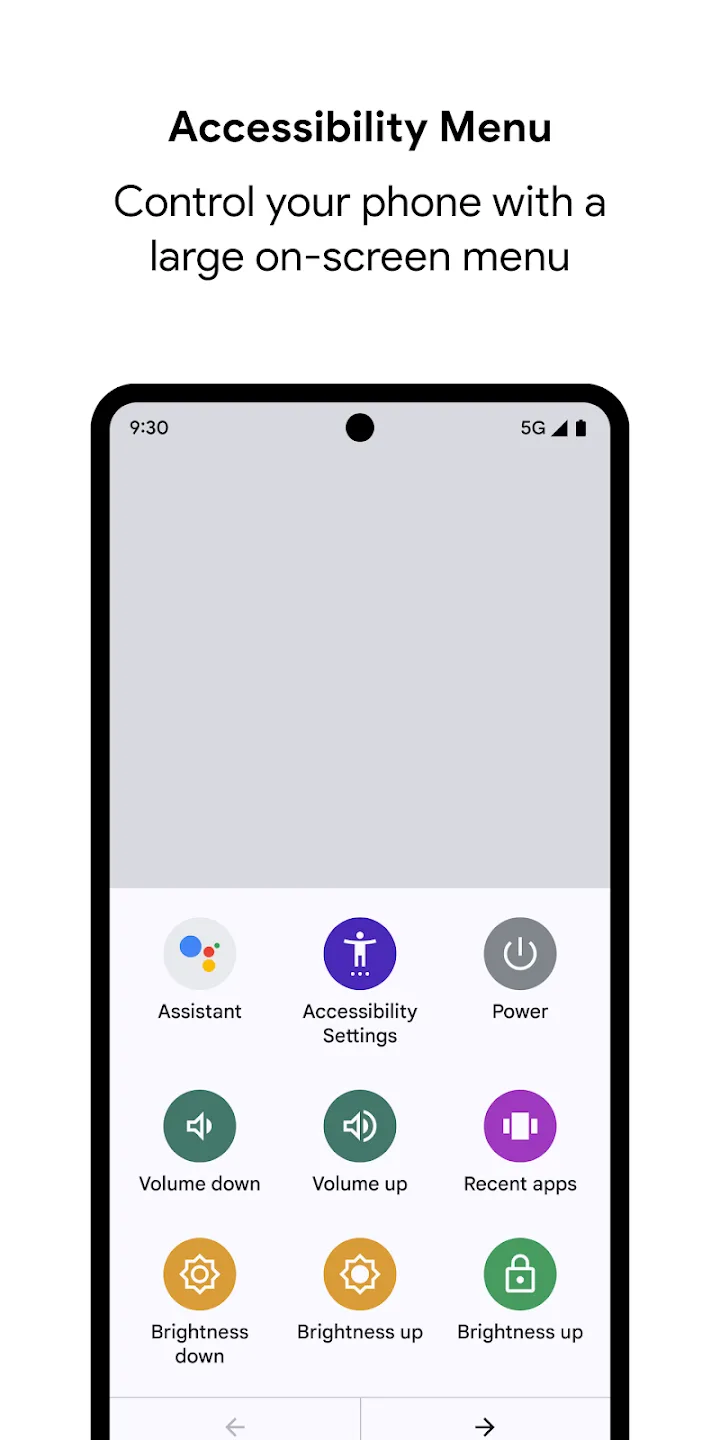
- Accessibility Menu with large controls adds big on-screen buttons for actions like lock, volume, brightness, notifications, and screenshots.
- Switch Access lets you navigate using external Bluetooth or USB switches, or a keyboard to move focus and select items.
- Display adjustments allow you to change the default font size, turn on a magnifying glass, remove animations, and use high-contrast text.
Strengths of Android Accessibility Suite
- Easy-to-Spot Accessibility Menu gives you a straightforward way to handle locking your device or changing brightness without digging through settings.
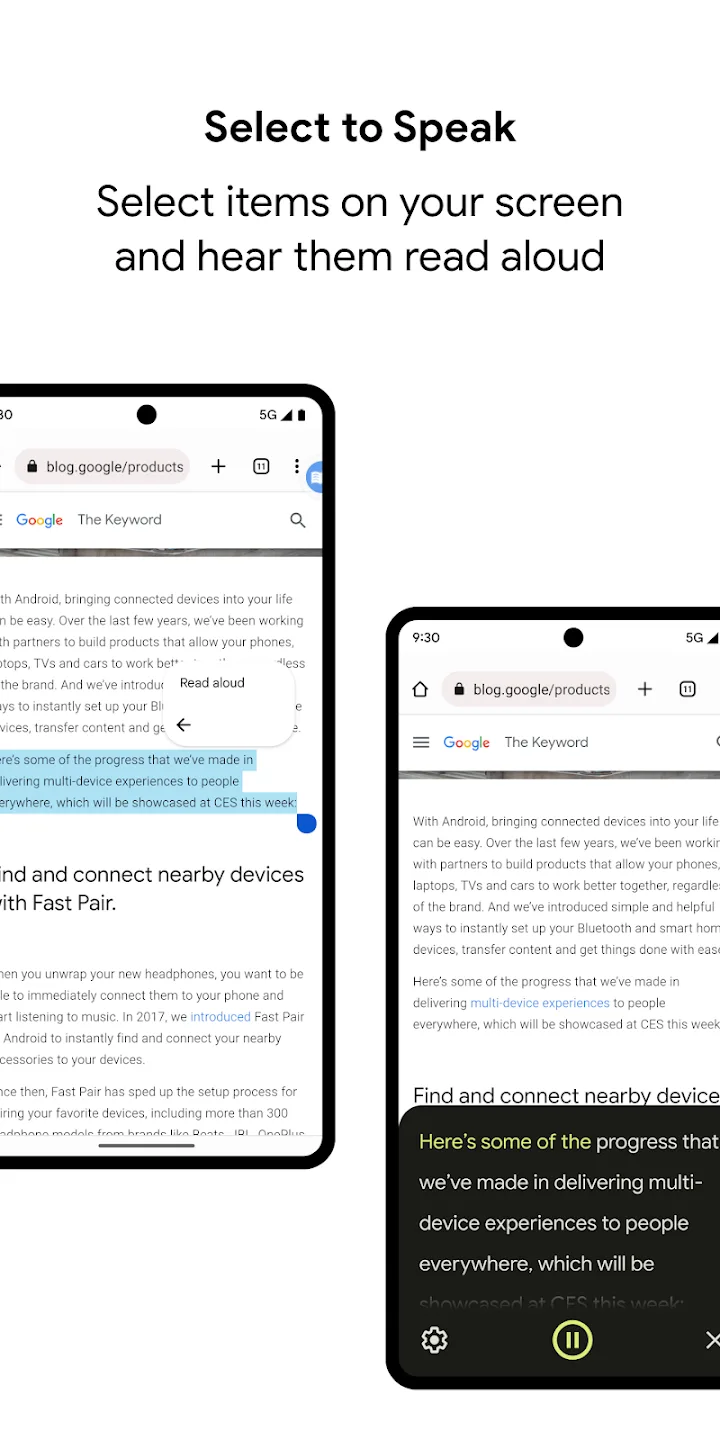
- Select to Speak reads text aloud when you tap what you want, helping you multitask without missing anything important.
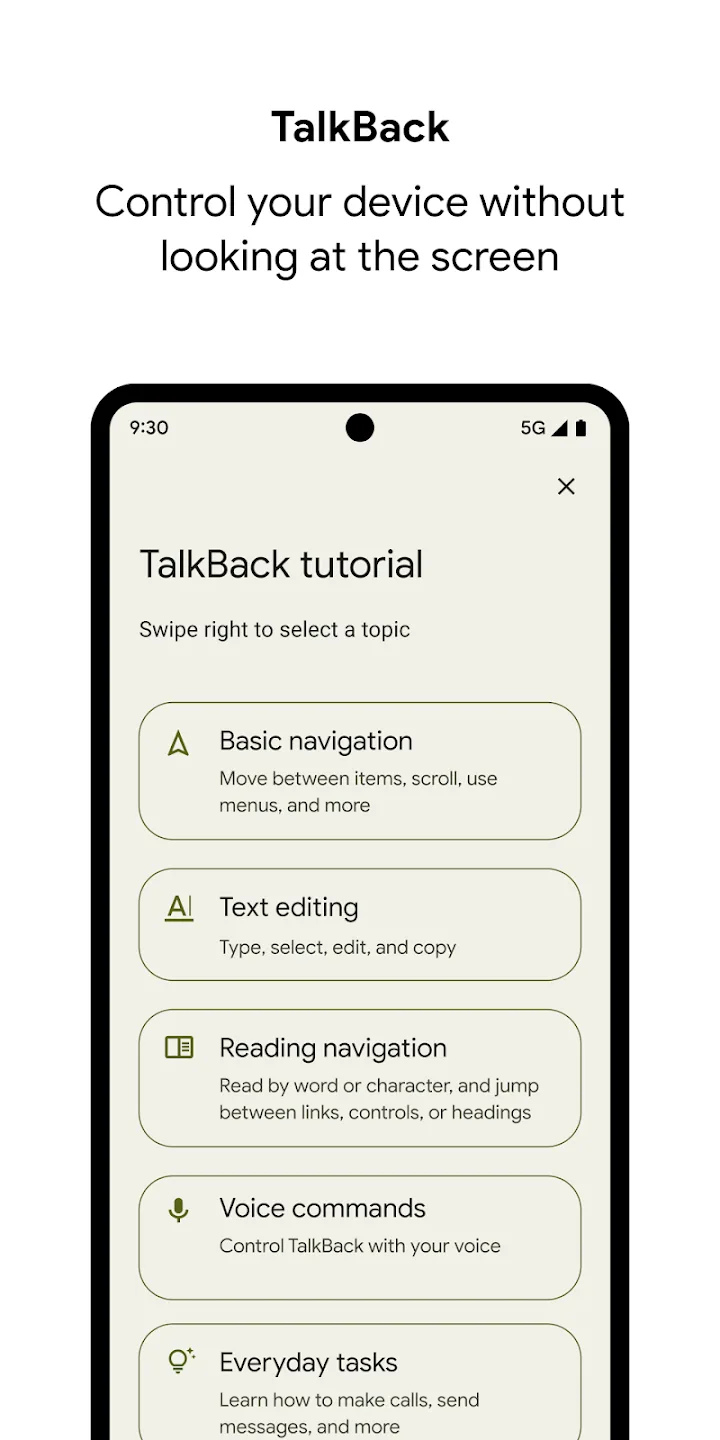
- TalkBack Screen Reader offers spoken feedback and lets you control your phone using gestures along with an on-screen braille keyboard.
- Permission controls help manage call status to tweak spoken notifications and send updates when you want them.
FAQs of Android Accessibility Suite
- Is the accessibility menu safe? Yes, it operates as part of the core Android system and maintains device security.
- What is accessibility mode used for? It enables Android devices to modify their user interface and controls for users with specific needs.
- How does TalkBack help users? It provides sound feedback through screen reader functionality to help users control their devices independently.
Conclusion
Android Accessibility Suite is a useful app for anyone who requires additional assistance when navigating their mobile phone. The suite offers numerous accessibility features like TalkBack, Magnification Gestures, and Switch Access to help people use smartphones effectively.








