

Pizza Boy A Pro is a lightweight, professional-grade GBA game emulator designed specifically for Android devices. It allows players to smoothly run classic GBA handheld games on their phones, supporting instant saving, automatic saving, and syncing saves to Google Cloud to prevent progress loss in case of power outages. Players can interrupt or resume gameplay at any time. Furthermore, it includes a cheat function that allows users to modify lives, unlock levels, and more, enhancing the enjoyment of exploration.
Click to load YouTube / 点击加载视频
YouTube ↗Features:
GBA-focused emulation
Pizza Boy A Pro runs only Game Boy Advance titles. You can save and restore states and use slow motion or fast forward to adjust pacing. It targets smooth 60 frames per second on a wide range of devices. Video and audio rely on native libraries to support responsive gameplay, then you can tailor controls and visuals.
Controls and interface customization
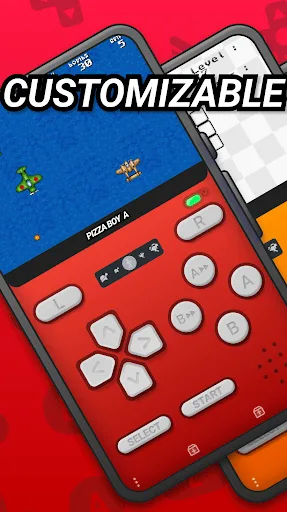
Adjust button size and position
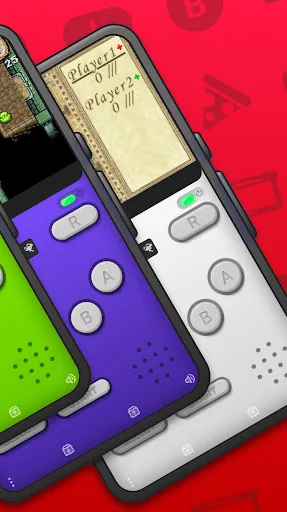
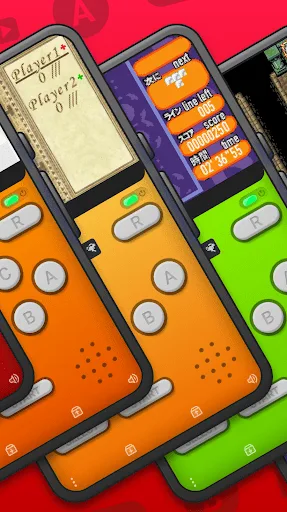
Choose customizable skins and a clear interface
Improved touch control system
Hardware joypad support
Optional shaders for display effects
Saves, sync, and extras
Quick and auto save options
Rewind gameplay when needed
Cheat support for compatible codes
Google Drive sync for save data
Supports zip and 7z archives
Custom BIOS support and Retroachievements
Multiplayer and cartridge sensors
Local and WiFi multiplayer modes
Gyroscope, light, and tilt sensor support
Rumble pack compatibility when available
Highlights:
Veryhighscoresinprecisiontests
TotallywritteninCandassemblyforincredibleperformanceandlowbatteryconsumption
TakeadvantageofOpenGLandOpenSLnativelibrariesforvideoandaudioperformancetothetop
60FPSguaranteedevenonoldhardware
Saveandrestorestates
Slowmotion/Fastforward
Buttonssizeandpositiontotalcustomization
Hardwarejoypadssupport
Shaders
Supportszipand7zarchives
Retroachievementssupport
FAQs:
Is Pizza Boy A Pro safe for my device?
Yes, Pizza Boy A Pro follows the Google Play content guidelines to ensure safe use on your Android device.
What is an XAPK file, and what should I do if the Pizza Boy A Pro I downloaded is an XAPK file?
A file with .xapk extension is a compressed package file. It is a container file format that incorporates APK and additional associated files required for the installation. The XAPK format was introduced to package the APK file and OBB file together for a seamless delivery and installation process. XAPK format can help reduce the package size of application. On mobile phones, users need to install the XAPK installer first, and then install XAPK files through that installer. You can find the installer here:https://apkcombo.com/how-to-install/. But on PC client, you just need to put the file on LDPlayer.
Can I play Pizza Boy A Pro on my computer?
Yes, you can play Pizza Boy A Pro on your computer by installing LDPlayer, an Android emulator. After installing LDPlayer, simply drag and drop the downloaded APK file into the emulator to start playing Pizza Boy A Pro on PC. Alternatively, you can open the emulator, search for the game or app you want to play, and install it from there.
Conclusion:
Download Pizza Boy GBA Pro APK and enjoy its awesome features loaded with some of the brilliance game modes and entertainment. Synchronizing on several devices and many exclusive features for you. Pizza Boy GBA Pro offers automatic game saving, a quicksave mode, and the option to link accounts with Google Drive. Furthermore, you can explore the sophisticated settings and hardware features of the emulator, like the tilt sensor and light detection sensor. Furthermore, this emulator supports Game Boy Advance ROMs. Watching the game is a surefire method to avoid boredom.








